
Weekly and Rotating Working Patterns
Represent weekly and repeating work cycles, including split and overnight periods, and apply employee patterns by effective date for connected leave calculations.
Reflect real schedules
Define weekly or repeating work patterns with day sets and work periods, giving leave administration the schedule context it needs.
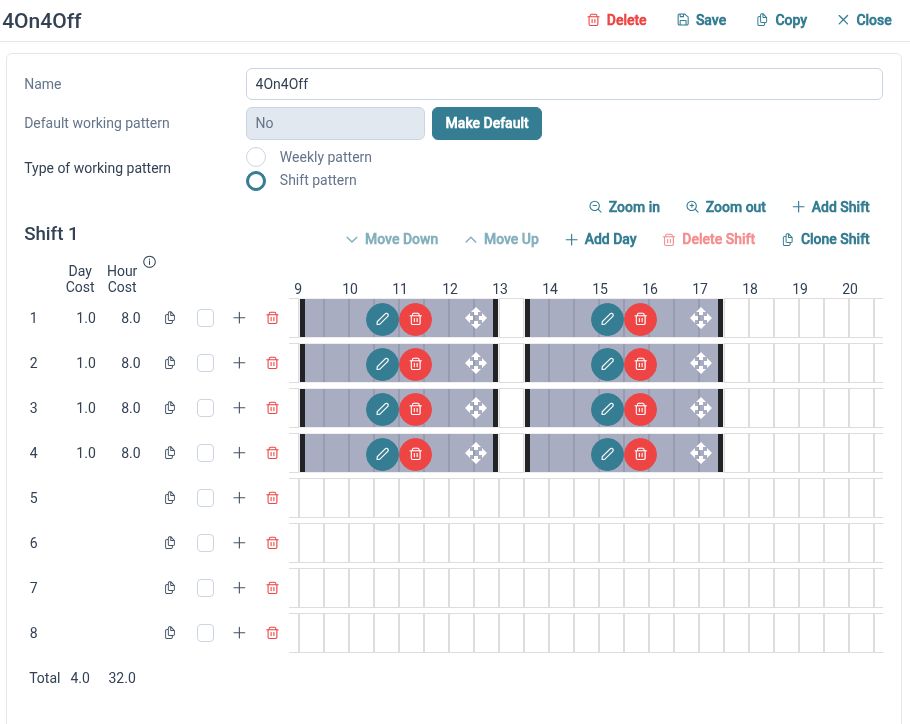
A standard Monday-to-Friday week is only one way to organise working time. HR Planner supports weekly patterns and rotating cycles, built from the days and work periods that apply. Reusable patterns help administrators describe a schedule consistently when several employees follow the same arrangement.
For example, one team could use a three-day weekly pattern while another follows a repeating cycle of working and non-working days. Define each pattern, review its day sets and assign the appropriate one to the employee. The stored pattern then provides context for the dates used in leave processes.
Define work periods
Represent split periods and work that spans midnight, with durations and day costs that support more detailed leave calculations.
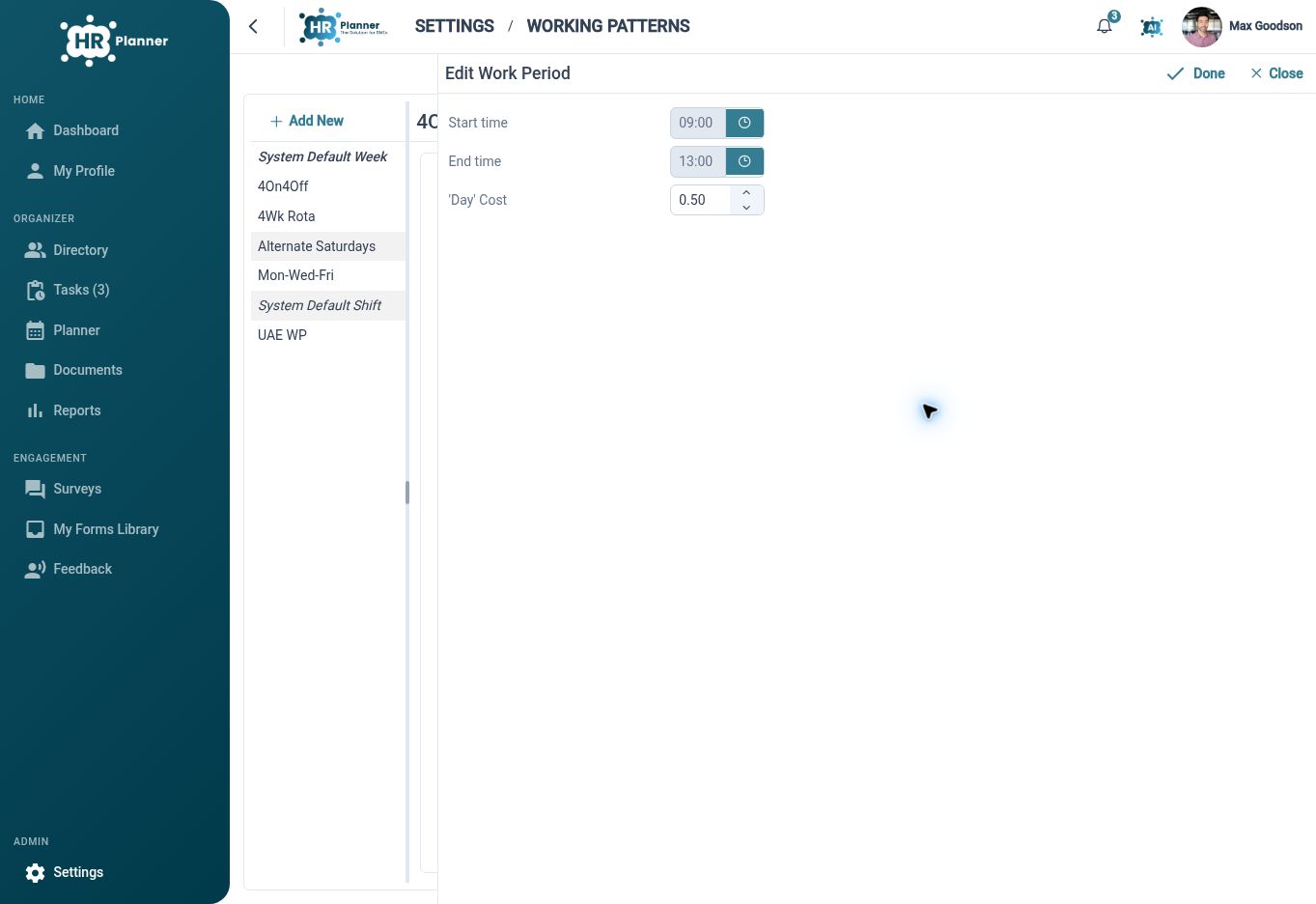
Some working days contain more than one period, and some work continues into the following calendar day. Working-pattern periods can represent those arrangements rather than reducing every day to one identical block. Duration and day-cost information provide a more useful description of how working time is distributed.
For example, a split working day might contain a morning and evening period, while an overnight pattern begins in the evening and finishes the next day. Review the period boundaries and day costs during setup. This detail is relevant when an employee requests only part of a working period.
Date schedule changes
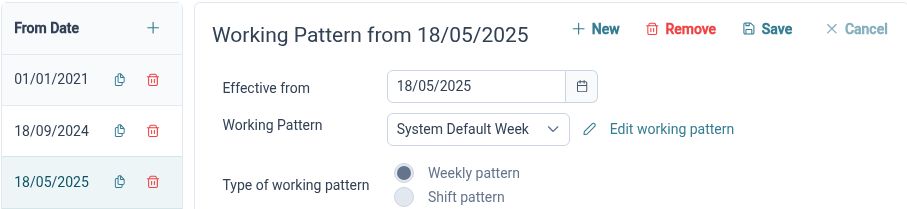
Assign working patterns from an effective date, so future arrangements and previous schedule context can be considered for the relevant period.
An employee’s schedule can change without the new arrangement applying to every date in their record. Effective-dated assignments identify which pattern applies from a selected date. Pattern averages and the connected leave processes help administrators review the implications of a change in working days or hours.
For example, an employee moving from full-time work to a four-day week next month needs the new pattern to start at the right point. Record that effective date and review requests around the transition. Keeping the date and schedule together supports clearer allowance and leave discussions.
Built for everyday HR

Reusable schedule definitions
Set up weekly and rotating arrangements once and apply them to the relevant employees.
Detailed working periods
Represent split and overnight work when a simple daily block is insufficient.
Date-aware administration
Keep pattern changes tied to an effective date for more useful leave context.
Explore connected HR features
Holiday Entitlement and Leave Years
Leave and Absence Management Software
Staff Availability and Leave Planner

Ready to take our software for a spin?
Organisations just like yours are using HR Planner. Start your free trial today to see how simple it can be!