
HR for Media Teams
Keep everyday HR moving alongside the work your team creates. Bring employee records, leave, expenses and feedback into connected processes that help Employees and Managers stay organised.
A media business can bring together editorial, production, commercial and support teams with different day-to-day demands. A publication deadline or a busy production period does not stop holiday requests, employee updates and expense claims from needing attention.
HR Planner gives those people tasks a shared home. Review leave with the relevant team in view, record the working patterns Employees follow and give information and requests a clear route. Use surveys and feedback to understand the team's experience as ways of working develop.
See the team
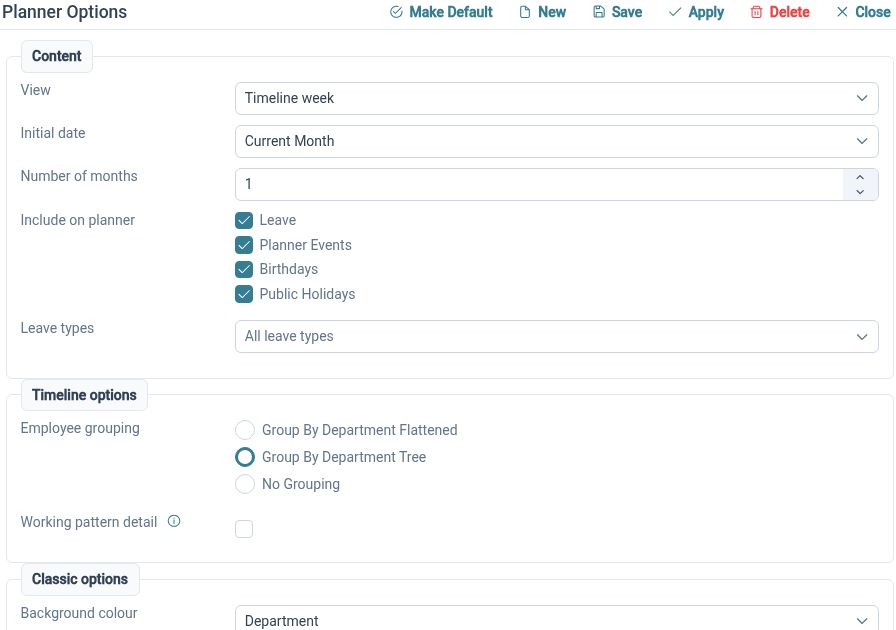
Review employee availability through a shared planner with organisational grouping and leave information.
The Staff Holiday Planner displays Employees and events in calendar views, with organisational grouping and request actions. It gives authorised Managers a place to consider the wider team picture when reviewing time away. That context can support planning discussions across the people involved, instead of relying on separate calendar extracts or messages.
For example, an editorial Manager receives overlapping leave requests before a planned publication date. They can review the relevant planner view and discuss cover with the team before making a decision. The business still organises its publication and production work; the HR planner supplies the employee and leave context for that discussion.
Manage time off
Give Employees a defined route to request leave, review its status and handle changes to their plans.
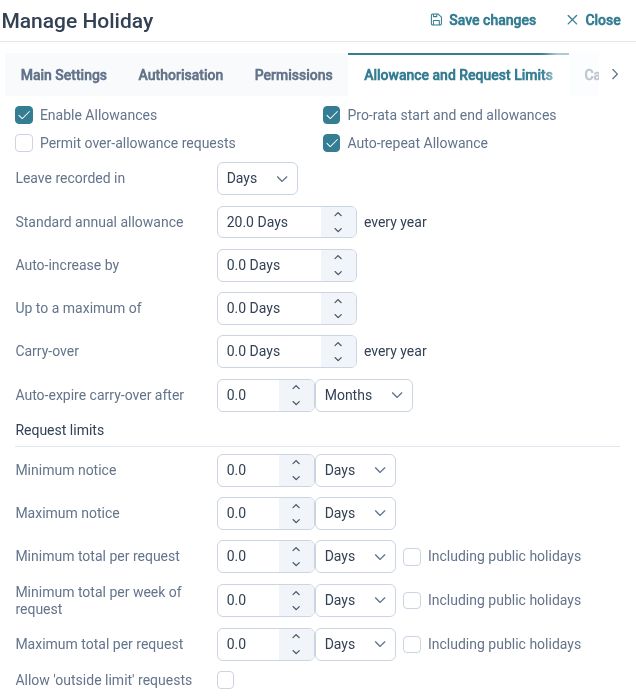
Leave Management supports request creation, validation, approval, amendment and cancellation, with employee summaries. Connecting those steps makes the process easier to follow than exchanging a series of emails whenever dates change. Configure the relevant settings and approval arrangements around the way your organisation manages leave.
For example, an Employee's personal plans change after they have requested holiday. They can use the available amendment or cancellation process so the change can be handled through the relevant workflow. The Manager can then review the updated situation with the team's commitments in mind rather than working from an earlier message.
Match schedules
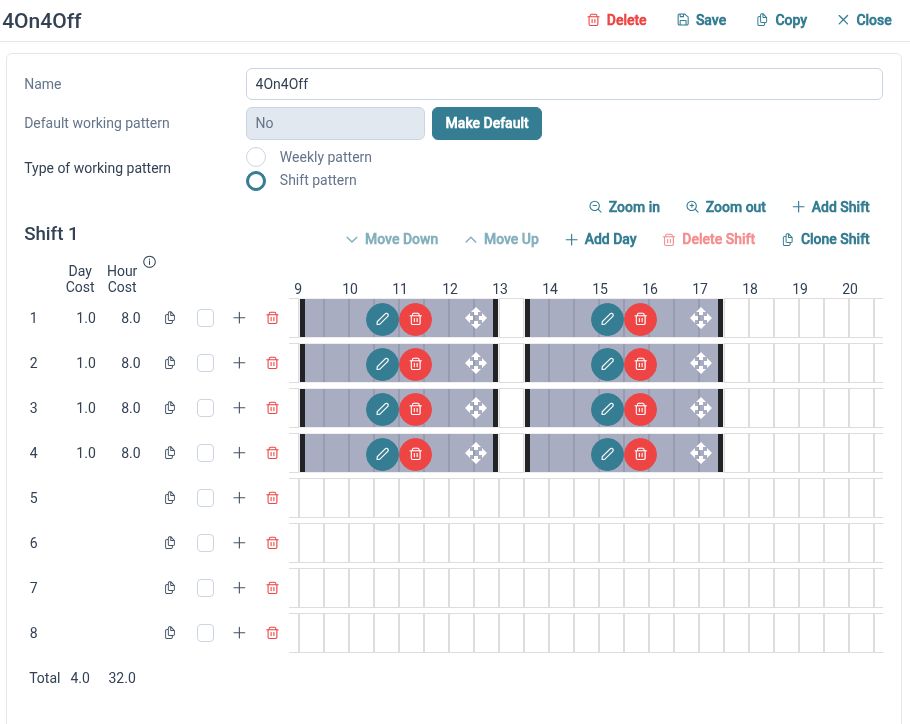
Use weekly and rotating working patterns to represent the arrangements Employees actually follow.
Working Patterns defines schedules through day sets and work periods, including weekly and repeating rotations. This provides working-time context for leave handling when Employees do not all follow the same pattern. Review employee assignments and representative dates so the configured arrangements reflect the schedules your business intends to use.
For example, a publishing team includes a part-time Employee working three regular days and another Employee on a repeating arrangement. HR can configure the relevant patterns and check how their leave is handled. Maintaining those arrangements helps the team interpret availability without treating every Employee as a standard Monday-to-Friday worker.

Connect records
Keep employee details and linked HR information together as your teams and responsibilities change.
Employee Records provides configurable sections for profile information and linked HR records. It gives authorised users a consistent place to maintain details instead of keeping separate employee lists for every department. Clear record ownership and appropriate access help the information remain useful as the business develops.
For example, an Employee moves from one internal team to another and HR needs to review their recorded organisational details. Working from the employee record gives the update a defined place. Check any related responsibilities and permissions through your normal process so the people using the information have the context they need.
Clearer claims
Organise employee expenses into itemised claims with supporting receipts and visible submission status.
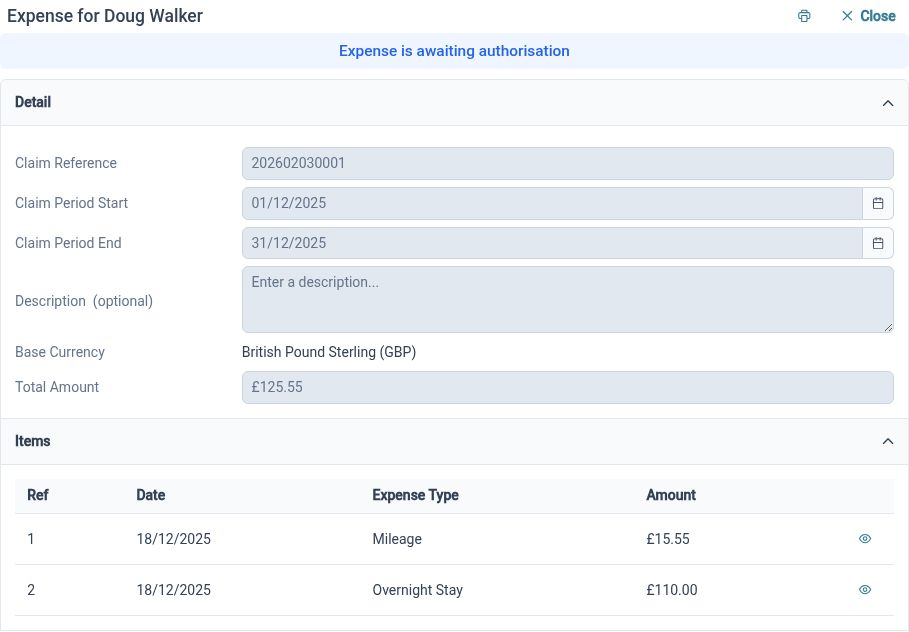
Expense Management brings claim periods, descriptions and individual items into a structured process. Supporting documents can be attached to expense items, keeping the evidence beside the cost being reviewed. Employees and authorised Reviewers can work with the claim through its configured submission and approval handling.
For example, an Employee attending an industry event returns with travel receipts. They can prepare a claim, add the relevant descriptions and attach the evidence before submitting it. The Reviewer can consider the items against the company's policy, while reimbursement remains part of the organisation's payment arrangements.
Hear from people
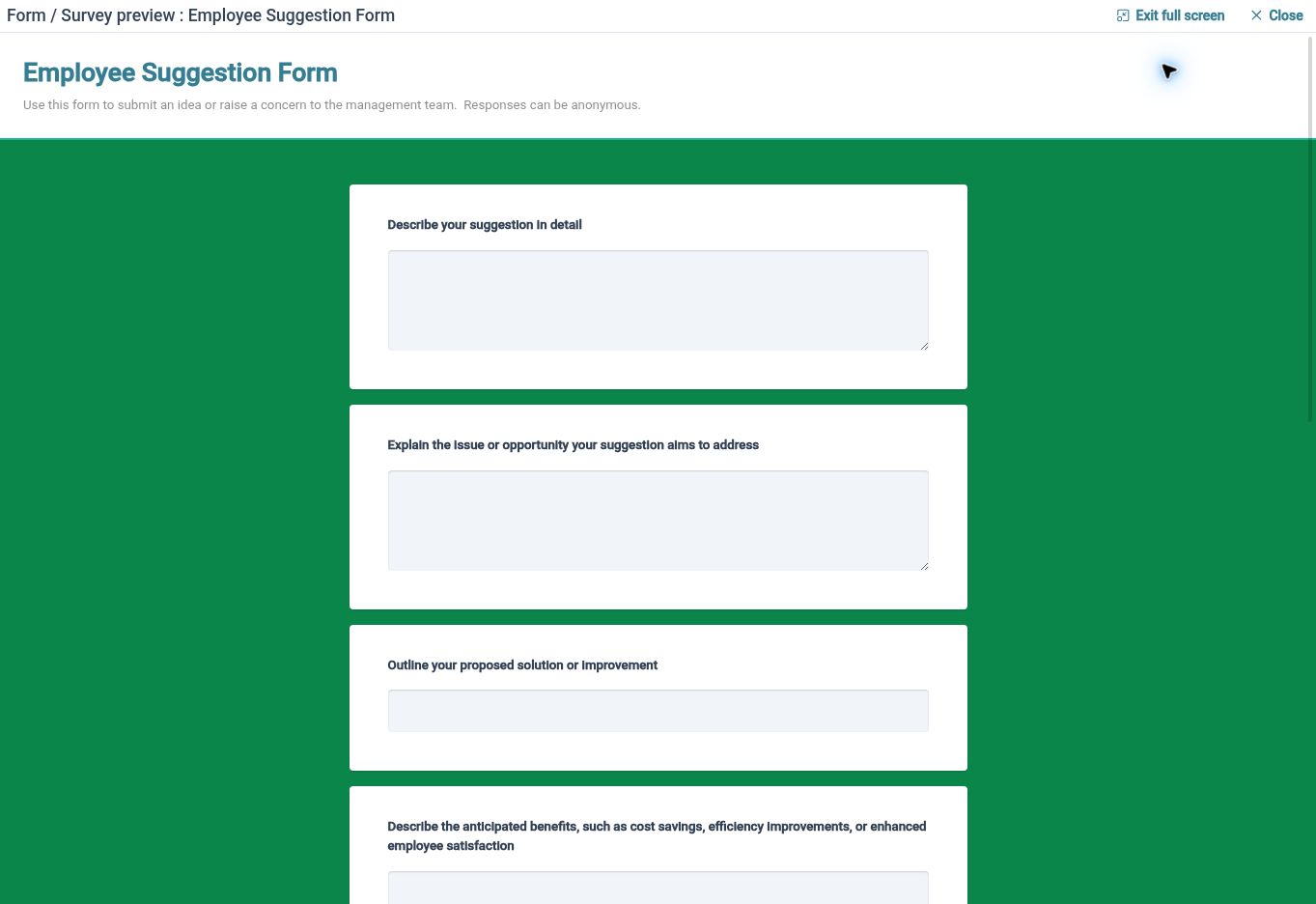
Ask focused questions through surveys and give Employees a separate route to share feedback when they have something to say.
Employee Surveys brings selected forms and recipients together for structured collection, with progress and results views. Employee Feedback allows Employees to start submissions through available forms, with review states and comments for authorised users. These routes help your team collect input and organise its review as working practices change.
For example, after introducing a new internal handover process, HR can survey the affected team about what is working and where information is missing. An Employee who later notices another issue can use an available feedback form to explain it. The business can then review the input and agree how to communicate any changes or next steps.
Clearer HR behind the work

Employees
Find your information, follow the available leave and expense processes, and share feedback through a clear route.

Managers
Review relevant team availability and requests with the employee information your permissions allow.

HR Administrators
Maintain records and working patterns, configure request processes and organise employee input across your teams.
Explore the tools for your team
Staff Holiday Planner
Expense Management
Employee Feedback
Your questions answered
Which parts of a media business can use HR Planner?
The features on this page support employee HR tasks across teams such as editorial, production, commercial and administration. Configure records, access and processes around the people using them. The examples describe HR administration rather than specialist production or publishing tools.
Can we support different employee working patterns?
Working Patterns supports weekly and repeating rotating arrangements through day sets and work periods. Configure the relevant schedules, review employee assignments and check representative dates so the information used in leave handling reflects the intended arrangements.
Can Employees attach receipts to their expense claims?
Yes. Claims contain individual expense items with supporting document attachments. Employees can submit the information through the configured process so authorised Reviewers can consider the costs and evidence against your company's policy.
Can we collect input after changing a team process?
Employee Surveys lets you select a form and recipients for a focused exercise, with progress and results views. Employee Feedback provides a separate route for employee-initiated input. Your team decides who reviews the responses and how any outcomes are communicated.

Ready to take our software for a spin?
Organisations just like yours are using HR Planner. Start your free trial today to see how simple it can be!