
Team Leave & Cover
Make leave decisions with the wider team in view. Bring holiday requests, working patterns and cover requirements together so Managers can consider time away alongside the people needed at work.
Two holiday requests can look straightforward in isolation but create a difficult gap when they overlap. The answer depends on more than the dates: who normally works that day, which team needs cover and what approval process your organisation follows.
HR Planner connects those parts of leave planning. Start with the schedules and allowances your Employees use, make team availability visible and configure cover rules that reflect your organisation's needs. Then give Managers a clear process for reviewing requests and handling changes.
See the team
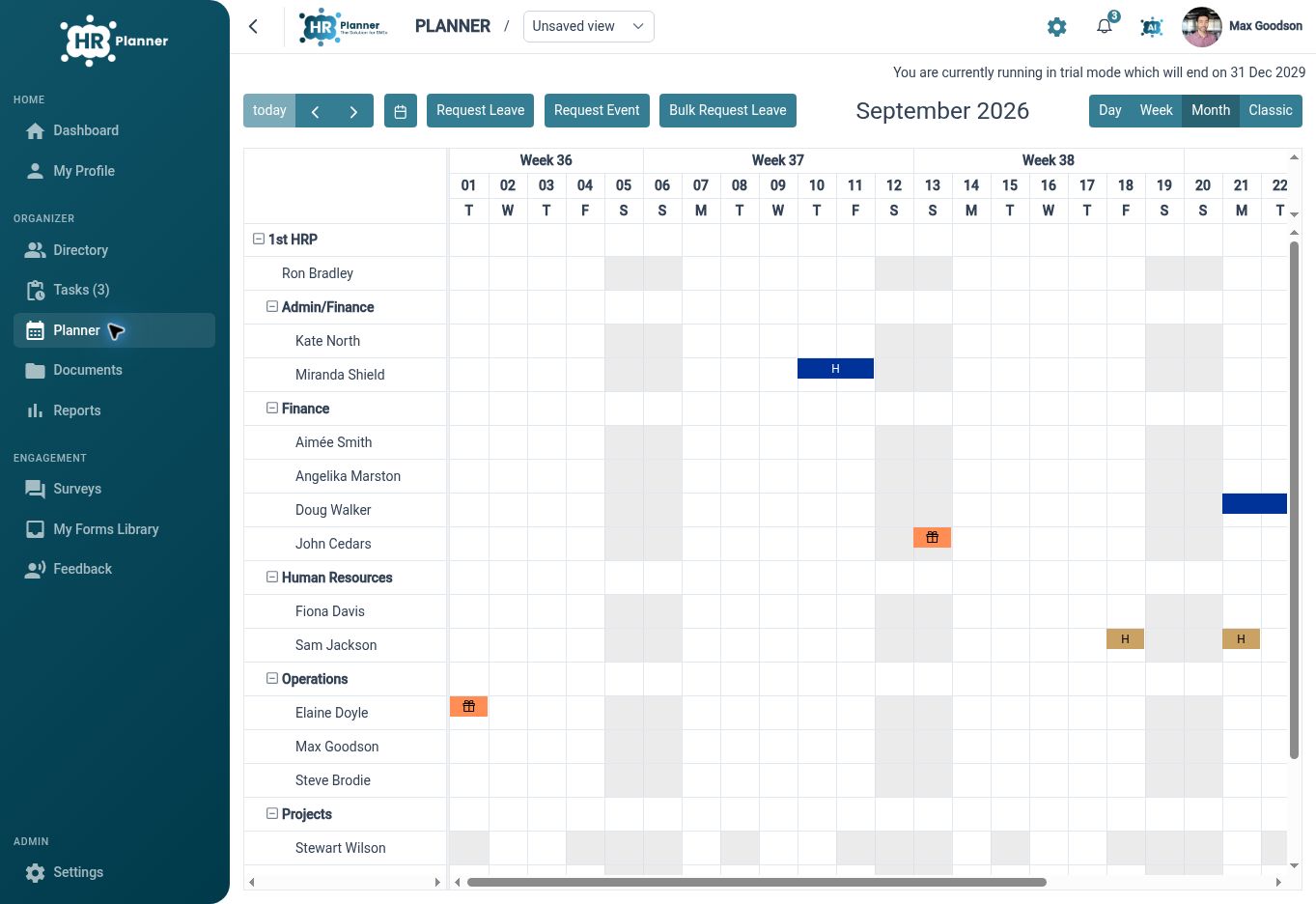
Use a shared planner view to review Employees, leave and events before considering another request for time away.
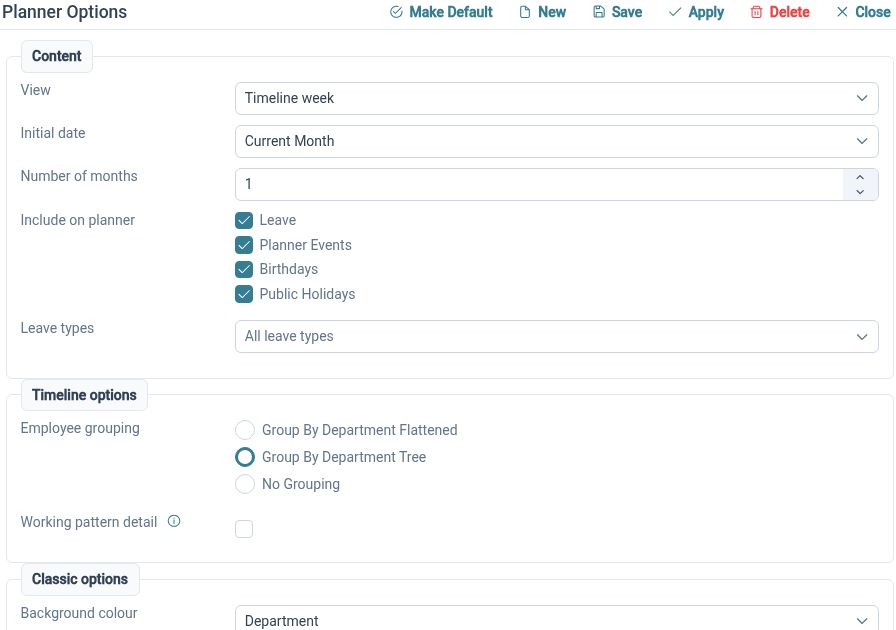
The Staff Holiday Planner displays Employees and events with organisational grouping and direct request actions. It gives authorised users a place to review relevant team activity alongside leave status and public holidays. Choose the view and grouping that help a Manager understand the people affected by a decision, rather than relying only on an individual request.
For example, two members of a customer-facing team may ask for the same Friday off. The Manager can review the relevant planner view to see the wider pattern of leave and events before deciding what needs discussion. A shared view gives that conversation a common reference point instead of separate emailed calendar extracts.
Match schedules
Set up working patterns that reflect when people work, including weekly schedules and repeating rotations.
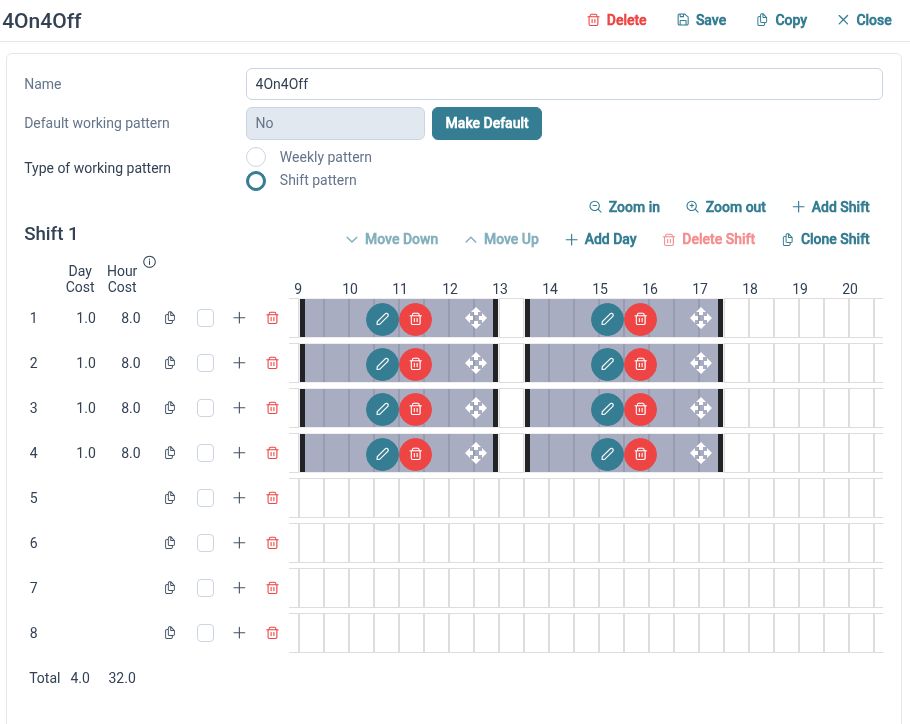
Team availability depends on the schedules behind the names in the planner. Working Patterns defines weekly and rotating arrangements through day sets and work periods, connecting the schedule to leave handling. Review the relevant patterns and their employee assignments so requests are considered against the intended working arrangements.
For example, a team may include one Employee who works Monday to Wednesday and another on a repeating rotation. Treating both as full-time Monday-to-Friday workers would give an incomplete planning picture. Configure their actual arrangements and check representative dates before relying on those schedules for the team's leave process.
Set cover rules
Define cover groups and staffing limits so overlapping leave can be considered against explicit team requirements.
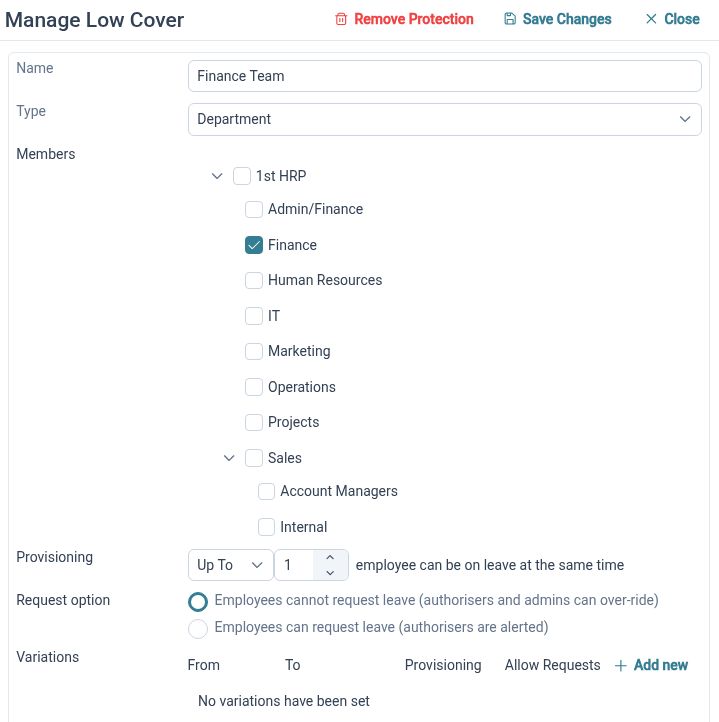
Minimum Staffing Cover provides scoped groups with their own membership, limits and request handling. The configuration supports at-least or up-to limits, helping HR Administrators express the rule that applies to the relevant group. Review the group membership and handling settings carefully: the rule needs to match how your organisation actually plans cover.
For example, a small support team may need an agreed number of people available during its normal service hours. HR can define the relevant cover group and configure the appropriate limit and request handling. Try a representative overlapping request to check the behaviour, then explain to Managers how the configured rule supports their review.
Check requests
Review the leave request alongside employee balances and the settings that determine how time away is handled.
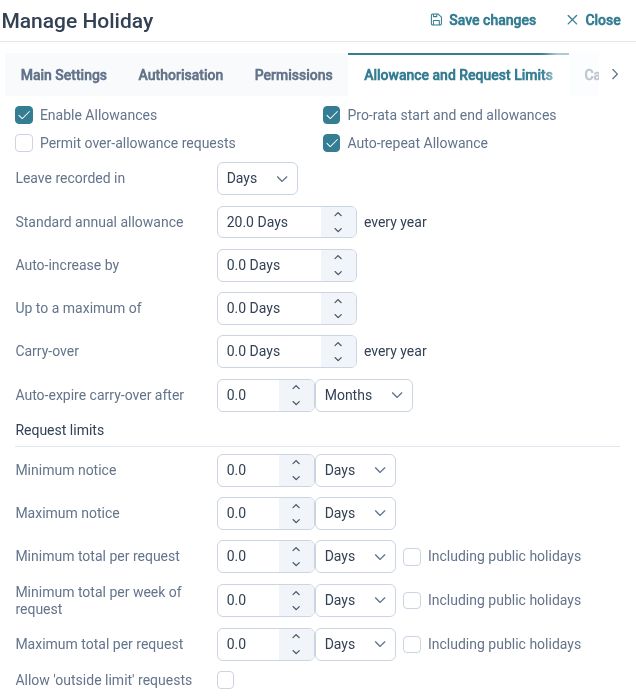
Leave Management supports requests, validation, approvals, amendments and cancellations. Holiday Entitlement keeps allowances organised by leave type and leave year, with summaries connected to employee circumstances and request costs. Those records answer a different question from team cover: whether the Employee's request fits their configured leave arrangements.
For example, an Employee may have enough holiday remaining for a requested week while the team still needs to discuss cover for one of the days. Review both parts of the request using the relevant information. Keep allowance setup and cover rules clear so a balance is not mistaken for confirmation that particular dates have been approved.
Guide decisions
Use a configured approval process so Employees and Managers know how requests will be reviewed.
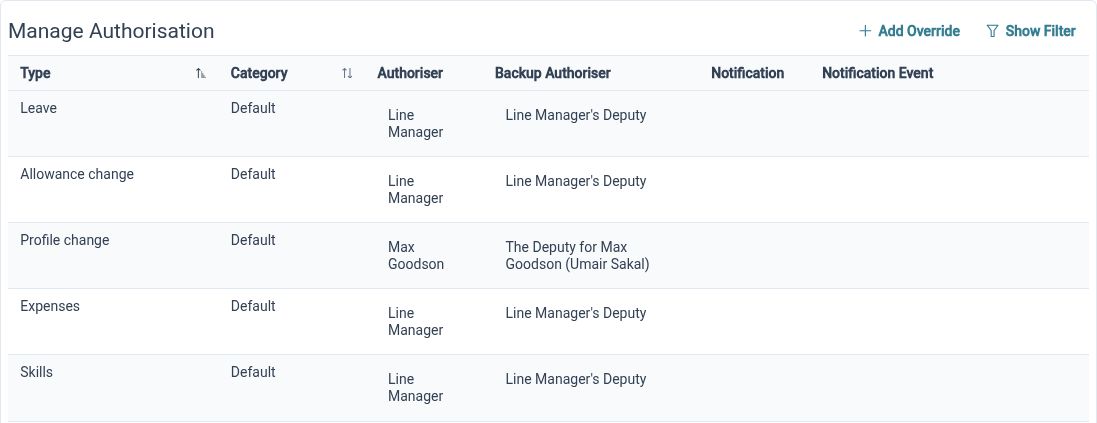
HR Approvals provides configurable authorisation structures for leave and other HR processes. For team leave, this gives your organisation a way to define the required approval handling rather than relying entirely on informal email exchanges. Agree who reviews requests and what information they should consider before putting the process into everyday use.
For example, an Employee submits planned leave and the request follows the configured authorisation structure. The responsible Manager can consider the request alongside the planner and applicable cover rules. Your organisation still decides how to resolve competing preferences and communicate outcomes; the configured process gives those decisions a defined route.
Plan for peaks
Review cover requirements for busy periods and keep the planning process useful when leave plans change.
Seasonal cover variances allow a cover group's limits and request handling to change for specified month-and-day ranges. This supports planning for recurring busy periods within the group's configuration. Alongside those rules, leave amendment and cancellation handling provides a route for changes to existing requests, which should be reviewed through the relevant process.
For example, a team may need a different cover requirement during its busiest seasonal period. Configure the appropriate variance and check the affected dates before inviting requests. If an Employee later changes their plans, use the supported amendment or cancellation process and review the resulting team picture rather than relying on an earlier planner extract.
A shared planning process

Employees
Submit leave through the agreed route and use available balance and request information to understand your own plans.

Managers
Consider requests with team availability, working patterns and configured cover requirements in view.

HR Administrators
Maintain the schedules, allowances, cover groups and approval settings that support consistent leave handling.
Explore the planning tools
Staff Holiday Planner
Minimum Staffing Cover
Working Patterns
Your questions answered
Does having holiday remaining mean a request is approved?
No. An allowance balance and approval status describe different parts of leave management. A request still follows the configured process, with applicable working arrangements, cover settings and organisational policy informing how it is handled.
Can cover rules differ between teams?
Cover groups have their own membership, limits and request handling. Configure the relevant scope and settings for each group, then test representative requests to check that the behaviour matches your intended process.
Can we plan around part-time and rotating schedules?
Working Patterns supports weekly and repeating rotating arrangements. Set up the relevant day sets and work periods, review employee assignments and check representative dates so the schedules used in leave handling reflect the intended working arrangements.
Will the software guarantee that we always have enough staff?
Configured cover rules support informed request handling, but staffing still depends on accurate schedules, group membership, settings and the decisions your organisation makes. Review the configuration when those factors change and agree how Managers should handle situations needing further discussion.

Ready to take our software for a spin?
Organisations just like yours are using HR Planner. Start your free trial today to see how simple it can be!