
Core HR Software for UK SMEs
Build a clear foundation for everyday HR. Keep employee details, company structure and supporting documents connected, with self-service and a guided process for departures.
Core HR is the day-to-day work of keeping employee information useful: knowing who works where, maintaining their details, finding supporting files and managing changes to their records. When those tasks depend on separate spreadsheets and inboxes, it becomes harder to know which information to use.
HR Planner brings these foundations together. Explore how Employee Records, Employee Self-Service, Multi-Company HR, Custom HR Fields, HR Documents and Employee Offboarding support a more organised approach to employee administration.

Find a record
Give HR Administrators a consistent place to find employee details and the connected HR information available to them.
An employee record provides a shared point of reference for information that would otherwise sit in separate files. HR Planner organises details into configurable sections and connects them with other HR records, including leave, skills and salary history. What each person can view or change follows the applicable access settings.
For example, when a Manager asks about a colleague’s current department or working arrangements, HR can start with that employee’s record and review the relevant details. Keeping those details in their employee context gives the team a clearer starting point than comparing several copies of a spreadsheet.
Shared HR tasks
Let Employees check their own information and make permitted updates, while retaining review where your process requires it.
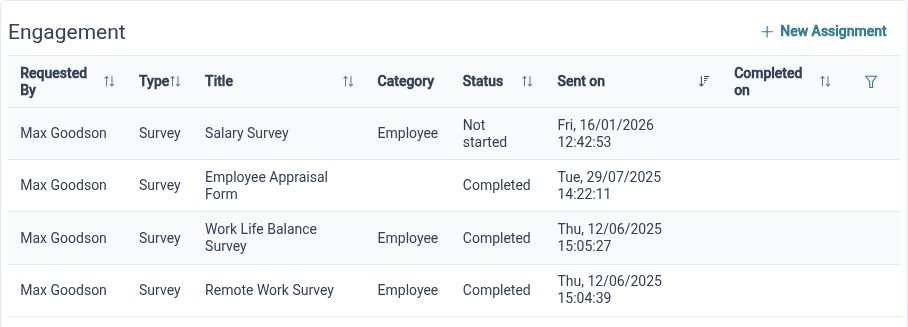
Employee Self-Service gives Employees a direct route to their own profile and available HR actions. Viewing information, proposing a change and editing it are distinct rights. HR Administrators can therefore offer useful access without treating every personal-detail update as an unrestricted edit.
For example, an Employee who notices an outdated personal detail can propose a correction if that action is enabled. The appropriate reviewer can assess the proposed change through the configured process. Other details may be view-only, helping Employees understand their information while keeping responsibility for maintaining it clear.
Your structure
Organise people into companies and departments so employee records reflect how your business is arranged.
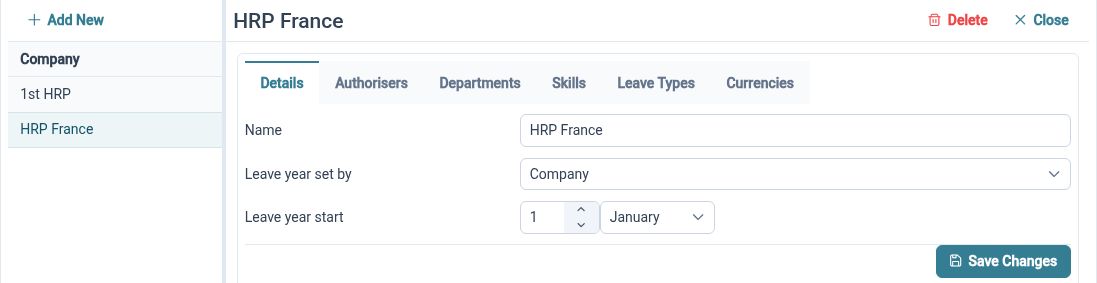
HR Planner supports companies and nested departments rather than requiring every Employee to sit in one flat list. This structure also provides context for connected settings such as leave policies, approvals and access. Review those settings alongside the structure so each part of the organisation follows the intended arrangements.
For example, a business with separate service and administration teams can organise Employees into the relevant departments. If a colleague moves between teams, HR can review the organisational change together with their reporting and approval arrangements. A clear structure makes it easier to identify which settings and responsibilities need attention.
Make records fit
Add fields and sections for the employee information your organisation needs, with labels and guidance that make entries clearer.
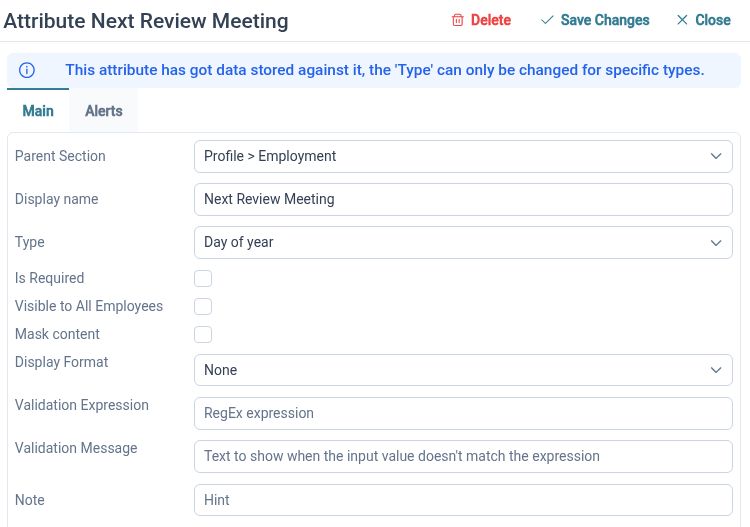
A standard employee record may not cover every detail your business wants to maintain. Custom HR Fields let Administrators add information and arrange it into sections, using suitable field types, labels and hints. Grouping related details helps people find and maintain them without creating a separate spreadsheet for every topic.
For example, create an equipment section with a laptop asset number, equipment category and issue date. Explain the expected entries through the field labels and hints, then review who should be able to see or maintain them. This gives the information a defined place in the record without implying a separate asset-management system.
Files in context
Organise HR files in a document library and keep employee-related documents connected to the relevant person.
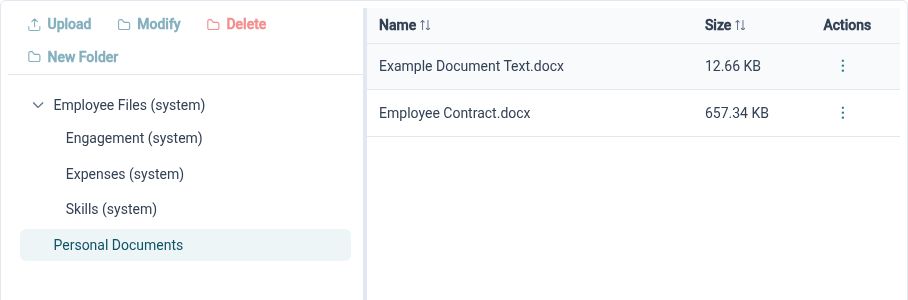
The HR document library provides folders, document details and available viewing or download actions. Employee-linked files add the personal context needed when reviewing a record. Access depends on the relevant document and employee permissions, so HR should consider who needs each file when organising the library.
For example, an HR Administrator reviewing an Employee’s information can find a supporting file in the appropriate employee context. Shared HR reference material can be organised in the library’s folders. Agreeing a useful folder structure and access approach at the outset helps the team find files without depending on the person who first uploaded them.
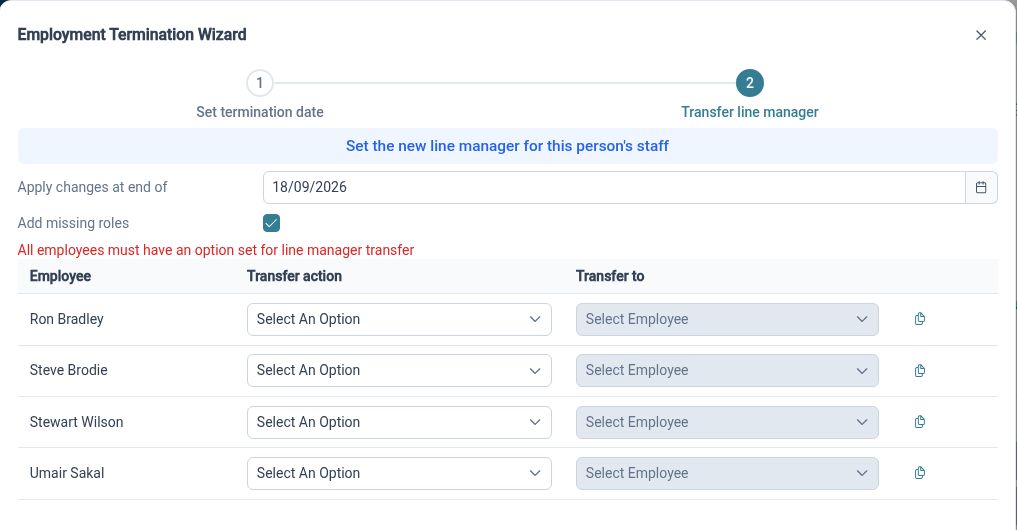
Plan the handover
Work through employee departures with the leaving date, reporting relationships, approval responsibilities and final leave position in view.
An employee departure can affect several connected HR arrangements. HR Planner’s guided process brings together the termination date, line-management changes, authoriser and notification transfers, and final allowance review. These are explicit decisions for the HR Administrator to consider as part of the departure.
For example, a departing Manager may supervise a team, approve requests and act as someone else’s backup reviewer. Those responsibilities may move to different colleagues. Review each relationship, choose the intended replacements and check the final leave allowance, with any separate final-pay or equipment-return arrangements handled through your wider process.
Clear roles in Core HR

HR Administrators
Maintain employee information, organise the record structure and review the connected decisions behind employee changes.

Managers
Find the team information your access permits and understand the responsibilities assigned to you.

Employees
Check personal information and use the updates or requests enabled in your employee workspace.
Explore Core HR features
Employee Records
Employee Self-Service
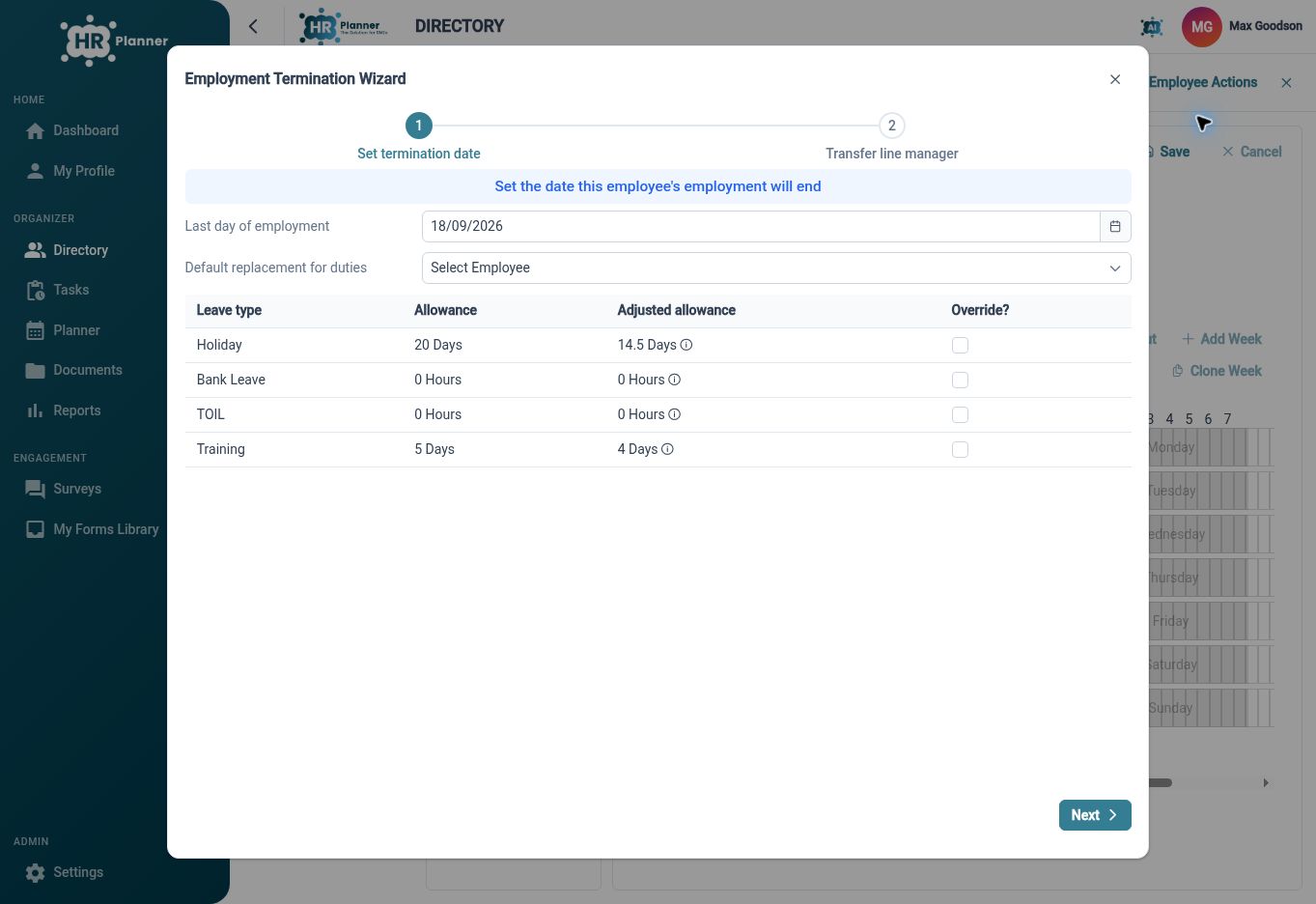
Employee Offboarding
Your questions answered
What is Core HR software?
Core HR software supports the foundations of employee administration: employee information, organisational structure, self-service and supporting records. In HR Planner, these foundations connect with other capabilities such as leave, approvals and reporting, while this page focuses on maintaining employee details and handling changes.
Can Employees update their own information?
Employees can use the actions enabled for their personal information. Read, propose and edit permissions are separate, so a detail can be available to view while a change requires review. Check the intended employee experience when configuring access.
Can we organise more than one company?
HR Planner supports companies and nested departments for organising Employees and related configuration. Review the structure together with your approval, leave and access settings so the organisational groupings reflect the way you intend to manage HR.
Does employee offboarding cover every leaving task?
The guided departure process addresses connected HR decisions such as reporting relationships, approval responsibilities and final leave allowances. Your wider leaving process may also include equipment return, external account access and final pay; review those separately rather than assuming the HR record change completes them.

Ready to take our software for a spin?
Organisations just like yours are using HR Planner. Start your free trial today to see how simple it can be!