
Custom HR Fields and Employee Records
Build employee records around your organisation’s information needs with custom sections, field labels, hints and typed controls.
Make records fit
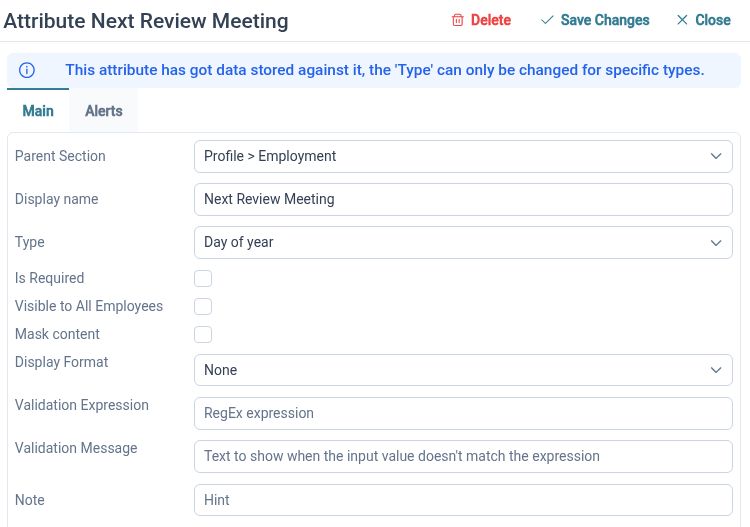
Create custom fields and sections to capture the employee information your organisation needs, with labels that make sense to your team.
Your employee record does not have to stop at a fixed set of standard fields. Administrators can add fields, arrange them into sections and provide labels and hints that explain what to enter. Grouping related details keeps a growing record easier to navigate and maintain.
For example, create an equipment section with a laptop asset number, issue date and equipment category. A separate section could hold information relevant to your internal HR process. These are configurable record fields, so you choose the structure and maintain the data rather than keeping an additional spreadsheet for each topic.
Capture consistent data
Choose appropriate field types and validation rules, making it easier for employees and administrators to enter information in a consistent format.
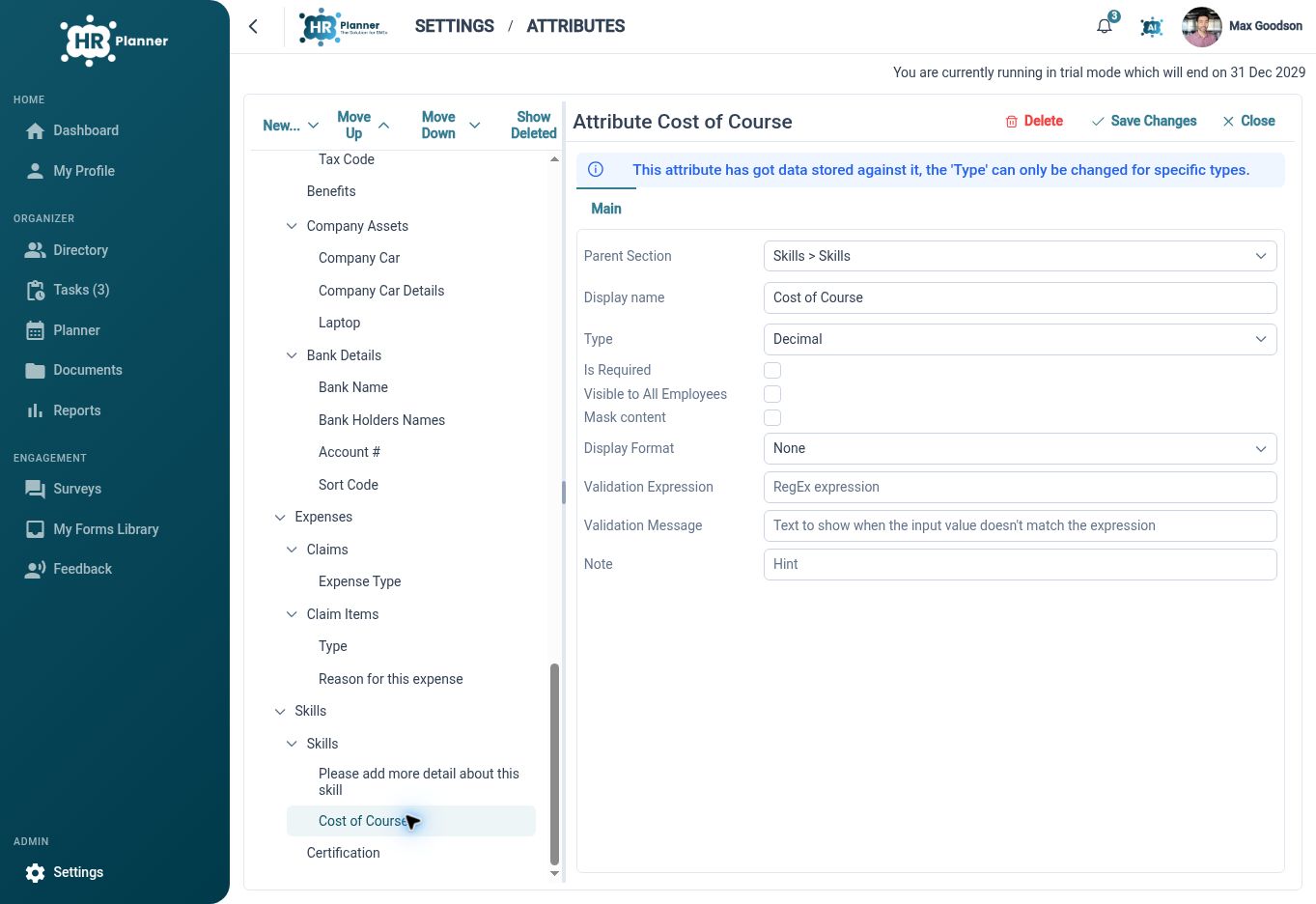
Text, numbers, dates, selection lists, email and address controls serve different purposes. Choosing a field type helps people supply a usable value, while required fields and supported validation rules make expectations explicit. Hints can explain an unfamiliar label before someone needs to ask HR for help.
For example, a selection list for equipment category avoids variations such as “Notebook”, “Laptop PC” and “Laptop” when you want one consistent category. A date control gives an issue date its own structure. Make an asset reference required where it is needed, with clear guidance about your organisation’s reference format.
Guide who can update
Combine configurable fields with view, propose and edit permissions, so responsibility for employee information stays clear.
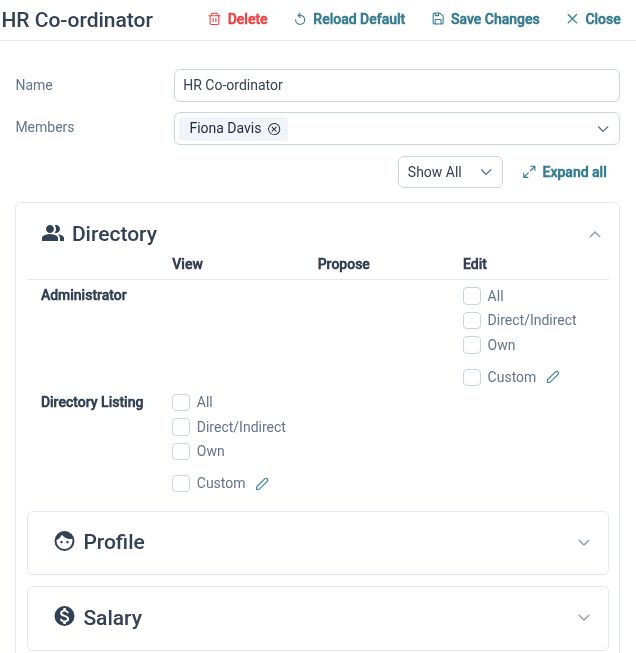
A flexible employee record also needs a clear maintenance process. Some information is suitable for employees to update, some should be proposed for review, and other details belong with HR. Permission configuration gives these actions separate meaning, helping you introduce custom information without treating all updates alike.
For example, an employee could propose a change to a personal-detail field while HR maintains an internal equipment reference. A reviewer can assess the proposed update through the request process. Start with the information people need, then choose the access and review arrangement appropriate to each part of the record.
Built for everyday HR
Less fragmented information
Keep organisation-specific employee details within the record they belong to.
Clearer data entry
Use suitable controls, labels and hints to explain what a useful entry looks like.

Defined maintenance
Match updates to employee, manager and HR responsibilities through configured permissions.
Explore connected HR features

Employee Records Software
Multi-Company HR Management
HR Roles and Access Permissions

Ready to take our software for a spin?
Organisations just like yours are using HR Planner. Start your free trial today to see how simple it can be!