
HR Planner Integrations
Bring employee information into HR Planner, connect your sign-in provider and share staff availability with the calendars your team already uses.
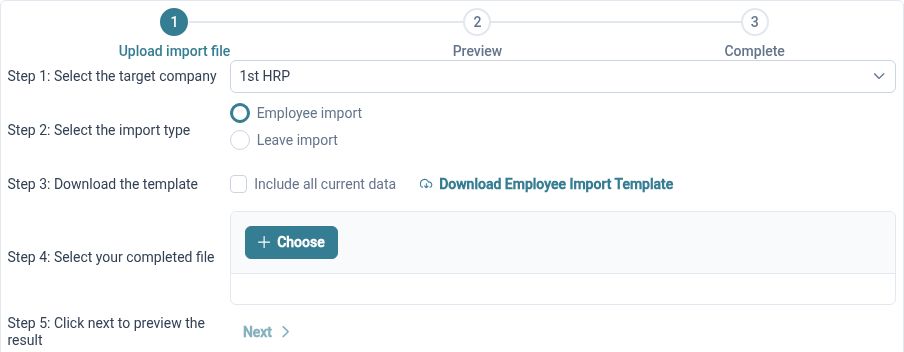
Import from Excel
Bring existing employee records into HR Planner from a familiar spreadsheet.
Prepare your employee information, check the columns and review the import before using the records in everyday HR. An organised spreadsheet gives your team a practical starting point and reduces repeated manual entry.
Move from Breathe HR
Use the supported migration route to bring employee information into HR Planner.
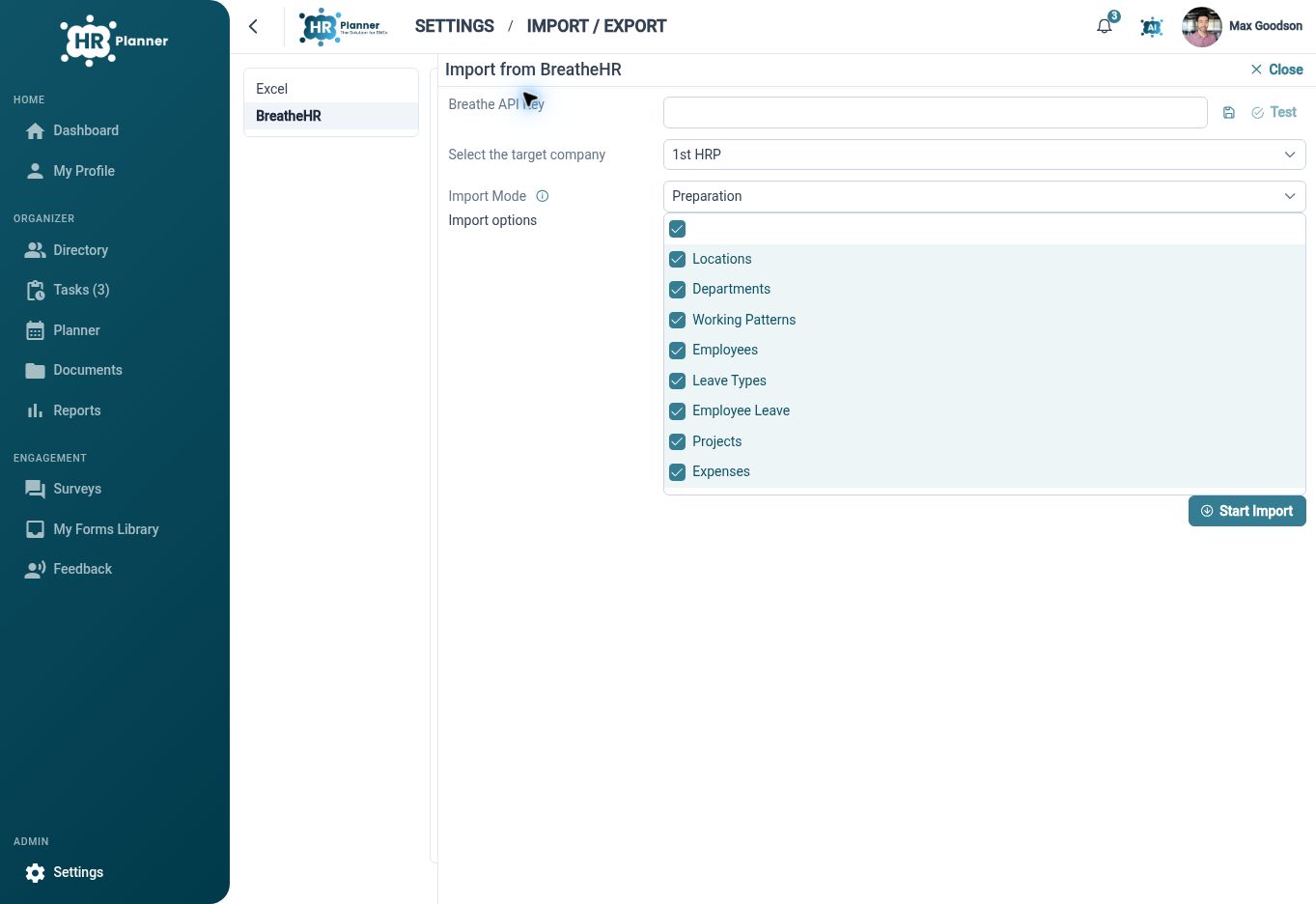
Review which employee information can be transferred, check the source records and confirm the results after migration. The migration options help you plan the move while keeping responsibility for checking the data clear.
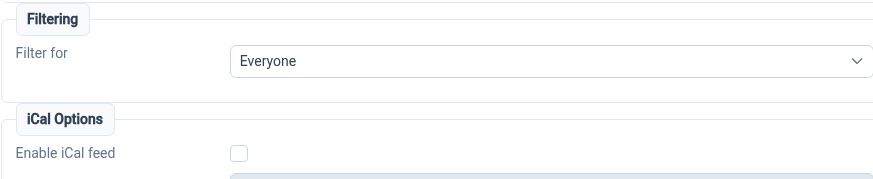
Share calendar information
Use iCal feeds to see permitted staff availability in compatible calendar applications.
Start with the right planner view and review its filters and event choices before sharing a feed. Calendar subscriptions provide another way to view availability, while replacement controls help you manage an existing feed link.
Connect your sign-in
Connect a compatible OpenID Connect identity provider to HR Planner.
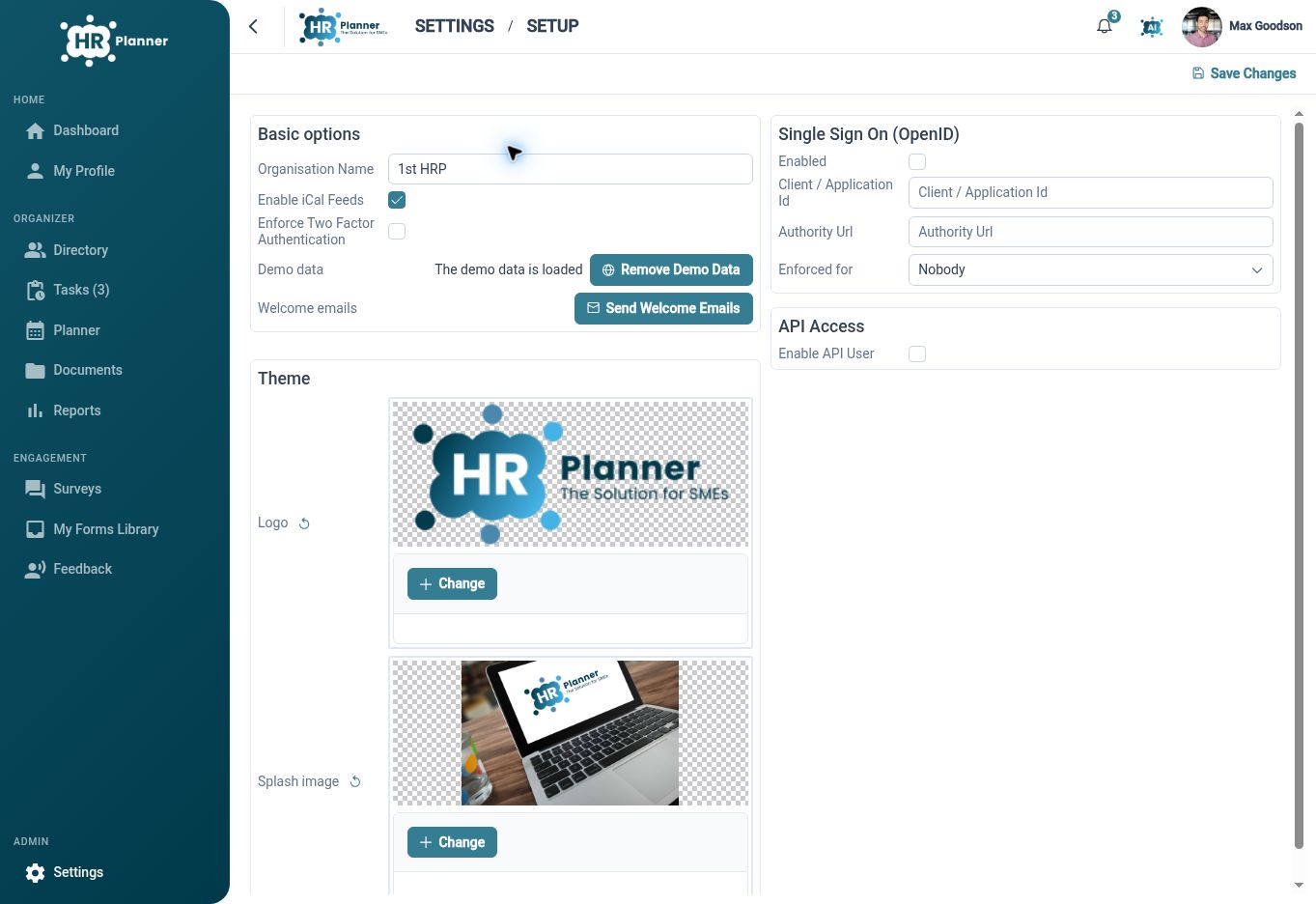
Configure the connection and review how it applies to your organisation. Single sign-on supports the sign-in process; HR Planner roles and access permissions still determine what each user can see and do after signing in.

Ready to take our software for a spin?
Organisations just like yours are using HR Planner. Start your free trial today to see how simple it can be!