
Leave & Team Planning
Bring leave requests, employee allowances and team availability together. Help Employees plan time away and give Managers the context behind each decision.
A holiday request is more than a pair of dates. The Employee’s working pattern, available allowance, colleagues already away and the team’s cover needs can all affect the decision. Keeping that context in separate spreadsheets makes the review harder to follow.
HR Planner connects Leave Management, Holiday Entitlement, the Staff Holiday Planner, Minimum Staffing Cover and Working Patterns. Calendar Feeds extend planner visibility into a subscribed calendar, helping your team keep useful availability information within reach.
Leave requests
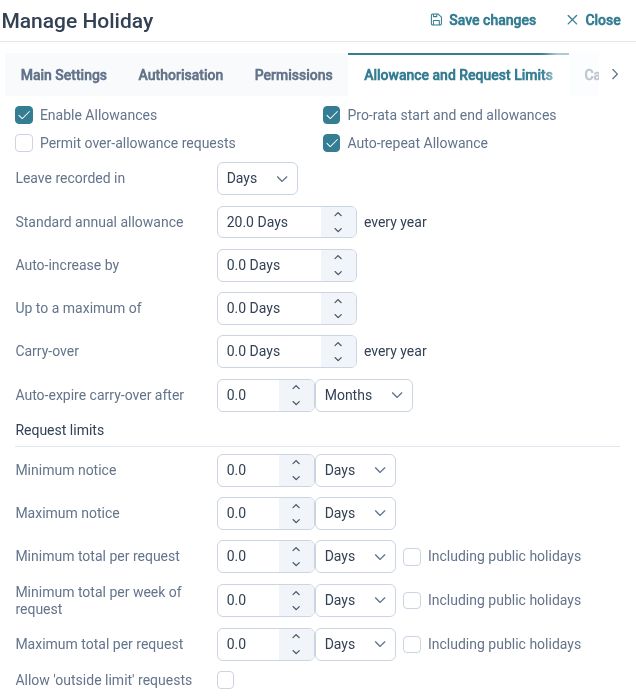
Give Employees a structured route to request leave, with review, amendments and cancellation connected to the same process.
Leave requests bring together the leave type, dates or periods and relevant request details. HR Planner supports part-day and specific-time options, alongside the policy settings and approval arrangements your organisation configures. Employees can review their leave information, while authorised reviewers handle the requests assigned to them.
For example, an Employee who needs a morning away can use the appropriate request option rather than asking HR to interpret a note in a spreadsheet. If plans change, the amendment or cancellation process keeps the change connected to the original request. The available actions and review steps follow your settings and the request’s status.
Leave allowances
Keep leave allowances organised by Employee, leave type and leave year, with context for starters, changes and year-end decisions.
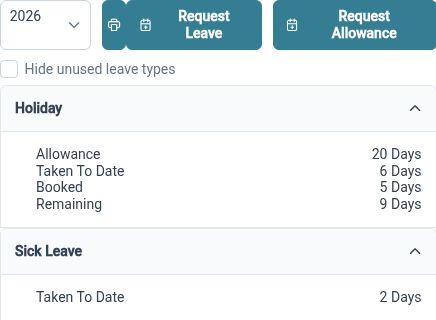
Holiday Entitlement connects an Employee’s allowance with the relevant leave year and working arrangements. HR Administrators can review allowance allocation, starter proration, carryover settings and adjustments. This provides a structured place to maintain the figures and review how a balance relates to the Employee’s circumstances.
For example, a colleague joining part-way through the leave year needs an allowance that reflects the applicable period and working pattern. HR can review the proposed allowance and the settings behind it before relying on the balance. At year-end, review the configured carryover rules and any adjustments alongside the organisation’s policy.
Team availability
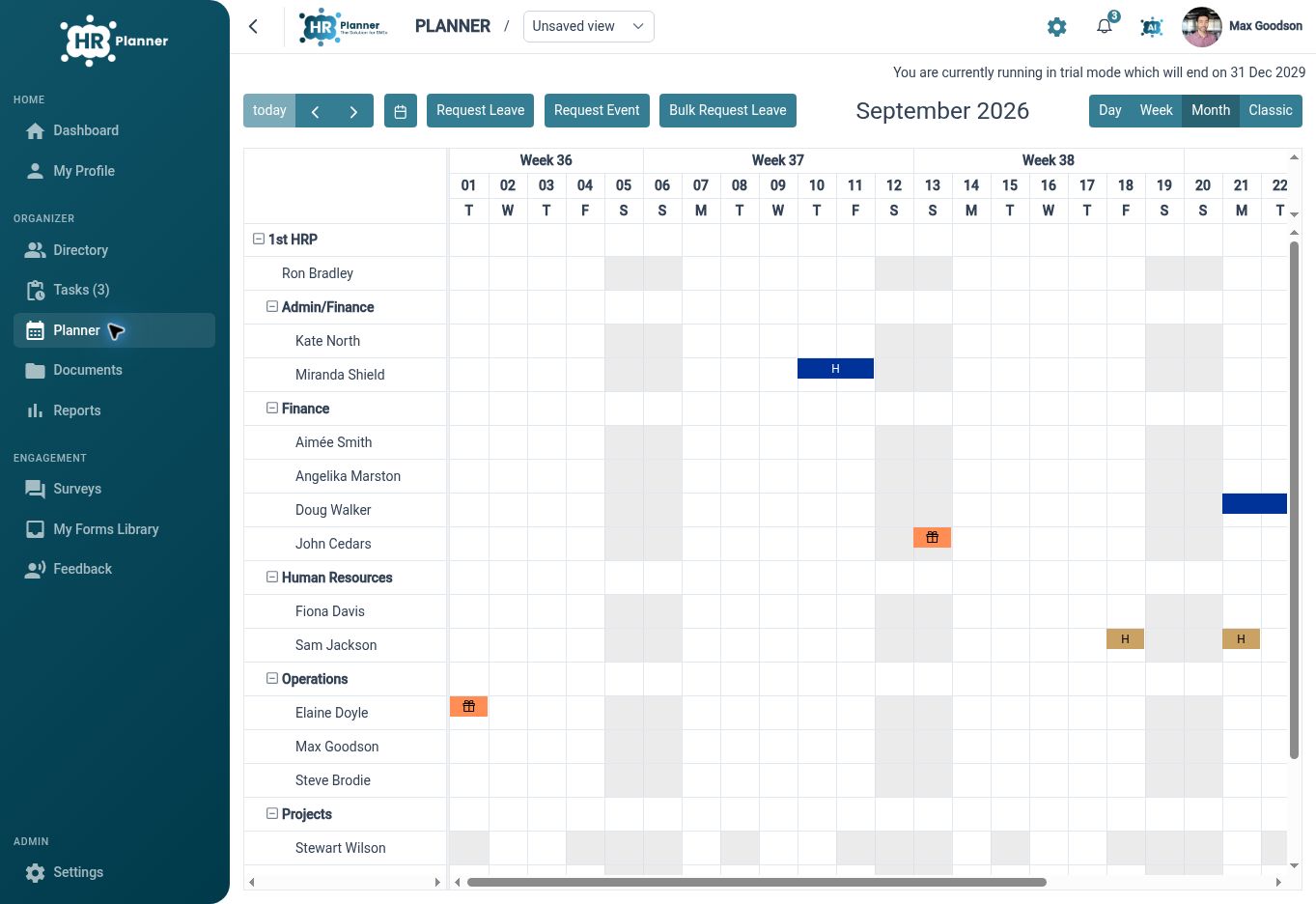
Use the Staff Holiday Planner to view who is away, organise the view around your team and put requests in context.
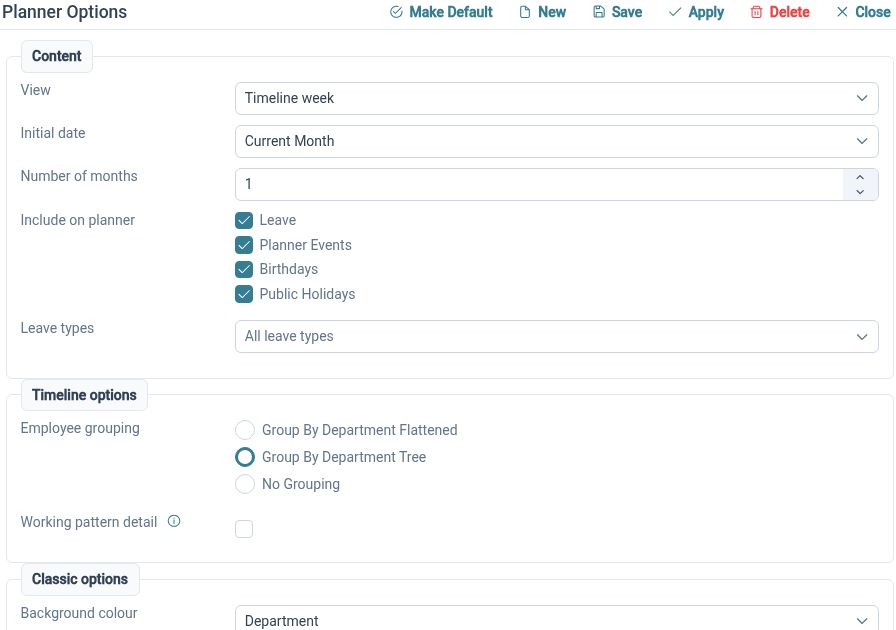
The planner brings employee availability, leave status, public holidays and relevant events into a calendar view. Organisational grouping and saved or shared views help Managers focus on the teams they need to review. Different date ranges make it possible to consider an immediate request or look further ahead.
For example, before agreeing time off during a busy month, a Manager can open a departmental view and check existing absence alongside relevant business dates. A saved view gives them a useful starting point for the next review, without rebuilding the same selection each time. What they can see depends on their access.
Plan for cover
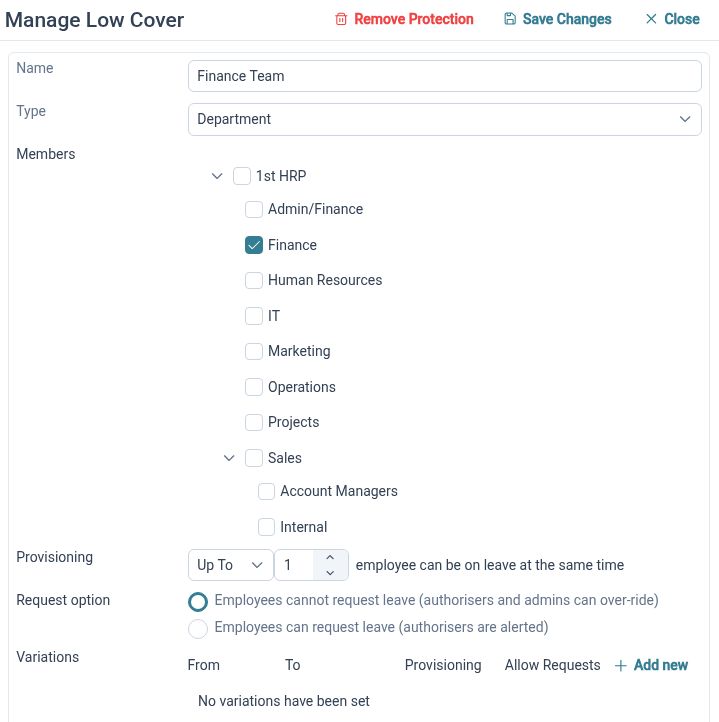
Define the staffing cover that matters to your business and consider it alongside overlapping leave requests.
Minimum Staffing Cover uses configured groups and limits to express the cover needed for particular people or parts of the organisation. Seasonal variances allow different requirements for selected periods. Request handling and any permitted exceptions depend on the applicable settings, so cover rules should be reviewed as part of your leave setup.
For example, a service team may need more people available during a peak period than during a quieter week. HR can define the relevant group and review the cover requirement for that period. A Manager can then consider a request against the team’s availability and the configured handling, rather than applying an informal rule from memory.
Real schedules
Represent weekly and rotating working patterns, including different work periods and dated changes to an Employee’s schedule.
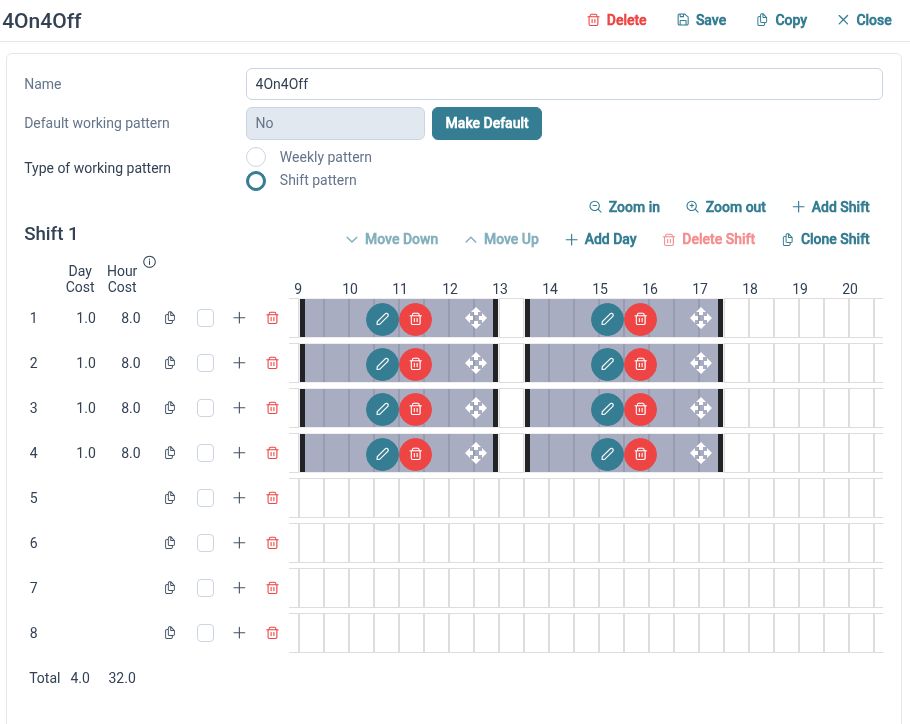
A standard Monday-to-Friday schedule does not describe every team. Working Patterns support weekly arrangements and repeating cycles, with day sets and work periods that can include split or overnight work. Effective-dated assignments provide context when an Employee moves from one working arrangement to another.
For example, a colleague moving to part-time hours next month can have the new pattern associated with the appropriate date. HR should review requests and allowance context around that change to check the intended setup. These patterns describe planned work for connected HR processes; they do not capture hours actually worked or provide a clock-in system.
Calendar feeds
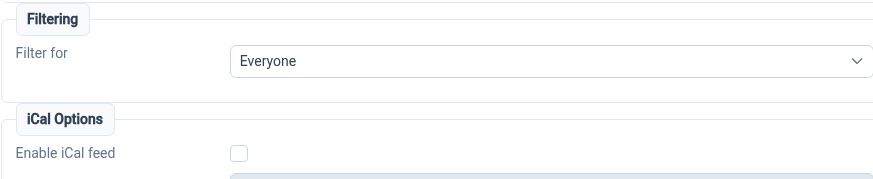
Use an iCal subscription to view permitted planner information in a calendar application alongside your other dates.
Calendar Feeds publish a calendar view that can be subscribed to from a compatible application. Feed availability follows the relevant settings and permissions, and feed identifiers can be reset when a link needs replacing. Choose the intended view before sharing or subscribing to its feed.
For example, a Manager could subscribe to the calendar view available for their team and use it for day-to-day awareness. Leave requests and decisions still belong in HR Planner: the feed provides calendar visibility, rather than two-way request editing. Refresh timing depends on the subscribing application, so check HR Planner when reviewing a current request.
Clarity for every role

Employees
Check leave information and request the time needed through the options your organisation has enabled.

Managers
Review requests with team availability and relevant staffing context in view.

HR Administrators
Maintain leave policies, allowances, working patterns and cover settings in connected processes.
Explore leave planning
Leave Management
Staff Holiday Planner
Working Patterns
Your questions answered
Can Employees request part of a day off?
HR Planner supports part-day and specific-time leave options. The available choices depend on the leave type, Employee’s working pattern and your configuration. Review representative requests during setup to check that the options match your organisation’s process.
Can we use rotating working patterns?
Yes. Working Patterns support weekly schedules and repeating cycles, including multiple work periods and overnight arrangements. Patterns can be assigned with effective dates, helping HR review connected requests when an Employee’s schedule changes.
Does Minimum Staffing Cover always block a request?
The outcome depends on the cover rules, request handling and permitted exceptions configured for your organisation. Review both ordinary and low-cover examples during setup so HR Administrators and Managers understand the behaviour they will see.
Can we approve leave from a subscribed calendar?
Calendar Feeds provide visibility of the selected calendar information. They do not establish two-way leave editing or approval in another calendar application. Use HR Planner to submit, review and amend requests; the subscribing application controls when its feed view refreshes.

Ready to take our software for a spin?
Organisations just like yours are using HR Planner. Start your free trial today to see how simple it can be!