
HR Across Companies
Keep employee information organised as your business structure grows. Connect companies and departments with everyday HR records, team planning and clear responsibilities for access and review.
When a business group has several companies or departments, separate employee lists can make everyday HR harder to coordinate. A central HR team needs a consistent way to maintain information, while Managers need the records and processes relevant to their responsibilities.
HR Planner provides company and department structures within your HR environment, alongside employee records and configurable access. Start by mapping how the organisation works, then review how that structure should support information, leave planning and authorisation.
Map the business
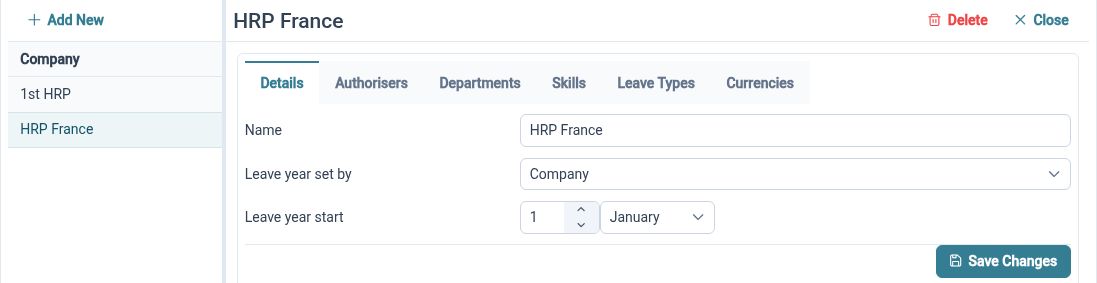
Represent companies and nested departments so employee organisation reflects the structure your team works with.
Multi-Company HR maintains companies and department hierarchies used to organise Employees and configuration. That structure also provides context for leave, authorisation and access settings. Agree the company and department arrangement before building out the records, so the same labels have a clear meaning for the people maintaining and using them.
For example, a business group may have two companies, each with its own operational departments. HR can represent those companies and their departmental structures, then review employee placement. Use names that Managers recognise and decide who maintains the structure when a department changes or a new company is added.
Connect records
Bring employee details into a consistent record workspace, with company, department and location context where configured.

Employee Records brings profile information and linked HR records together in configurable sections. Company, department and location data provide organisational context for those records. A shared approach to maintaining employee information helps a central HR team work consistently, while applicable permissions determine what each user can access.
For example, when HR reviews an Employee's information, their organisational details help place that record in the right business context. Agree which details should be maintained and who checks their accuracy. If an Employee's responsibilities or organisational placement changes, review the relevant record and associated setup through your normal process.
Agree the fields
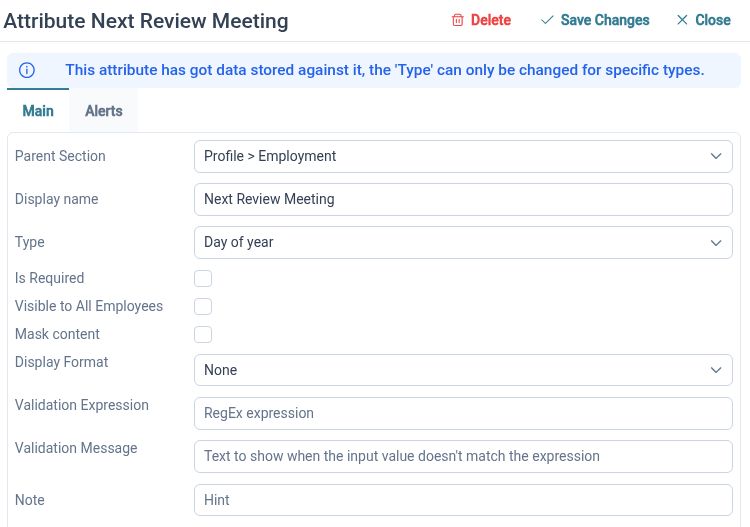
Use configurable HR fields and sections to capture the information your organisation needs with clear labels and guidance.
Custom HR Fields lets authorised users add and arrange attribute sections and fields, including labels and hints. This gives HR a way to define the information it maintains rather than relying on supplementary spreadsheets for every extra detail. Agree common definitions and review how the configured fields fit the records and processes in your environment.
For example, different teams may use different names for the same internal reference. HR can agree a consistent label and explanatory hint for the relevant field, then show the people maintaining records how it should be used. Review the supported configuration before assuming that a field can behave differently for each company.
Define access
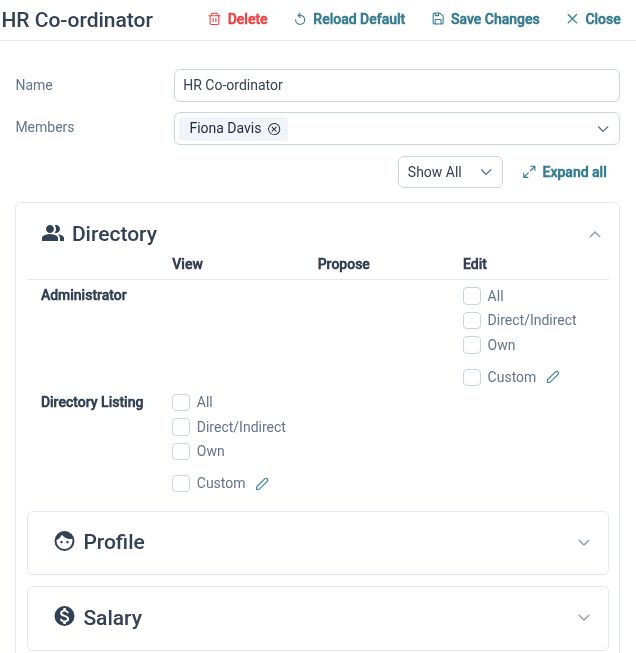
Decide who can read, propose changes or edit employee information, using the available self, team and all-employee scopes.
HR Access Permissions distinguishes an action from the employee scope it applies to. That supports a more specific discussion than simply deciding who is an administrator. Review permissions against each person's responsibilities and test representative accounts; a company or department label should not be treated as proof of an access boundary on its own.
For example, central HR may need wider access while a Manager needs relevant team information and an Employee needs their own record. Configure the intended rights and check each experience. When responsibilities change, revisit the permissions and team relationships as well as the organisational details on the employee record.
Plan by team
Use organisational grouping in the Staff Holiday Planner to review the Employees and events relevant to a planning decision.
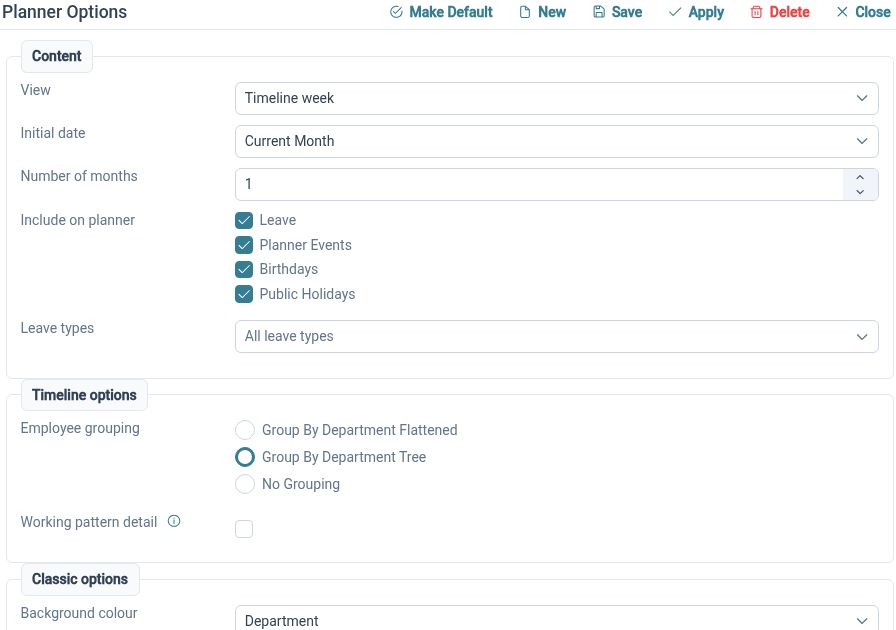
The planner brings Employees and events into a calendar view with grouping and request actions. Organisational context helps authorised users focus on a relevant team instead of working from a flat employee list. Review the views and access needed by central HR and Managers so each person has a useful starting point for leave discussions.
For example, a Manager can review the relevant planner grouping before considering overlapping requests in their team. A central HR Administrator with the appropriate access can use available views to investigate a wider planning question. The planner supports those conversations; the organisation still defines its cover requirements and how decisions are made.
Set review roles
Configure authorisation structures around the HR processes and responsibilities your organisation needs.
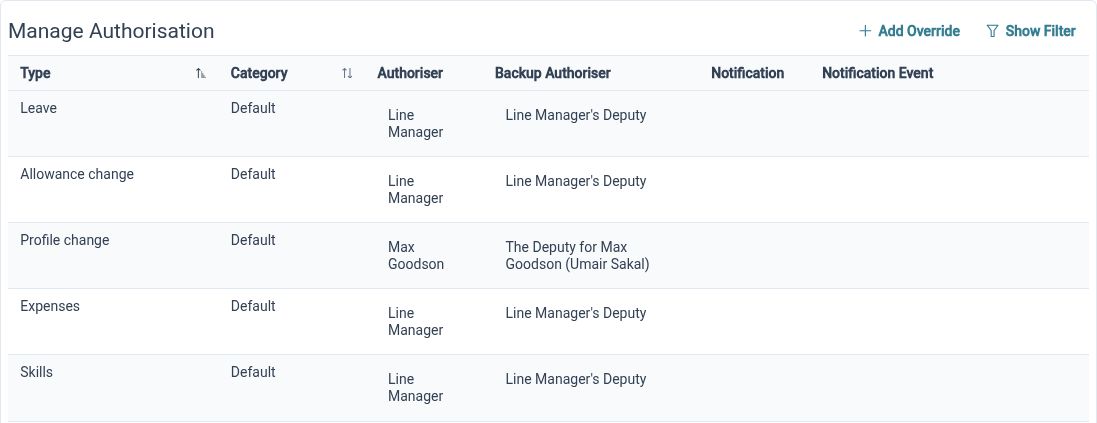
HR Approvals supports review structures for leave, allowances, profile changes, expenses, skills and other supported requests. A growing organisation may need to revisit those arrangements as teams and responsibilities develop. Define the relevant structure for each process and check its behaviour rather than assuming the company hierarchy automatically creates every approval route.
For example, a group can agree who should review a particular type of request, configure the supported authorisation structure and try it with representative Employees and Reviewers. Check where responsibility sits when a Manager changes role. Clear ownership makes the process easier to explain across the companies and departments using it.
Structure with clear ownership

HR Administrators
Maintain company and department structures, agree record definitions and review access across the organisation.

Managers
Use the employee information, planning views and request actions permitted for your team responsibilities.

Employees
Work with your own information and available HR processes within the organisation's configured structure and permissions.
Explore the supporting tools
Multi-Company HR
Employee Records
HR Access Permissions
Your questions answered
Can we organise Employees into companies and departments?
Yes. HR Planner maintains companies and nested department structures used to organise Employees and configuration. Map the arrangement you need and review how it is used in your records, planning and relevant settings.
Does creating a company automatically restrict access to its records?
Do not assume that the company label alone determines access. Review the configured permissions, employee scopes and relevant relationships, then test representative users. Organisational grouping and permission configuration are related setup tasks that both need attention.
Can we adapt the employee information we collect?
Custom HR Fields supports configurable sections, fields, labels and hints. Agree the information and definitions your organisation needs, then check the available configuration. This page does not assume independent field structures or different behaviour for every company.
Is this the same as managing separate customer accounts?
This use case covers companies and departments within your organisation's HR environment. Managing unrelated customers or separate environments is a different requirement. Discuss that scope separately rather than assuming a company structure provides cross-account administration.

Ready to take our software for a spin?
Organisations just like yours are using HR Planner. Start your free trial today to see how simple it can be!