
HR Approval Workflow Software
Use a shared approval structure across leave, expenses, employee data, skills and forms, with ordered authorisers, backups and separately configurable notifications.
Connect HR approvals
Use a shared approval approach for leave, allowance changes, employee updates, expenses, certificates and form assignments.
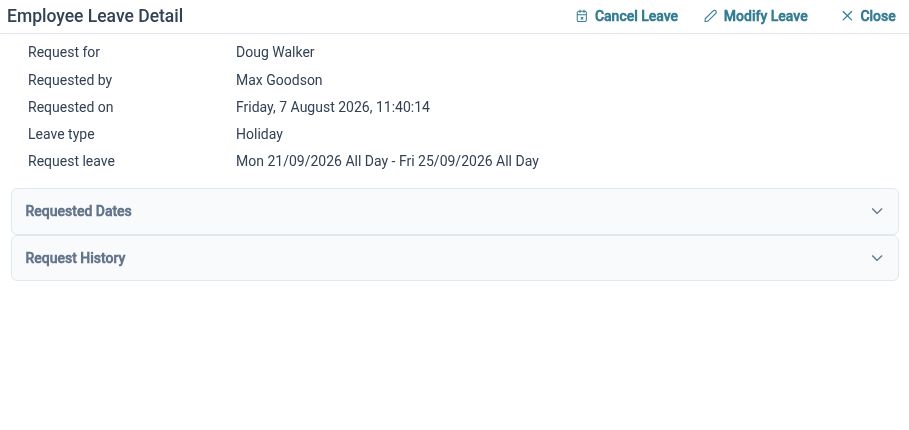
Everyday HR involves several kinds of request, but reviewers still need a clear way to see the details and record a decision. HR Planner provides authorisation configuration across these processes. Administrators can establish who should review each type of request without relying on a separate email convention for every activity.
For example, a manager may review team leave while a different person handles expense claims. Each request retains its own business context, with approval responsibilities configured for the relevant process. Employees have a structured route for submitting information, and reviewers have a consistent place to begin their work.
Choose your reviewers
Configure approval order and primary or backup authorisers, with inherited settings and local variations where your organisation needs them.
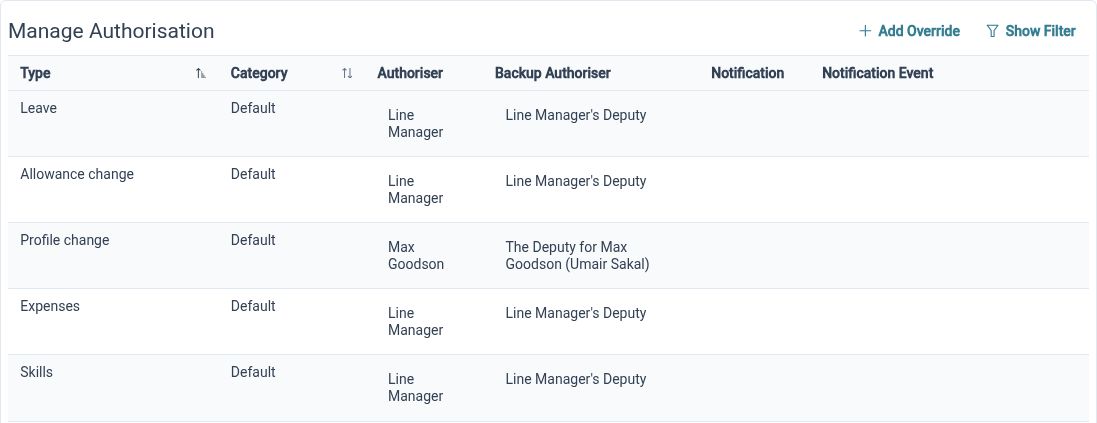
Approval responsibility is more detailed than a single manager field. HR Planner lets administrators identify primary and backup approvers and capture review order. Organisational inheritance supports shared arrangements, while custom settings allow a particular department or request subtype to use a different configuration.
For example, one department could inherit the standard leave approval setup while a particular expense category uses a separate authoriser. A named backup makes responsibility visible when the primary reviewer is unavailable. Review the actual routing with those users so the configured process fits how your team works.
Keep decisions clear
Review request details and supporting notes, record a decision and distinguish requests needing employee input from those awaiting approval.
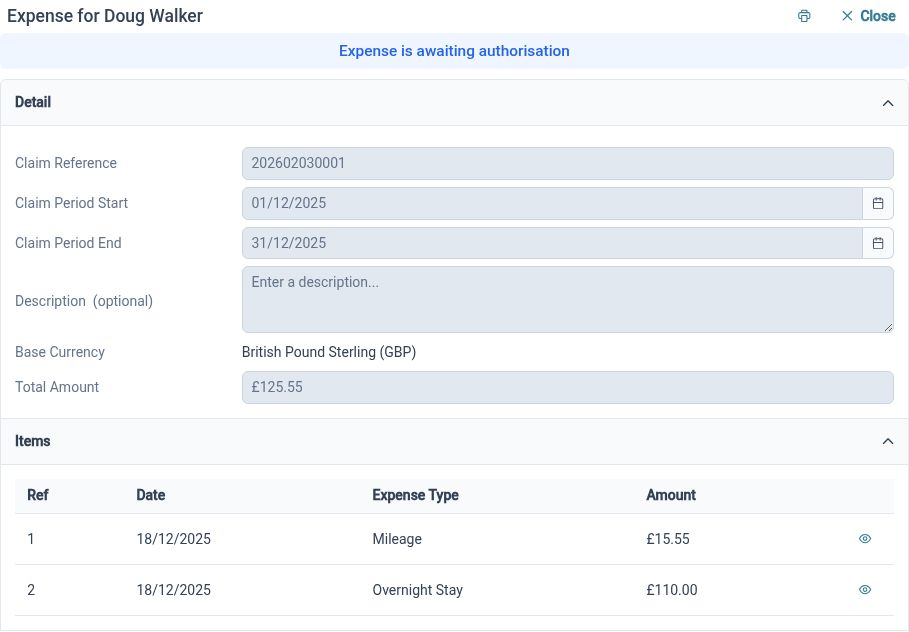
A useful approval process needs more than approve and decline buttons. Request detail provides the context for the decision, while notes can explain why a reviewer needs clarification or has reached a particular outcome. Task lists make outstanding actions visible, and notification settings can be configured separately from authorisation responsibilities.
For example, an expense reviewer may need a clearer description before deciding on a claim. Keeping the request and its review context together helps the employee respond to the actual question. Once the necessary information is available, the reviewer can record the decision within the same process.
Built for everyday HR

One approach across requests
Give multiple HR processes a consistent structure for review and decisions.

Defined responsibility
Configure primary reviewers, backups and local approval variations explicitly.

Context for action
Keep the request detail and relevant review notes available when a task needs attention.
Explore connected HR features
Leave and Absence Management Software
Employee Expense Management Software
Employee Form Assignments and Approvals

Ready to take our software for a spin?
Organisations just like yours are using HR Planner. Start your free trial today to see how simple it can be!