
HR for Training Teams
Keep the employee information behind your training business organised. Connect staff records, professional qualifications, working patterns and leave so your team has a clearer foundation for everyday HR.
A training provider may employ trainers, assessors, coordinators and administrative staff, each with different responsibilities and working arrangements. Keeping their employee records and qualification evidence current supports the people who deliver and organise your services.
HR Planner brings that staff information together with leave planning and employee input. Give authorised users a consistent place to maintain records, review time away and collect feedback about how the business works.

Record expertise
Keep staff qualifications and certificate evidence connected to the Employee.
Skills and Certificates supports a skills catalogue and employee certificate records, with evidence and applicable expiry information. Renewal handling and expiry views help HR review records over time. Your organisation remains responsible for checking qualifications against the requirements of each role.
For example, a Trainer completes a professional qualification and provides the certificate. HR can maintain the evidence and any relevant expiry details in their employee certificate record. The record then supports future discussions about renewal and the evidence already held.
Connect records
Maintain a shared employee record for training and support staff.

Employee Records offers configurable profile sections and linked HR information. It gives authorised users a consistent place to keep details as people and responsibilities change. Agree who maintains each part of the record so HR information does not become fragmented across departmental lists.
For example, a member of the coordination team takes on a new internal responsibility. HR can review the employee record and the details that need updating. The shared record gives the people involved a clearer reference when checking related arrangements.
Plan time away
Review staff leave with the relevant team in view.
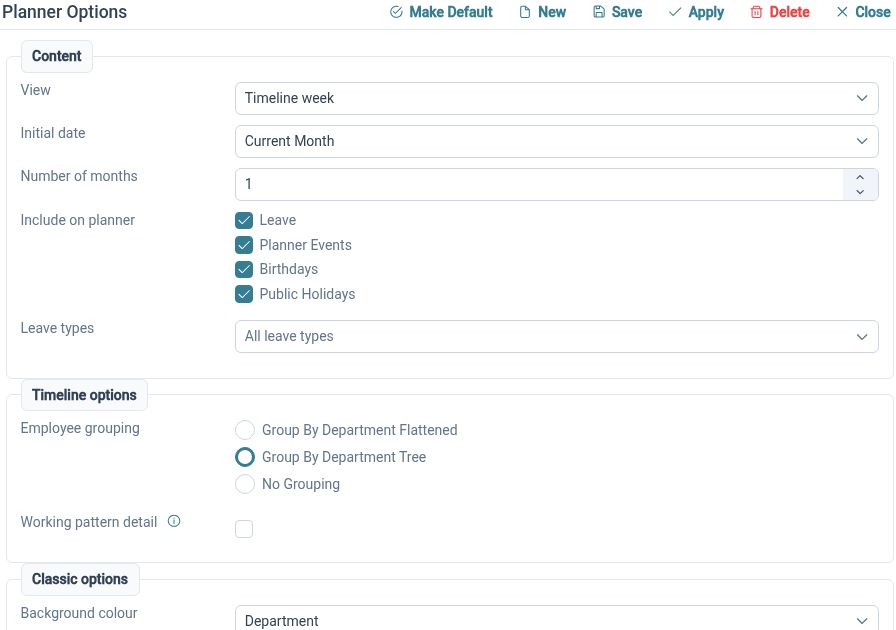
The Staff Holiday Planner displays employee events in calendar views with organisational grouping and request actions. Authorised Managers can use that context when considering overlapping time away. Your team can then plan its training delivery around the agreed employee availability.
For example, two Trainers request leave during the same week. Their Manager can review other leave in the team planner and discuss availability before deciding on the requests. Course scheduling and decisions about who delivers particular sessions remain with the training business.
Match patterns
Record regular and repeating working arrangements for different Employees.
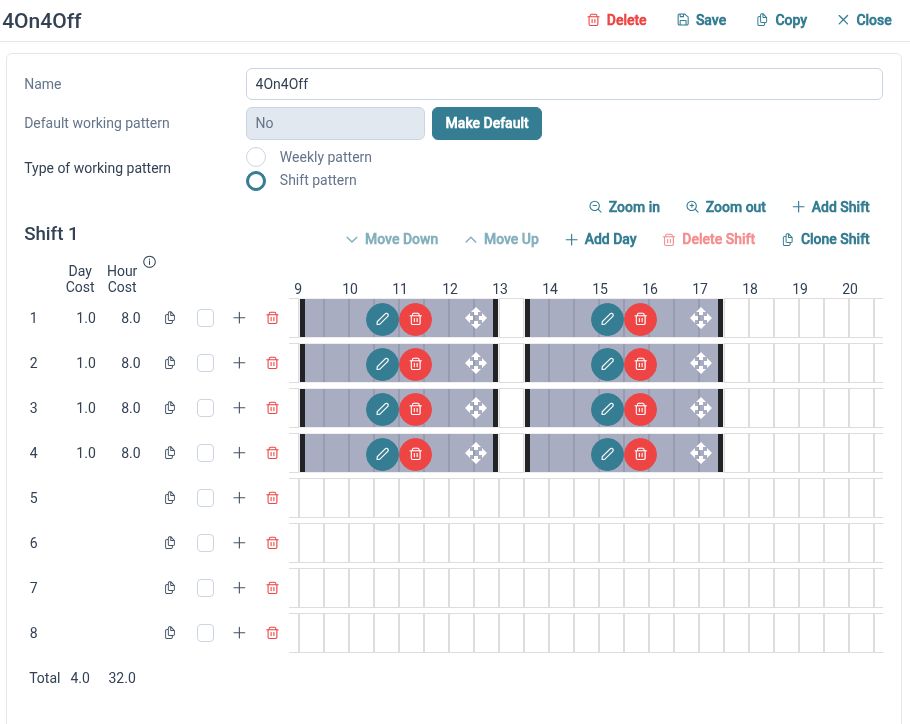
Working Patterns defines schedules through day sets and work periods, including weekly and rotating arrangements. These provide working-time context for leave handling. Review assignments and representative dates to check that the schedules match the arrangements your business intends to use.
For example, a part-time Trainer works three regular days while an office colleague follows a full working week. HR can configure their patterns and check how leave is handled for each. This helps the team interpret time away without treating both Employees as having identical schedules.
Gather updates
Assign structured forms to collect staff information through a defined process.
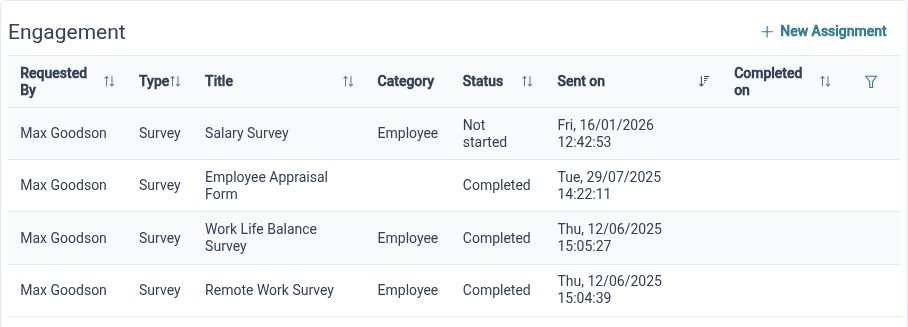
Employee Form Assignments supports assigning forms to Employees with available submission and approval handling. A consistent form gives people the same questions and helps organise the collection of information. Set up the content and review arrangements around the information your team needs.
For example, HR asks a group of staff to review information used in an internal people process. An assigned form provides a clear set of questions for each Employee. The responsible Reviewer can consider submissions and follow up where a response needs clarification.
Ask your staff
Collect structured employee input about the way your organisation works.
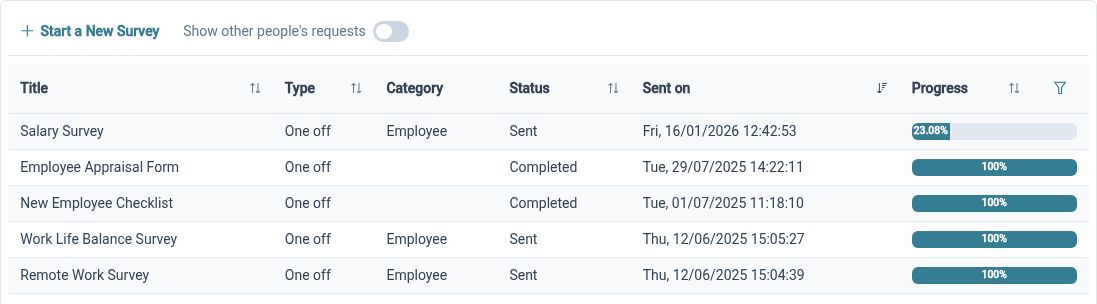
Employee Surveys combines a selected form with recipients and provides progress and results views. It gives HR a route to ask consistent questions about a defined topic. Choose questions that will support a useful discussion and agree who will review the responses.
For example, after changing an internal course-handover process, the business surveys the staff involved about what information is missing. Reviewing the results can help the team identify where clearer responsibilities or documentation would help. Your organisation decides how to communicate any changes.
Clearer HR for your team

Employees
Find your information and use the available processes to keep everyday HR tasks moving.

Managers
Review relevant team information and requests with the access your responsibilities require.

HR Administrators
Maintain employee records, configure processes and organise the information your business needs.
Explore the tools for your team
Skills and Certificates
Staff Holiday Planner
Employee Surveys
Your questions answered
Can we keep staff qualification evidence together?
Skills and Certificates supports employee certificate records, documents and applicable expiry details. Your organisation determines how evidence is checked and whether a qualification meets the requirements of a role.
Can part-time Trainers have different working patterns?
Yes. Working Patterns supports weekly and repeating arrangements using day sets and work periods. Configure the relevant employee assignments and check representative dates and leave handling.
Can we survey staff after changing a process?
Employee Surveys lets you select a form and recipients, then review progress and results. Your team decides how to interpret responses and communicate any outcomes.
Is this a learning management or learner administration system?
This page describes HR for the Employees of a training provider. Learner enrolment, course delivery, assessments and learner certificates are separate requirements from the employee features described here.

Ready to take our software for a spin?
Organisations just like yours are using HR Planner. Start your free trial today to see how simple it can be!