
OpenID Connect SSO for HR Software
Configure tenant-specific OpenID Connect sign-in with a compatible identity provider and the supported enforcement options.
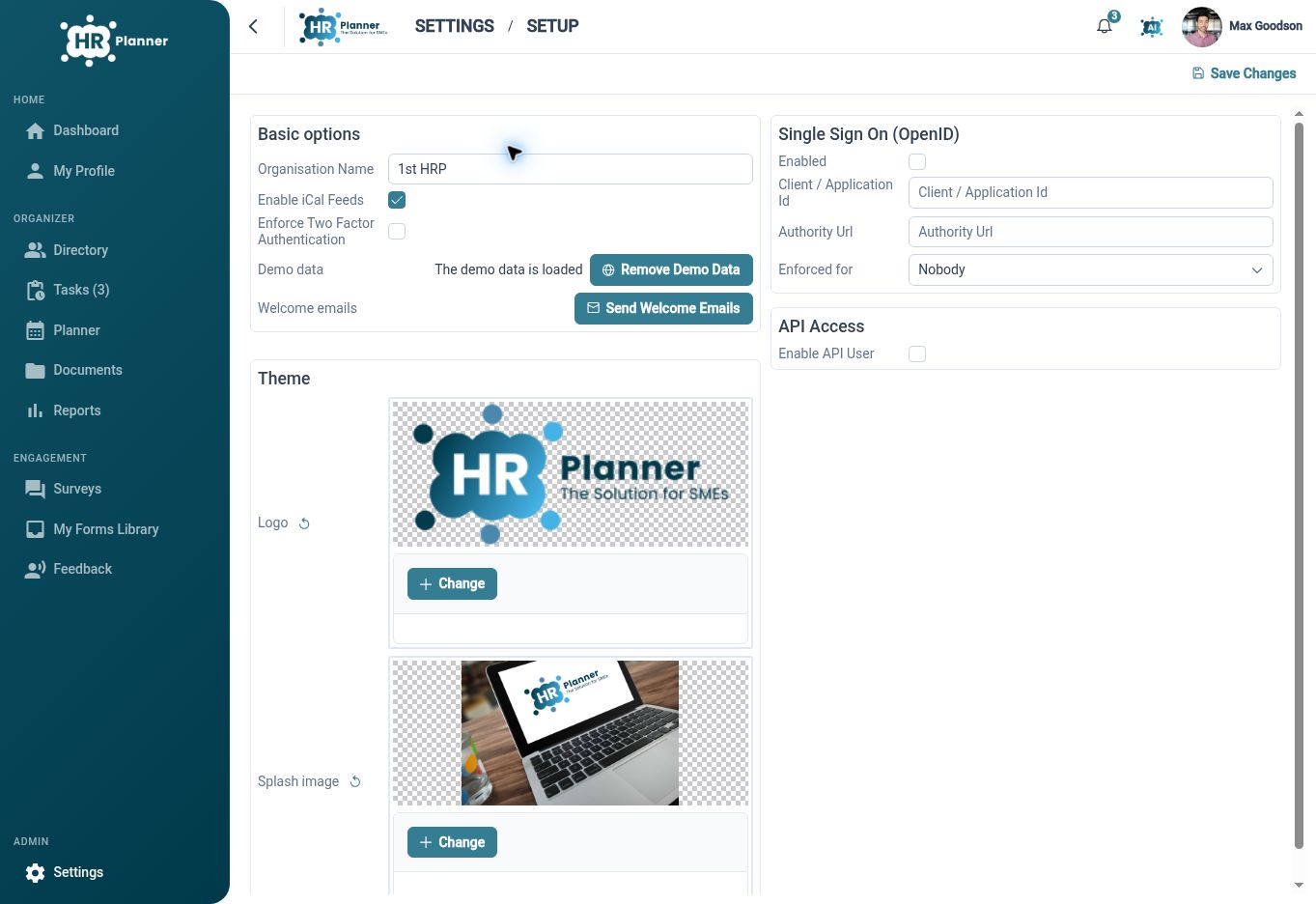
Connect your sign-in
Configure an OpenID Connect identity provider for HR Planner, helping employees use an established identity service to access their HR workspace.
Single sign-on connects the HR application’s sign-in process to an identity provider. HR Planner supports tenant-specific OpenID Connect configuration, including the provider authority, client identifier and flow settings. The connection should be set up and demonstrated with the identity service your organisation intends to use.
For example, an organisation already using a compatible identity provider can review the connection requirements with its administrator, configure a test setup and try the sign-in flow with a representative user. The aim is a clear route into HR Planner using the chosen identity arrangement, with access inside HR Planner configured separately.
Choose how it applies
Review the enabled state and enforcement scope so the sign-in arrangement reflects the users and operating process you intend to support.
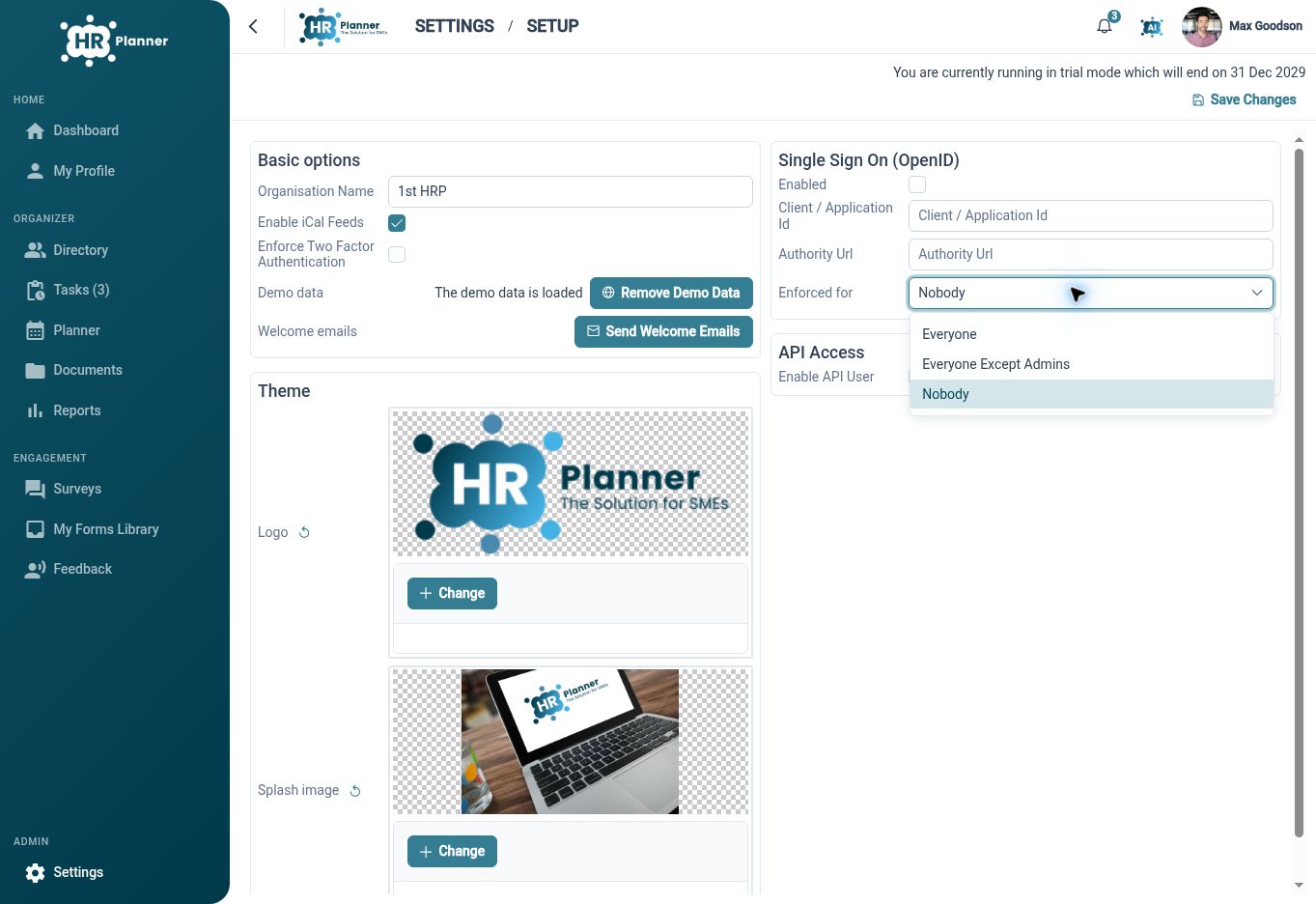
Enabling a connection and deciding how it is applied are related but separate configuration decisions. HR Planner exposes OpenID settings and enforcement scope within tenant configuration. Review the scope with the administrator responsible for identity, including how the organisation will handle user setup and support.
For example, prepare a test user before applying the intended arrangement more widely. Confirm the sign-in journey and the relevant configuration choices, then document how users should access their HR workspace. A planned setup helps avoid introducing an unfamiliar sign-in path without clear guidance for employees and support staff.
Keep HR rights distinct
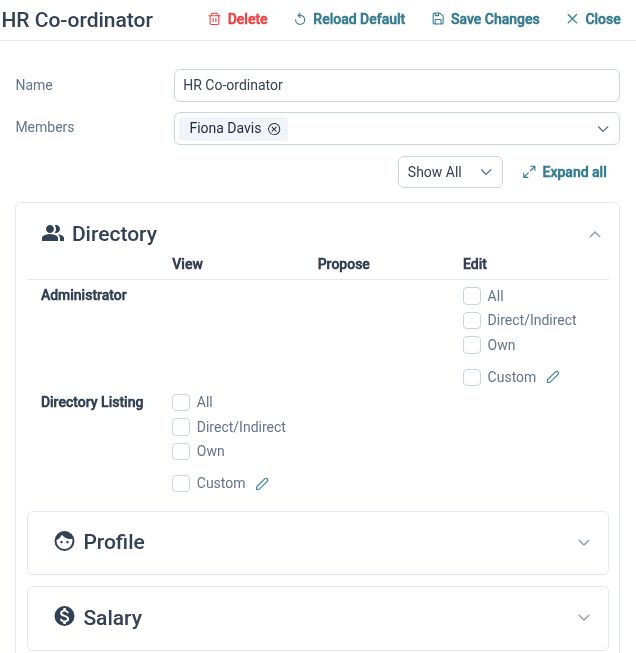
Manage what a signed-in user can see and do through HR Planner’s role and permission configuration.
Identity and HR access serve different purposes. The identity provider supports the sign-in process, while HR Planner roles and permissions define the user’s available HR information and actions. Reviewing both together helps ensure the intended user reaches an appropriate workspace after authentication.
For example, a manager signing in through the configured provider should receive the HR access appropriate to their responsibilities, such as relevant team records or review tasks. Check the resulting workspace with a test account. Discuss any additional identity requirements during setup rather than assuming every sign-on or provisioning standard is included.
Built for everyday HR

A connected identity route
Use supported OpenID Connect configuration with your chosen compatible identity provider.

Deliberate rollout settings
Review how the connection is enabled and applied before wider employee use.

HR access remains configurable
Keep user roles and permitted HR actions part of the implementation review.
Explore connected HR features
HR Roles and Access Permissions

Employee Self-Service HR Software
Employee Records Software

Ready to take our software for a spin?
Organisations just like yours are using HR Planner. Start your free trial today to see how simple it can be!