
Move Beyond Spreadsheets
When employee lists, holiday trackers and update emails become hard to keep aligned, give everyday HR a shared home. Move towards connected records, clearer requests and a practical view of team availability.
A spreadsheet may work well when one person maintains a small employee list. The difficulty grows when several people need different versions, a holiday request arrives by email and a change must be copied into another file. Before long, checking which information is current becomes part of every task.
Moving to HR Planner is an opportunity to simplify that process. Start with the records and workflows your team uses most, prepare the information you want to bring across and agree how Employees, Managers and HR Administrators will work with it.

Shared records
Bring employee details and linked HR information into an employee workspace that authorised people can return to.
Replacing a spreadsheet begins with deciding where the maintained employee record will live. HR Planner brings profile information into configurable sections with linked HR records, so people can review the relevant employee context instead of assembling it from separate files. Agree who owns updates and which information your team needs before setting up the records.
For example, a small business might keep employee contact details in one workbook and other HR information in separate folders. Start by reviewing the employee list, resolving duplicates and identifying the details you need to maintain. Use the new records as the agreed working source once your team has checked the transfer.
Review the move
Use an Excel template and import preview to prepare employee data, check the records and resolve issues before saving.
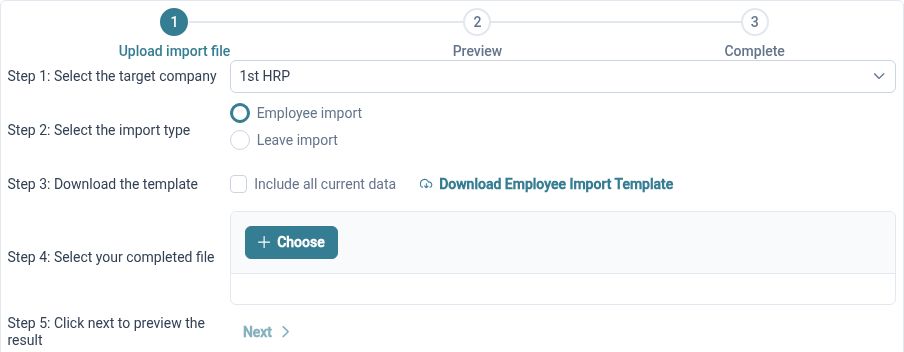
The employee import process provides a downloadable template, workbook upload and a review stage for previewing and correcting records. Validation helps identify issues such as duplicate usernames and manager references. This creates a practical checkpoint between your existing files and the employee records you intend to use in HR Planner.
For example, HR can take the current employee list, prepare it in the supplied template and review the upload before saving. Check a representative selection against your source records and investigate any validation messages. Existing leave has a separate template and preview process, so plan that transfer alongside employee setup and the relevant leave settings.
Clearer requests
Move holiday requests into a defined process, with visible balances and configured approval steps alongside employee records.
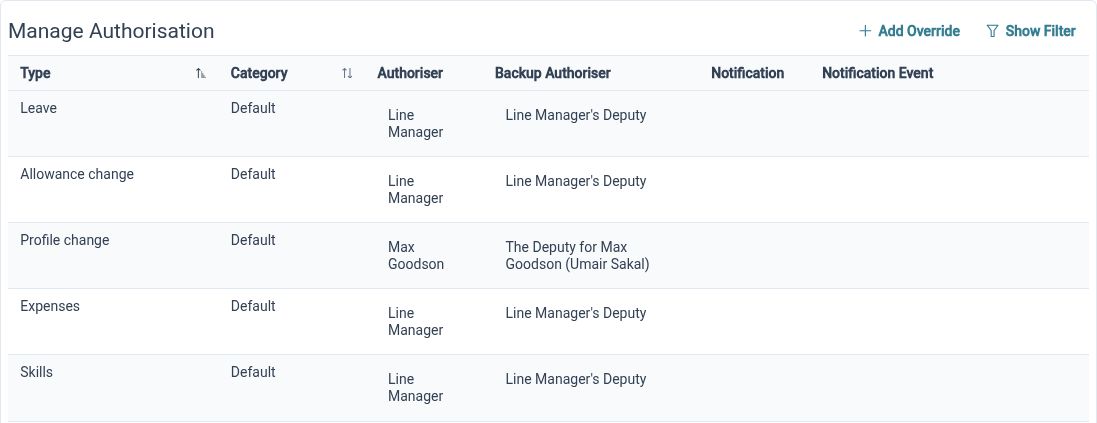
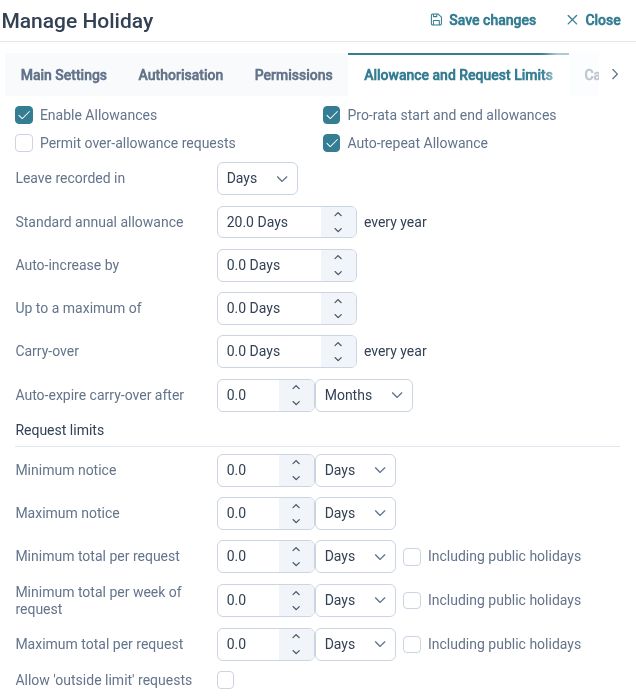
A holiday spreadsheet records dates, but the conversation around a request may still sit in email. HR Planner supports leave creation, validation, approval, amendment and cancellation within the leave process. Working patterns and policy settings provide context for requests, helping your team manage the activity around leave as well as the dates themselves.
For example, an Employee submits a request through HR Planner instead of emailing a Manager and waiting for HR to update a tracker. The request follows the configured process. Before introducing this change, agree the approval responsibilities, check leave settings and explain how Employees should amend or cancel requests when their plans change.
See availability
Give Managers a planner view of Employees and events, so team availability is easier to consider when reviewing leave.
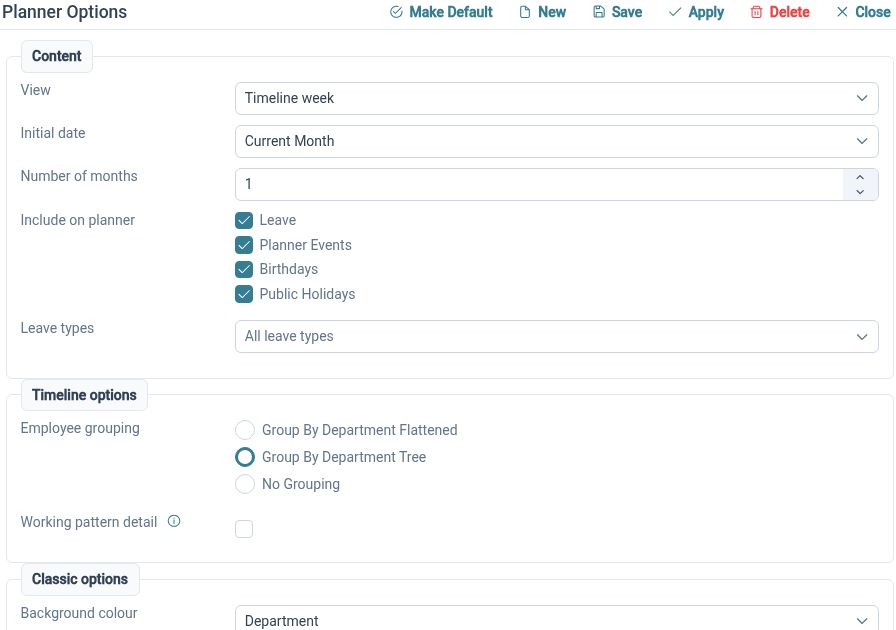
The Staff Holiday Planner brings Employees and events into a calendar view with organisational grouping and request actions. It connects planning with the underlying leave process, giving authorised users a shared view to consult. Your organisation still decides how availability, operational needs and leave policies guide each decision.
For example, when two members of a small team request overlapping dates, the Manager can review the relevant planner view before making a decision. That avoids relying only on an emailed extract of a holiday tracker. Explain which views each role should use and make checking the planner part of the agreed review process.
Share ownership
Let Employees access their own information and use the actions their permissions allow, reducing reliance on HR as the messenger.
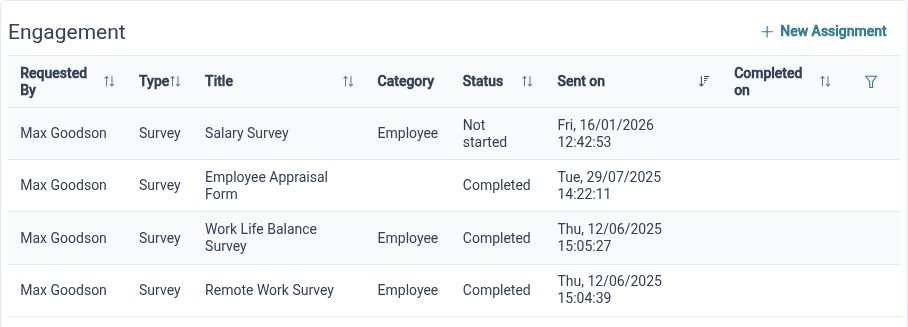
Employee Self-Service provides a personal profile route and permitted actions over records and requests. Read, propose and edit rights can be configured to match your organisation's approach. This gives Employees a direct route to everyday HR while keeping responsibility for review and approval clear where your process requires it.
For example, an Employee who spots an outdated detail can follow the permitted update or proposal route instead of asking HR which spreadsheet holds it. During rollout, demonstrate a typical action using a representative account. Explain which changes Employees can make themselves and which need another person to review them.
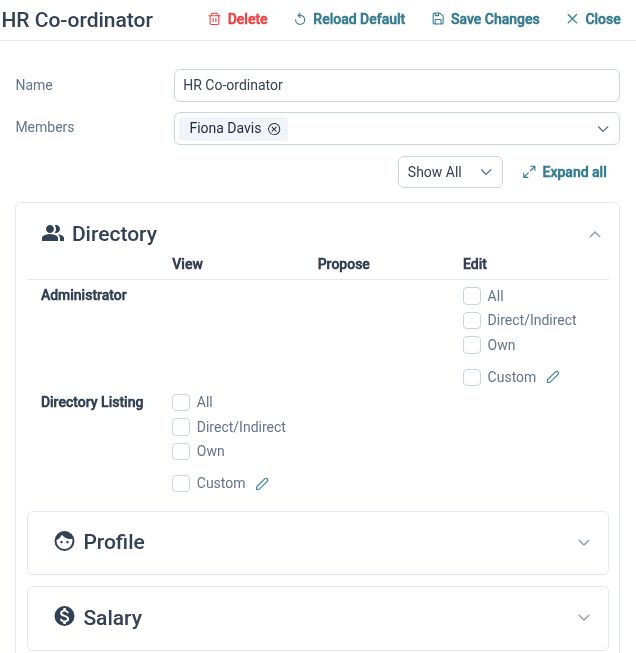
Set access roles
Define who can read, propose changes or edit employee information, using self, team and organisation-wide scopes where configured.
Moving away from shared files is also a chance to review access. HR Planner distinguishes permitted actions and employee scopes, so access can reflect the work a person needs to do. Review those settings as part of the transition and check the experience for Employees, Managers and HR Administrators before inviting wider use.
For example, a Manager may need relevant team information while an Employee needs their own record. Configure and test those responsibilities rather than copying the audience of an old shared workbook. Once the new process is established, decide how historic files will be retained and who should continue to have access to them under your organisation's policies.
A clearer way to work

Employees
Find your own information and use the available request and update routes without searching for the right file.

Managers
Review relevant team information and leave in a shared workspace, within the permissions assigned to your role.

HR Administrators
Maintain employee records, review imports and organise the transition around clear responsibilities and practical checks.
Tools for the transition
Employee Records
Excel Import
Leave Management
Your questions answered
When should we move away from HR spreadsheets?
Consider the change when maintaining versions, copying updates and tracing requests regularly get in the way of everyday HR. Start by identifying a specific process you want to improve, then assess how employee records, permissions and requests would work for your team.
Can we import our existing Excel files?
HR Planner provides employee and leave import templates with preview and validation steps. Prepare information in the supported format and review the results before saving. An existing workbook may need adjustment; its formulas, layout and unsupported fields should not be assumed to transfer.
Do we have to change every HR process at once?
You can plan a focused rollout around the records and workflows that matter first. Agree the boundaries and ownership of that rollout, and be clear about which system holds the maintained information during each stage. Check configuration and access before expanding use.
What should we check before Employees start using it?
Review imported employee records, manager references, relevant leave settings and role permissions. Try typical requests and updates using representative accounts. Explain the new process, who can help with questions and when the team should stop updating the old working spreadsheets.

Ready to take our software for a spin?
Organisations just like yours are using HR Planner. Start your free trial today to see how simple it can be!