
Employee Salary History Software
Maintain dated salary records with currency, pay frequency and contracted hours in a separately permissioned employee area.
Keep salary context
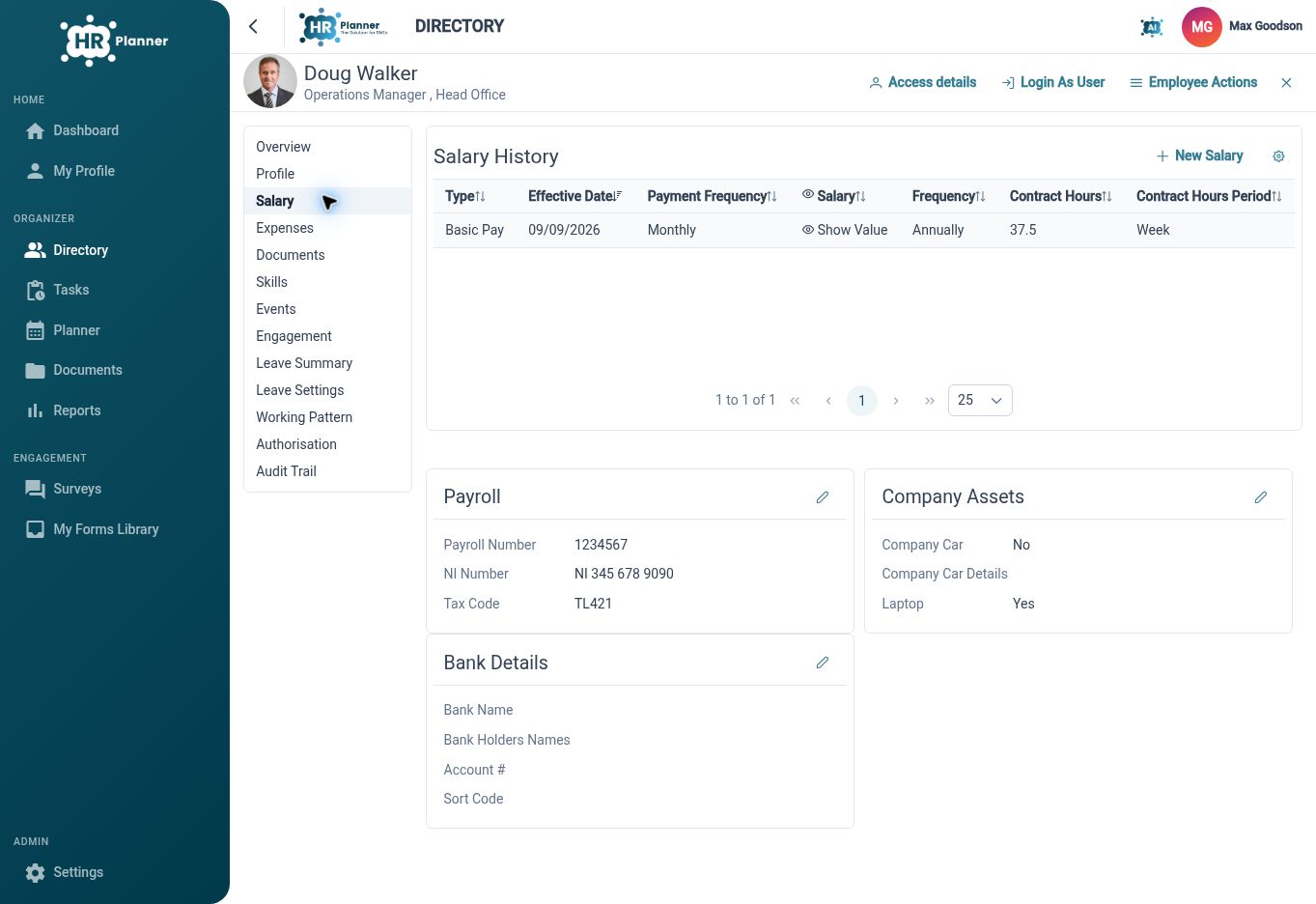
Maintain salary records with effective dates, so authorised users can understand an employee’s recorded pay arrangements over time.
Salary information needs a date and context to be useful. HR Planner maintains salary entries within the employee workspace, allowing authorised users to review records associated with different effective dates. This gives HR a structured place to refer to previous arrangements when discussing a change or checking an employee’s history.
For example, a pay review taking effect next month can be recorded with the relevant date. When HR later checks the employee’s record, the effective-date context helps distinguish that entry from an earlier arrangement. This supports salary administration without relying on an undated amount in a spreadsheet cell.
Record the arrangement
Capture currency, salary and payment frequency, and contract hours alongside the amount, giving the entry the detail needed for interpretation.
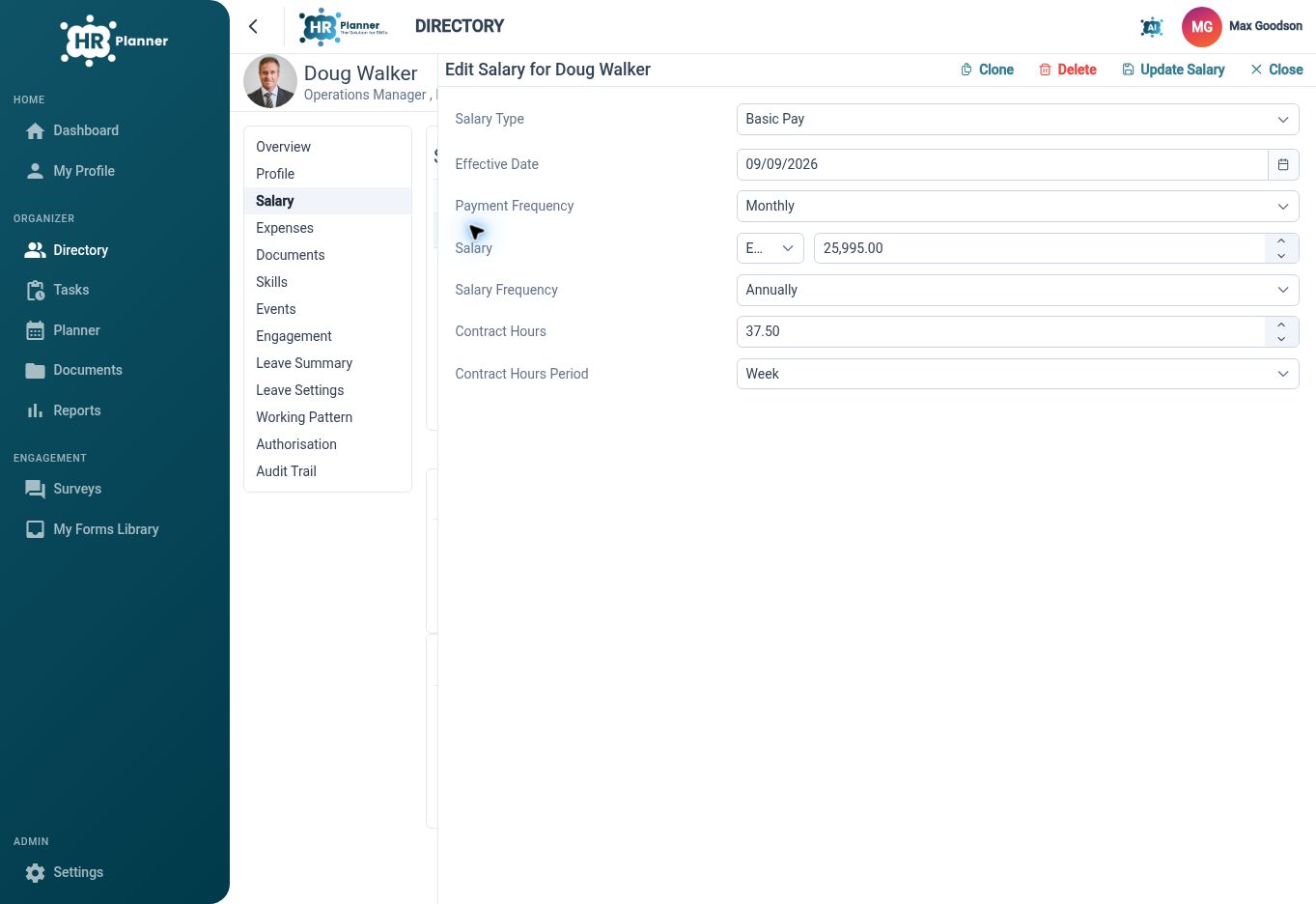
An amount alone does not explain a salary arrangement. Currency, frequency and contract-hours information make the record more meaningful for an authorised reviewer. Keeping those details together helps HR understand what an entry represents when working across different employee arrangements or reviewing a historical change.
For example, when an employee changes their contracted hours, review the hours and salary details in the new entry rather than changing only the amount. Check the applicable frequencies and effective date at the same time. The resulting record provides useful context for the team responsible for the separate payroll process.
Control salary access
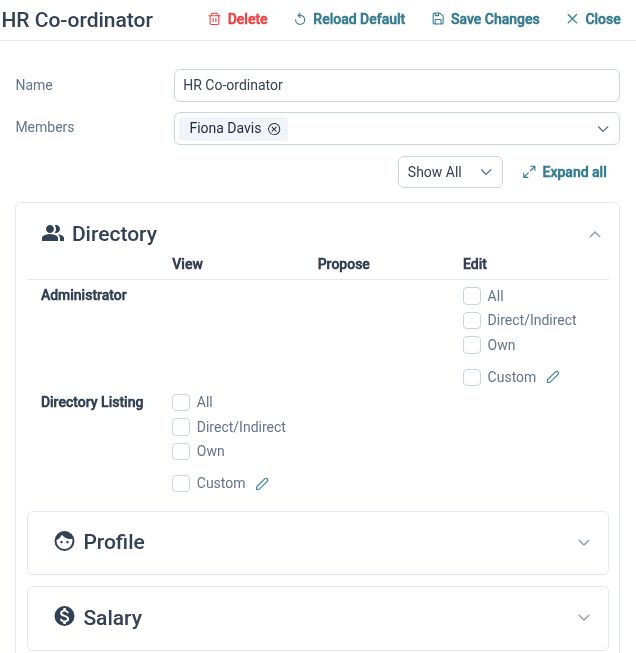
Use the separately permissioned salary area and entry-cloning support to maintain records while keeping access aligned with responsibility.
Salary administration is a task for the people who need that information. The employee salary area has its own permission context, and existing entries can be cloned to support preparation of a similar record. Reusing an entry helps with repeated details, while the administrator still reviews the values and effective date before saving.
For example, HR could clone an existing salary entry as a starting point for a new arrangement, then update the relevant details. A manager’s ability to view or maintain salary information should reflect the configured rights. Check those roles with the intended users before relying on the process for everyday administration.
Built for everyday HR

Dated salary records
Keep pay arrangements associated with the point in time they apply from.

More meaningful amounts
Record currency, frequency and hours alongside the salary value.

Authorised maintenance
Keep salary administration within the employee area and configured access rights.
Explore connected HR features

Employee Records Software
HR Roles and Access Permissions
Employee Record Change History

Ready to take our software for a spin?
Organisations just like yours are using HR Planner. Start your free trial today to see how simple it can be!