
Employee Expense Management Software
Make expense claims easier for employees and managers. Keep costs, receipts and approvals together in HR Planner, with a clear record of what has been submitted and what needs a decision.
Build a clear claim
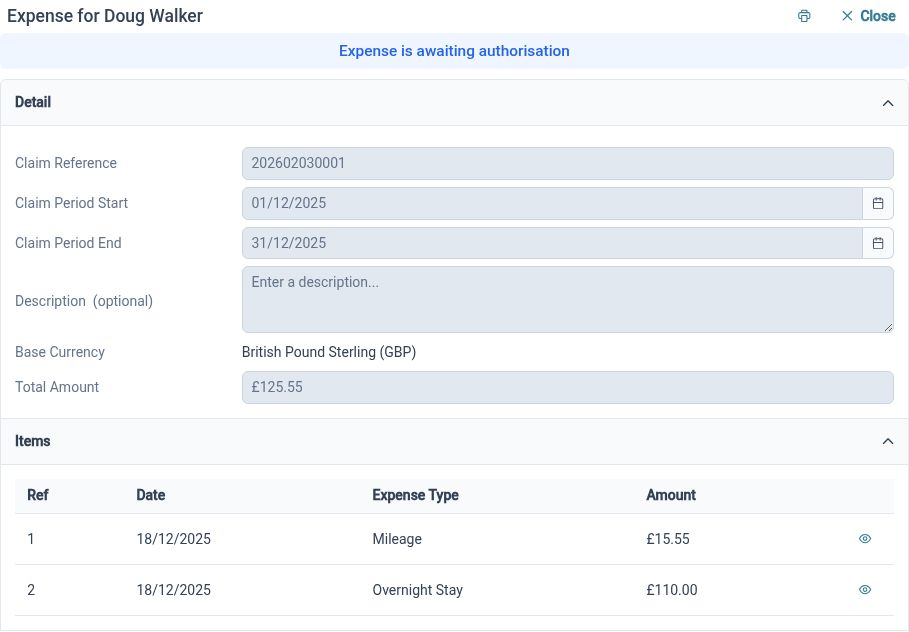
Prepare expense claims with a period, description and individual items, so reviewers can understand what the employee is claiming.
Give managers the detail they need to check a claim, without the back-and-forth of email. Employees can save a draft, add dates and descriptions, and submit it when it is ready. They can then check its status to see how it is progressing.
After a client visit, for example, an employee can group their train fare, hotel and other eligible costs into one claim. Each cost has its own details, while the claim description explains the purpose of the trip.
Keep evidence attached
Record item values, VAT and currency alongside supporting documents, giving reviewers the evidence relevant to each cost.
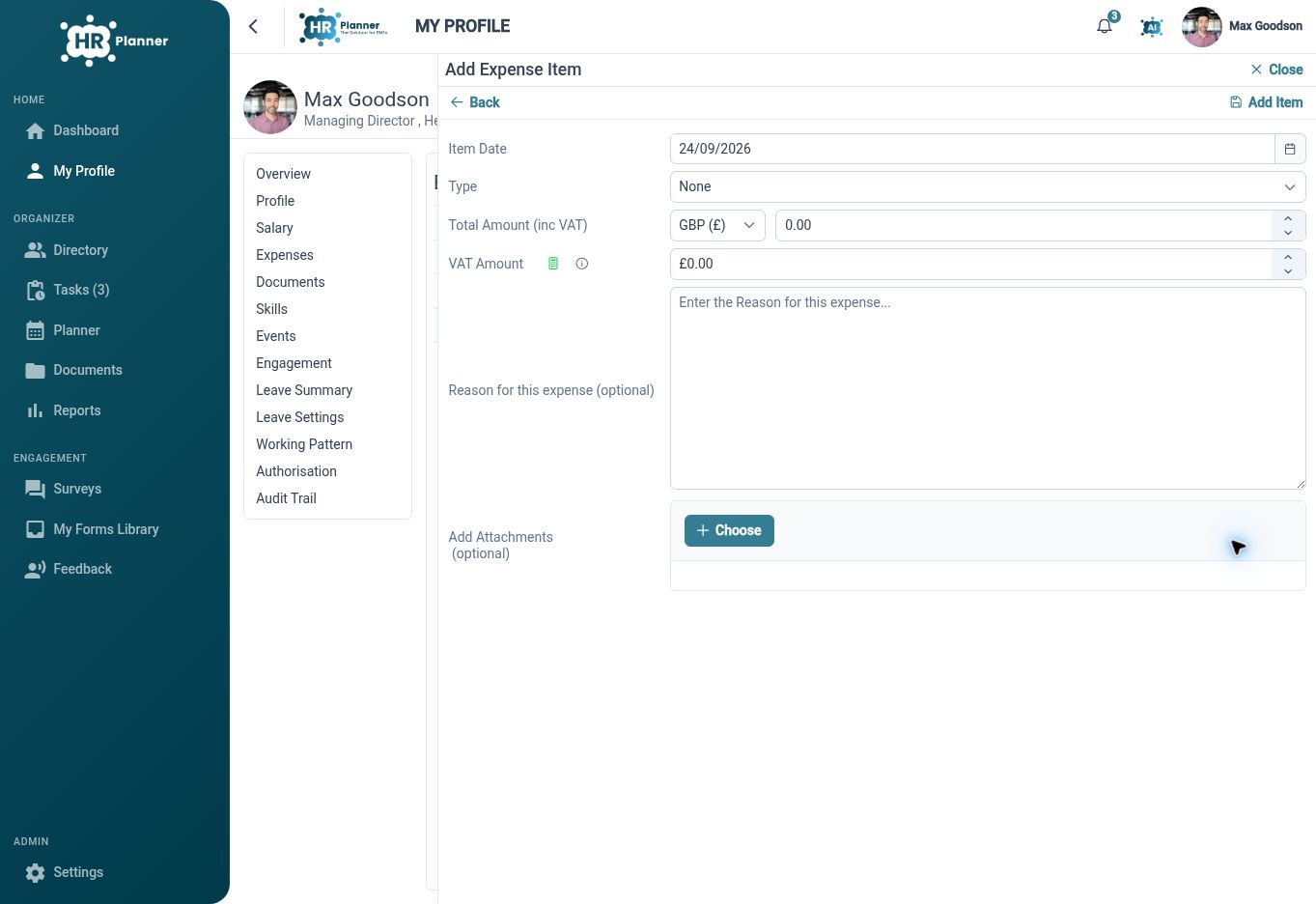
Keep receipts beside the costs they relate to, so reviewers can check a claim without searching through emails. Record the date, amount, VAT and currency for each item, and use additional fields for any details your organisation needs.
For example, an employee can attach their hotel receipt directly to the accommodation item. For costs incurred abroad, reviewers can see the original amount alongside the total in your base currency and check it against your company’s expense policy.
Route claims for review
Send claims to the right authorisers and let employees see where their claim stands, from draft to decision.
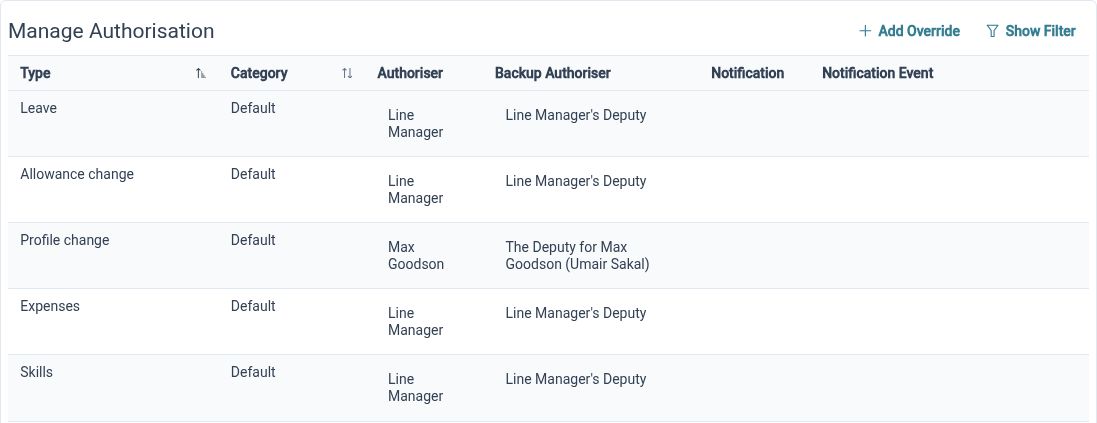
Set up authorisers for different expense types so claims reach the people responsible for checking them. Reviewers can see the costs and receipts together, while employees and HR Administrators can follow the claim’s status.
For example, a manager can review a travel claim with its receipts already attached and record their decision. Your finance team can then use the approved details to arrange reimbursement through your usual payment process.
Built for everyday HR

Itemised employee claims
See the purpose, dates and individual costs in one clear claim.

Evidence beside each cost
Attach supporting documents to the expense items they help explain.
Clear review responsibility
Use configured expense categories and authorisers to organise claim decisions.
Explore connected HR features
HR Approval Workflow Software
HR Document Management Software

Employee Records Software

Ready to take our software for a spin?
Organisations just like yours are using HR Planner. Start your free trial today to see how simple it can be!