
Listen to Your Team
Give Employees a clear way to share their experience, then make time to consider what they say. Bring focused surveys and ongoing feedback into a process your team can understand and use.
A comment in a meeting, a suggestion in an email and a survey response can all highlight something worth improving. The challenge is collecting enough context to understand the issue and giving the input a clear route to review.
HR Planner supports both targeted surveys and employee-initiated feedback. Ask a chosen group about a particular experience, or let Employees use available feedback forms when they have something to share. Then use the relevant results and review tools to organise the next conversation.
Ask with purpose
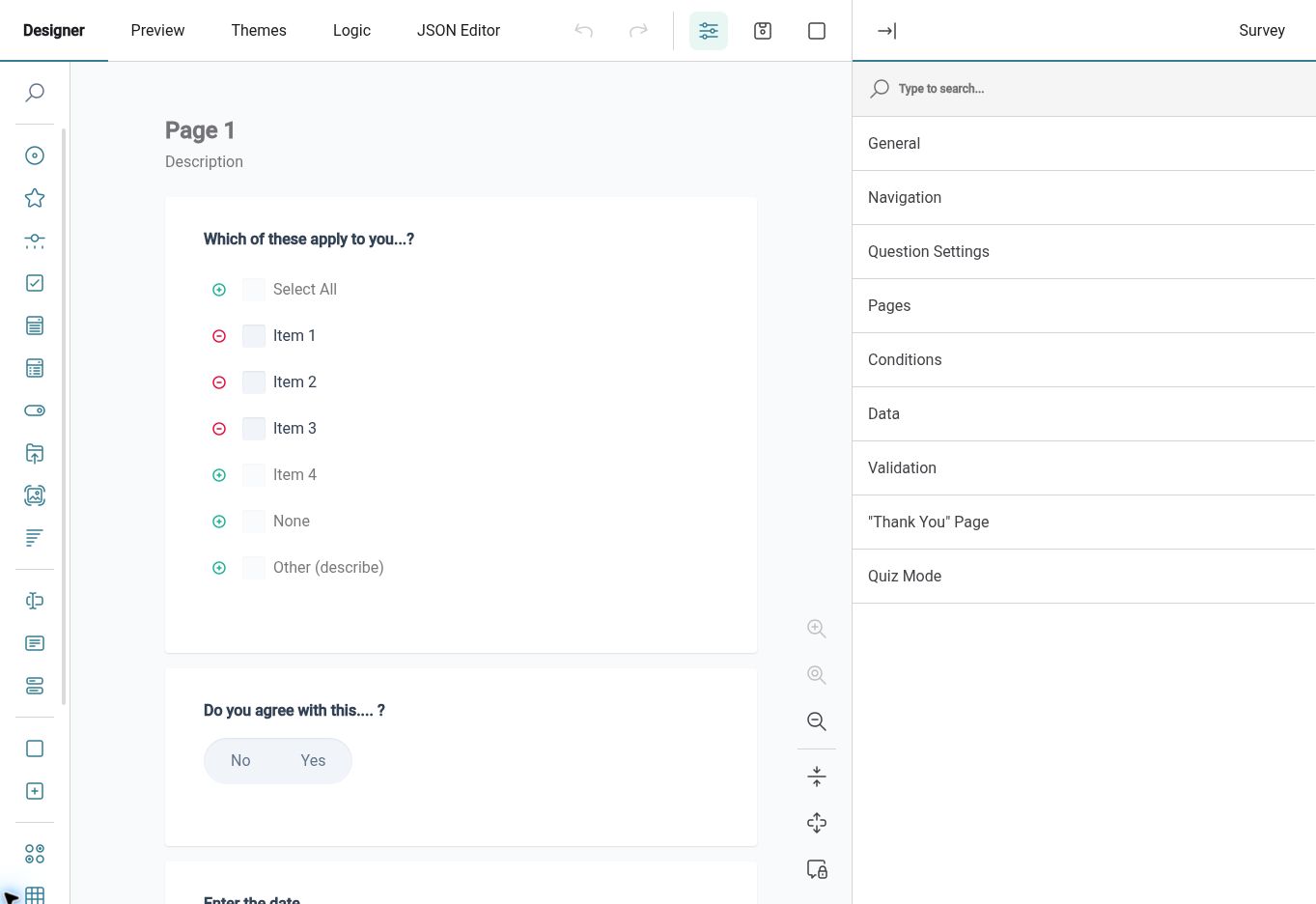
Build a form around a clear question, so Employees know what you want to understand and can provide useful detail.
The HR Form Builder creates reusable definitions with visual design and preview tools. A form's configured submission type determines whether it is available for a survey, assignment or feedback process. Begin with the information you need, arrange the questions clearly and preview the experience before putting the form into use.
For example, after changing an internal procedure, HR may want to understand where Employees still get stuck. A focused form can ask which step was difficult and what would make it clearer. This gives the team more context than a general invitation to comment, while keeping the purpose of the exercise easy to explain.
Reach the group
Send a survey to the Employees whose experience is relevant to the question you want to explore.
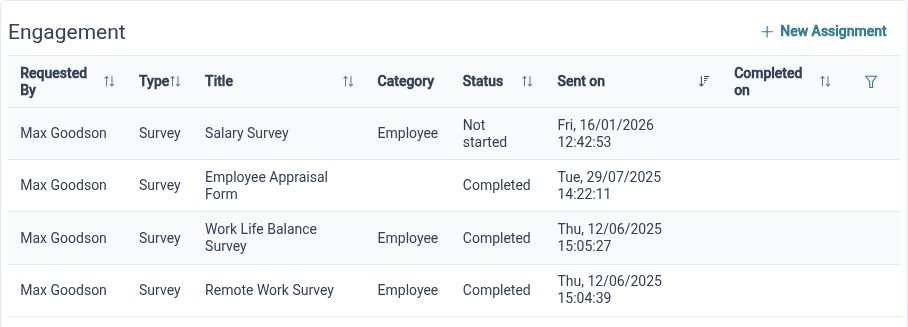
Employee Surveys combines a selected form with survey details and recipient selection. That gives HR a structured way to ask a chosen audience for input, instead of gathering replies across separate messages. A clear title and a relevant set of questions help Employees understand why the survey matters to their experience.
For example, a business introduces a new handover process in one department. HR can ask the affected Employees about the information they receive and where gaps remain. Choosing the relevant group keeps the exercise focused and gives the subsequent discussion a shared subject, rather than asking the whole organisation questions that do not apply to everyone.
Track responses
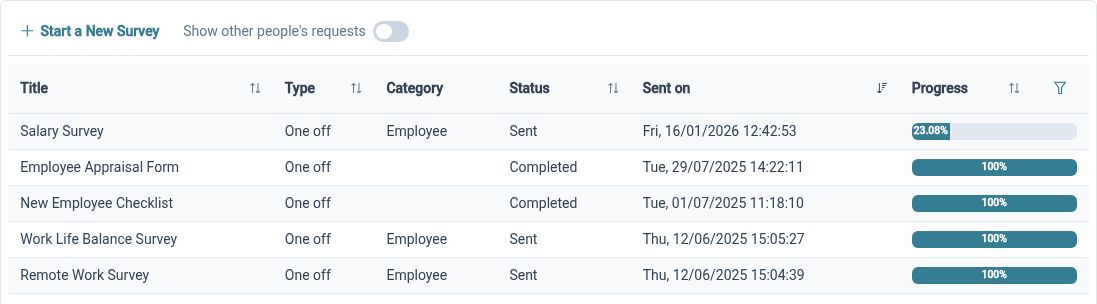
Review survey completion progress to understand how the collection stage is developing before interpreting the results.
Survey progress provides visibility into the response collection process. This helps HR distinguish between a survey that is still gathering input and the later work of considering what the responses mean. Participation and content answer different questions: progress shows how collection is developing, while results provide the information Employees have shared.
For example, HR opens a survey about a recent team change and reviews its completion progress before discussing the responses received so far. The team can decide whether further communication is needed or whether it has enough input to begin the review. Make any follow-up part of your own agreed communication process.
Read the detail
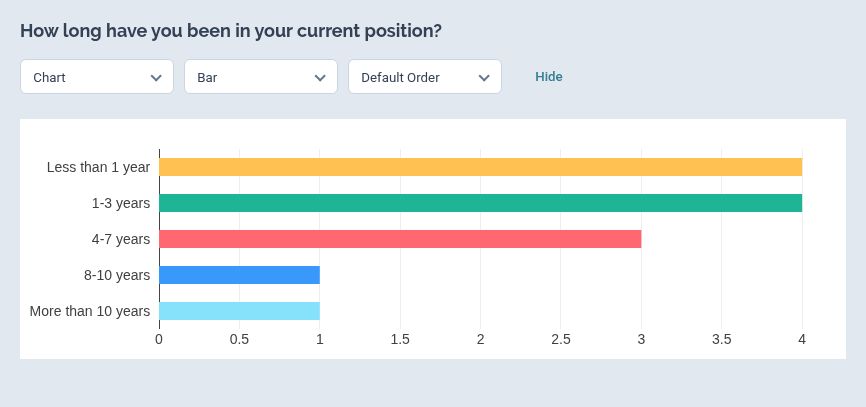
Explore survey results through visual analytics and table views, using both the overview and available response detail.
Survey results can be viewed as visual analytics or a table, with saved view settings for returning to a useful layout. These views help HR explore the same exercise at different levels of detail. Use the overview to identify a question worth investigating, then examine the relevant responses for the context behind it.
For example, responses to a handover survey may suggest that some Employees find instructions unclear. HR can look at the available written detail to understand which part of the process needs attention. That gives the discussion a more useful starting point than treating a single rating as the whole explanation.
Open feedback
Let Employees start a feedback submission through an available form when they have an experience or suggestion to share.
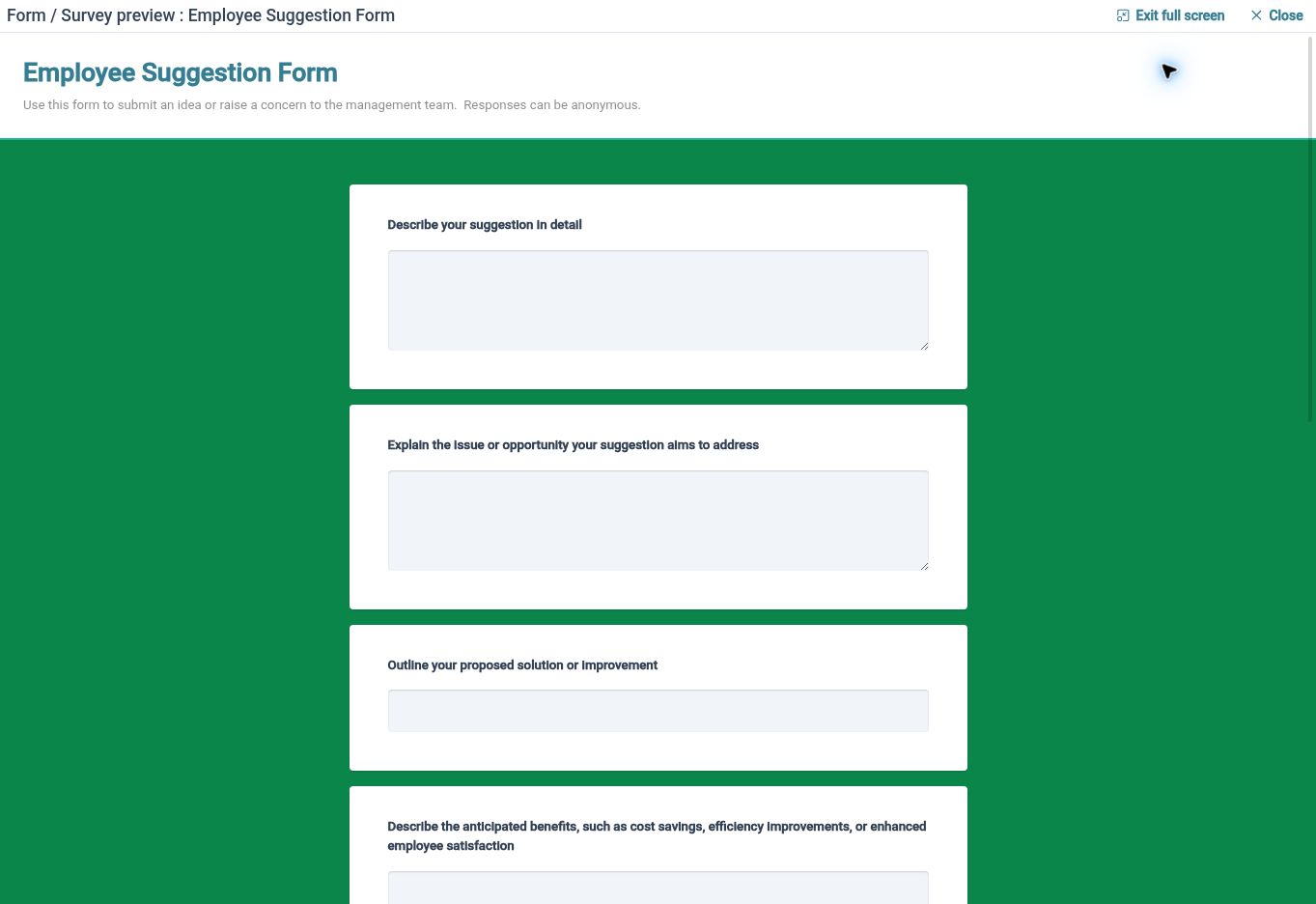
Employee Feedback offers a separate route from an HR-led survey. Employees can choose an available feedback form and submit it through the configured process, while authorised users work with submissions in the feedback management area. This gives ongoing suggestions a place alongside the focused questions your organisation asks at particular times.
For example, an Employee notices the same difficulty recurring during a routine task and has an idea for improving it. An available feedback form gives them a way to describe what happens and why it matters without waiting for the next survey. Clear questions help the people reviewing the suggestion understand its practical context.
Review the input
Use feedback status and comments to organise review, then agree how your team will communicate any outcome.
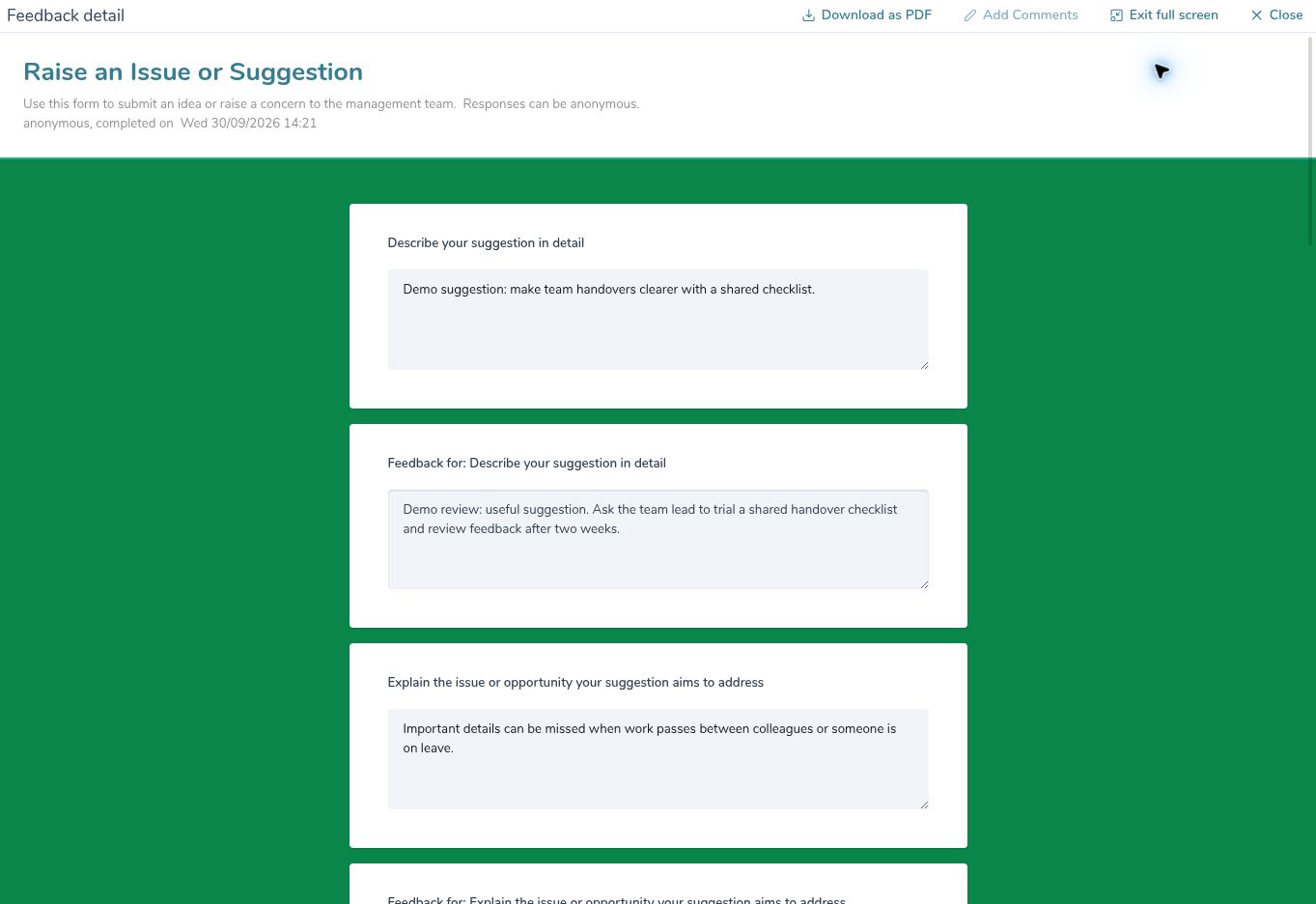
Feedback management supports comments and review states including submitted, review in progress, reviewed and archived. These help authorised Reviewers organise the work after feedback arrives. Your organisation decides who monitors submissions, how suggestions are assessed and which subsequent actions or conversations are needed.
For example, an HR Administrator reviews a suggestion, records relevant comments and updates its review status as the assessment progresses. The team can then agree whether to change the procedure, ask for more context or explain why another approach is needed. Communicating the outcome is an organisational responsibility that gives the feedback exercise a clear purpose.
Useful input, considered review

Employees
Respond to relevant surveys and use available feedback forms to explain experiences or suggest improvements.

HR Administrators
Organise questions, recipients, progress views and response analysis around a clear purpose for each exercise.
Reviewers
Use feedback comments and review states to organise assessment and agree what needs to happen next.
Explore the feedback tools
HR Form Builder

Employee Surveys

Employee Feedback
Your questions answered
When should we use a survey rather than a feedback form?
Use a survey when you want to ask a chosen audience about a particular topic or experience. Employee Feedback provides a route for Employees to start a submission using an available form. The two approaches support different moments in the conversation with your team.
Can we reuse the questions we create?
The HR Form Builder creates reusable definitions. Check the configured submission type, wording and purpose before using a form for another exercise. Keeping useful questions consistent can make the next collection process easier to prepare.
How do we review what Employees have shared?
For surveys, visual analytics and table views help authorised users explore the results. For employee-initiated feedback, review states and comments help organise individual submissions. Agree who will do that work and how the organisation will handle any follow-up.
How can we help Employees see the value of giving feedback?
Explain the purpose before asking for input, review what arrives and communicate the relevant outcomes through your organisation's chosen channels. HR Planner provides collection and review tools; the decisions, improvements and communication are the work your team carries forward.

Ready to take our software for a spin?
Organisations just like yours are using HR Planner. Start your free trial today to see how simple it can be!