
HR for Technology Teams
Give your technology team a clearer place for everyday HR. Connect employee information, requests, qualifications and feedback as your business and the people within it develop.
Software and technology businesses bring together development, support, sales and operational teams with different responsibilities. As the business grows, employee updates and requests can become scattered across messages, documents and spreadsheets.
HR Planner brings those HR processes into a connected system. Let Employees manage the information and requests their access allows, give Managers a clearer view of time away and keep professional development evidence and employee input organised.

Connect records
Maintain a consistent employee record as teams and responsibilities evolve.
Employee Records provides configurable profile sections and linked HR information. It gives authorised users a defined place to maintain details and review the records they need. Agree who owns updates and use appropriate access so people can work with useful, current information.
For example, a Developer moves into a team leadership role. HR can review the recorded details and relevant linked information, then check the permissions and responsibilities affected by the change. The employee record provides a shared reference for that process.
Enable updates
Let Employees view, propose or make changes according to the access you configure.
Employee Self-Service gives Employees a route to their HR information and available tasks. Read, propose and edit rights determine how particular information can be handled. This helps your team give routine updates a clear process while retaining review where it is needed.
For example, an Employee notices that a personal detail needs updating. They can use the route their permissions allow, either making the change or proposing it for review. HR can handle the update through the configured process instead of relying on a message buried in a team conversation.
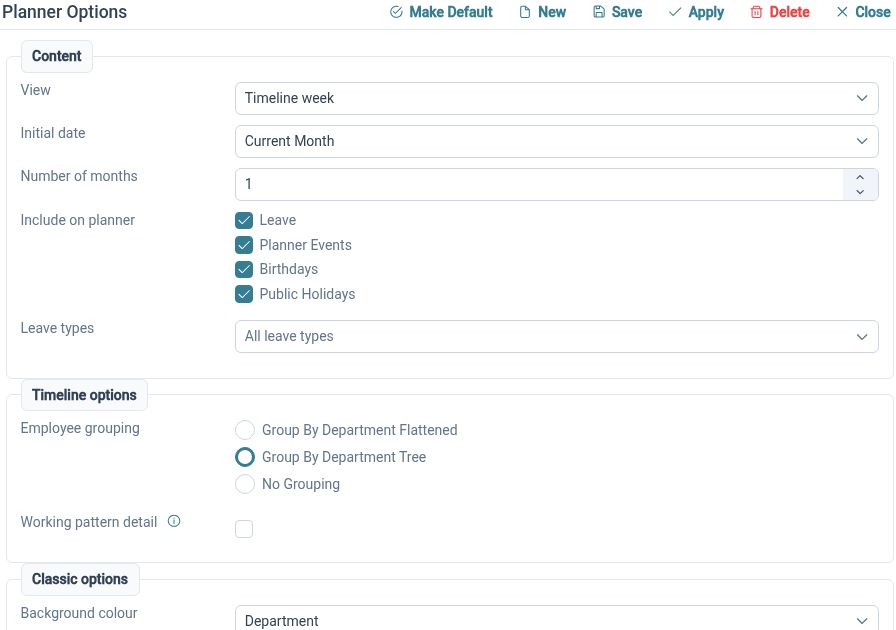
Plan team leave
Review time away across the relevant team before agreeing requests.
The Staff Holiday Planner brings employee events into calendar views with organisational grouping and request actions. Managers can consider overlapping leave and discuss availability with the team. It provides the employee context for planning around your own delivery and support commitments.
For example, several members of a support team request leave during the same period. Their Manager can review the team planner and discuss the available cover before deciding on the requests. The team then organises its service commitments using the agreed availability.

Record learning
Keep skills and certificate evidence connected to the Employee it belongs to.
Skills and Certificates supports a skills catalogue and employee certificate records, including evidence and relevant expiry information. Renewal handling and expiry views help authorised users review records over time. Your business decides how qualifications are assessed and which learning matters for a role.
For example, an Employee gains a professional technology certification and supplies the evidence. HR can maintain the certificate record and any applicable expiry details. That record supports later conversations about renewal without treating the certificate as an automatic measure of someone’s ability.
Ask the team
Use focused surveys to collect structured input from selected Employees.
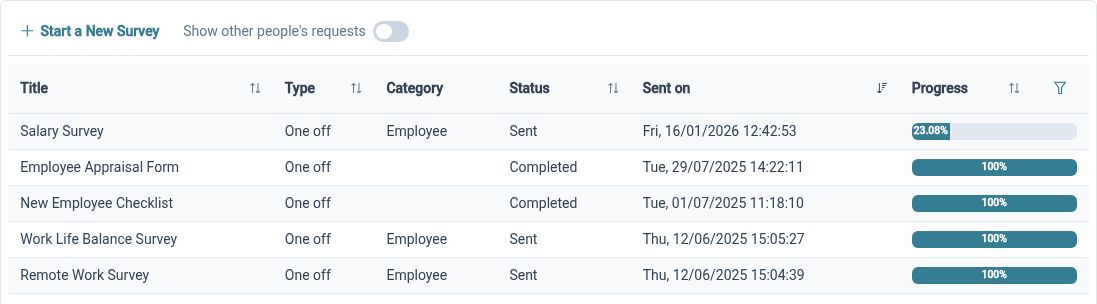
Employee Surveys combines a selected form with a recipient group and provides progress and results views. It gives HR a way to ask consistent questions about a defined topic. Choose questions that your team can act on and agree who will review the responses.
For example, after changing an internal handover process, HR surveys the teams involved about missing information and unclear responsibilities. Results can inform a discussion about what to improve. Your organisation decides how to communicate the findings and any resulting changes.
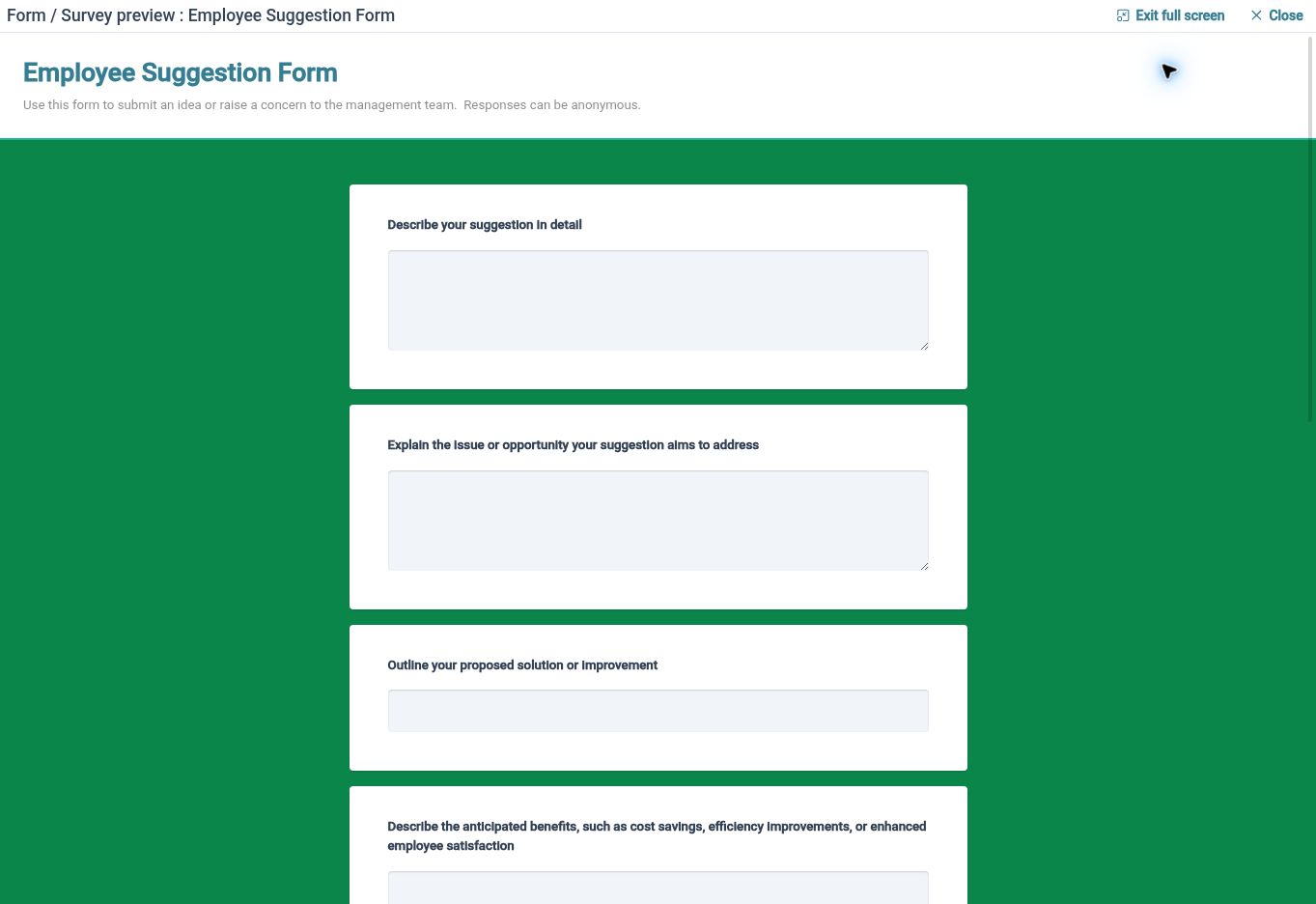
Hear ideas
Give Employees a route to share feedback when an issue or suggestion arises.
Employee Feedback supports employee-initiated submissions through available forms, with review states and comments for authorised users. It complements scheduled surveys by giving Employees a place to raise something at the time it matters. Set clear expectations about who reviews submissions and how responses are communicated.
For example, an Employee spots a recurring gap in the way internal information is handed over. They can explain it through an available feedback form so the responsible Reviewer has the context. Review states and comments help organise consideration of the submission as the team decides what to do.
Clearer HR for your team

Employees
Find your information and use the available processes to keep everyday HR tasks moving.

Managers
Review relevant team information and requests with the access your responsibilities require.

HR Administrators
Maintain employee records, configure processes and organise the information your business needs.
Explore the tools for your team
Employee Self-Service
Skills and Certificates
Employee Feedback
Your questions answered
Can Employees update their own information?
Employee Self-Service follows the read, propose and edit rights you configure. Employees can use the available route for the information concerned, with review where your settings require it.
Can team leads review employee leave?
The Staff Holiday Planner gives authorised users calendar views, organisational grouping and request actions. Configure appropriate access so Managers can review the relevant team information.
Can we record professional technology certifications?
Skills and Certificates supports employee certificate records, supporting evidence and applicable expiry details. Your business determines how evidence is checked and whether a qualification is relevant to the role.
What is the difference between surveys and feedback?
Surveys are a structured collection exercise using a selected form and recipients, with progress and results views. Employee Feedback lets Employees start a submission through an available form when they have something to share.

Ready to take our software for a spin?
Organisations just like yours are using HR Planner. Start your free trial today to see how simple it can be!