
HR for Trades Teams
Keep employee records, qualifications and everyday requests together as your people work across the office and customer sites. Give your construction or trades team a clearer way to manage HR.
Construction and trades businesses need to keep employee information accessible while work takes place in different locations. A certificate renewal, a holiday request or a travel claim can be easy to lose track of when each arrives through a different message or folder.
HR Planner brings those HR tasks into connected records and processes. Maintain evidence alongside the Employee, review time away with the team in view and give requests a clear route for consideration.

Keep evidence
Record employee skills and certificates with supporting evidence and relevant expiry details.
Skills and Certificates connects employee certificate records to a skills catalogue. Documents can support a submission, while expiry views and renewal handling help authorised users review records over time. The business decides which evidence is needed and how its validity and relevance are checked.
For example, an Employee completes training and supplies a renewed certificate. HR can review the submission, maintain the supporting document and record the applicable expiry details. That gives the team a useful reference when discussing future renewal or checking what evidence is already held.
Know your people
Maintain employee details and linked HR information in one consistent record.

Employee Records provides configurable profile sections and linked information for authorised users. Keeping those details together gives HR a clear place to make updates and reduces the need for separate office and departmental employee lists. Agree who maintains the information and review access as responsibilities change.
For example, an Employee changes their personal details or moves into a different internal team. HR can review the relevant employee record and make the updates through the available process. Other authorised users can then refer to that record when handling everyday HR tasks.
See time away
Review employee leave across the relevant team before agreeing requests.
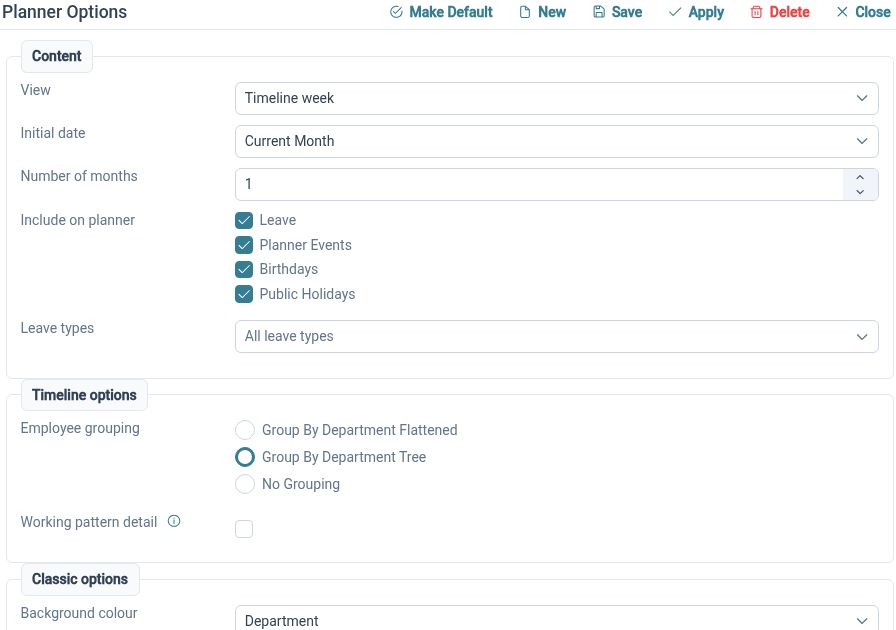
The Staff Holiday Planner shows employee events in calendar views with organisational grouping and request actions. It provides a shared view of time away for authorised Managers. Use that information alongside your own work commitments when discussing availability and leave decisions.
For example, a Manager receives overlapping holiday requests from two members of a small trade team. Reviewing the planner helps them see other booked leave and discuss the cover available. They can then organise customer commitments around the agreed employee availability.
Handle changes
Give Employees a defined route to request leave and change their plans.
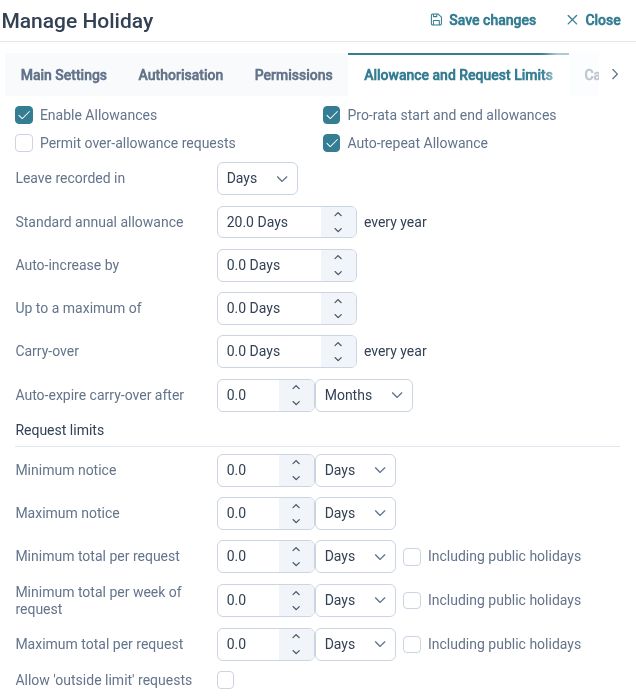
Leave Management supports creating, validating, approving, amending and cancelling requests, with employee summaries. Connecting those stages helps Managers work from the current request rather than an earlier email. Configure settings and approval arrangements around your organisation’s leave policy.
For example, an Employee needs to move a holiday after their personal plans change. They can use the available amendment or cancellation process so the revised dates reach the appropriate workflow. Their Manager can consider the change with the wider team situation in mind.
Clearer claims
Keep expense items and supporting receipts together for review.
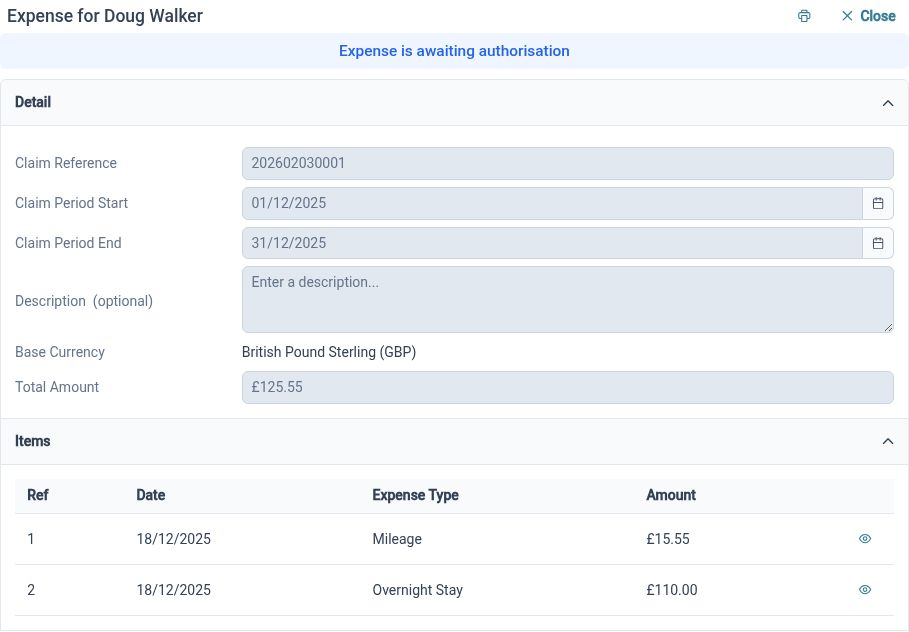
Expense Management organises claims by period, description and individual items. Supporting documents can be attached to expense items before the claim follows its submission and approval handling. Reviewers can assess the details against company policy with the evidence beside the cost.
For example, an Employee incurs an agreed travel expense while visiting a customer location. They can add the item to a claim, explain the cost and attach the receipt. The Reviewer can consider the information, with reimbursement handled through the business’s payment arrangements.
Control access
Give HR users access that reflects their responsibilities.
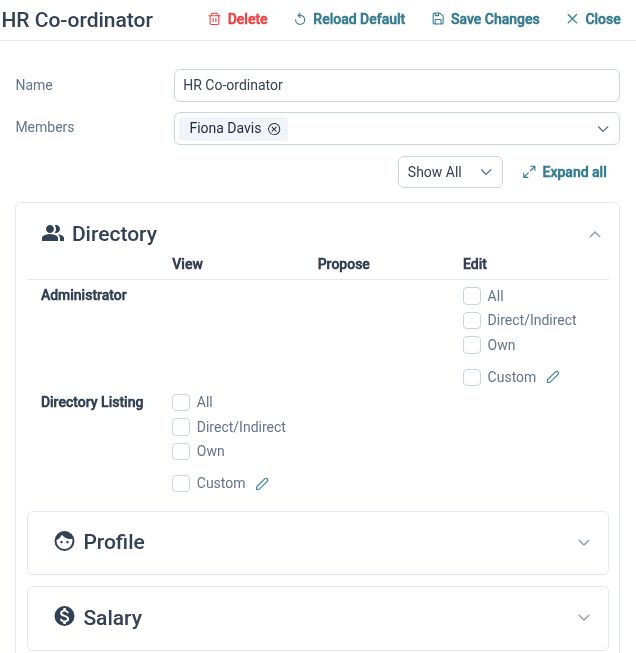
HR Roles and Access Permissions supports roles, scope and read, propose or edit rights where available. This lets the business configure how employee information is used by different people. Check representative records and tasks when setting up access so the arrangement matches what each role needs.
For example, a Team Manager needs to review relevant employee information and requests, while HR maintains a wider set of records. Configure and check the permissions for both roles, then revisit them when responsibilities change or someone takes over a team.
Clearer HR for your team

Employees
Find your information and use the available processes to keep everyday HR tasks moving.

Managers
Review relevant team information and requests with the access your responsibilities require.

HR Administrators
Maintain employee records, configure processes and organise the information your business needs.
Explore the tools for your team
Skills and Certificates
Staff Holiday Planner
Expense Management
Your questions answered
Can we keep employee certificates and renewal information together?
Skills and Certificates supports employee certificate records, evidence, applicable expiry details and renewal handling. Your business determines how the evidence is checked and which qualifications are relevant to the work.
Can Managers review leave across a trade team?
The Staff Holiday Planner provides employee calendar views, organisational grouping and request actions. Managers with suitable access can use the relevant view when considering requests and discussing cover.
Does a recorded certificate authorise someone to work on a site?
A certificate record helps organise the evidence you hold. Your business and the relevant site remain responsible for checking requirements and deciding whether an Employee is authorised for particular work.
Can Employees submit receipts for travel expenses?
Yes. Individual expense items can include supporting document attachments. Claims follow the configured submission and approval process; reimbursement is handled through your organisation’s payment arrangements.

Ready to take our software for a spin?
Organisations just like yours are using HR Planner. Start your free trial today to see how simple it can be!