
HR Reporting and Report Designer
Build reports around your organisation’s questions. Design reusable layouts, choose the data you need and turn HR records into clear, shareable reports.
Build Reports Your Way
Bring employee data, tables and charts into a visual report layout built around the information your team needs.
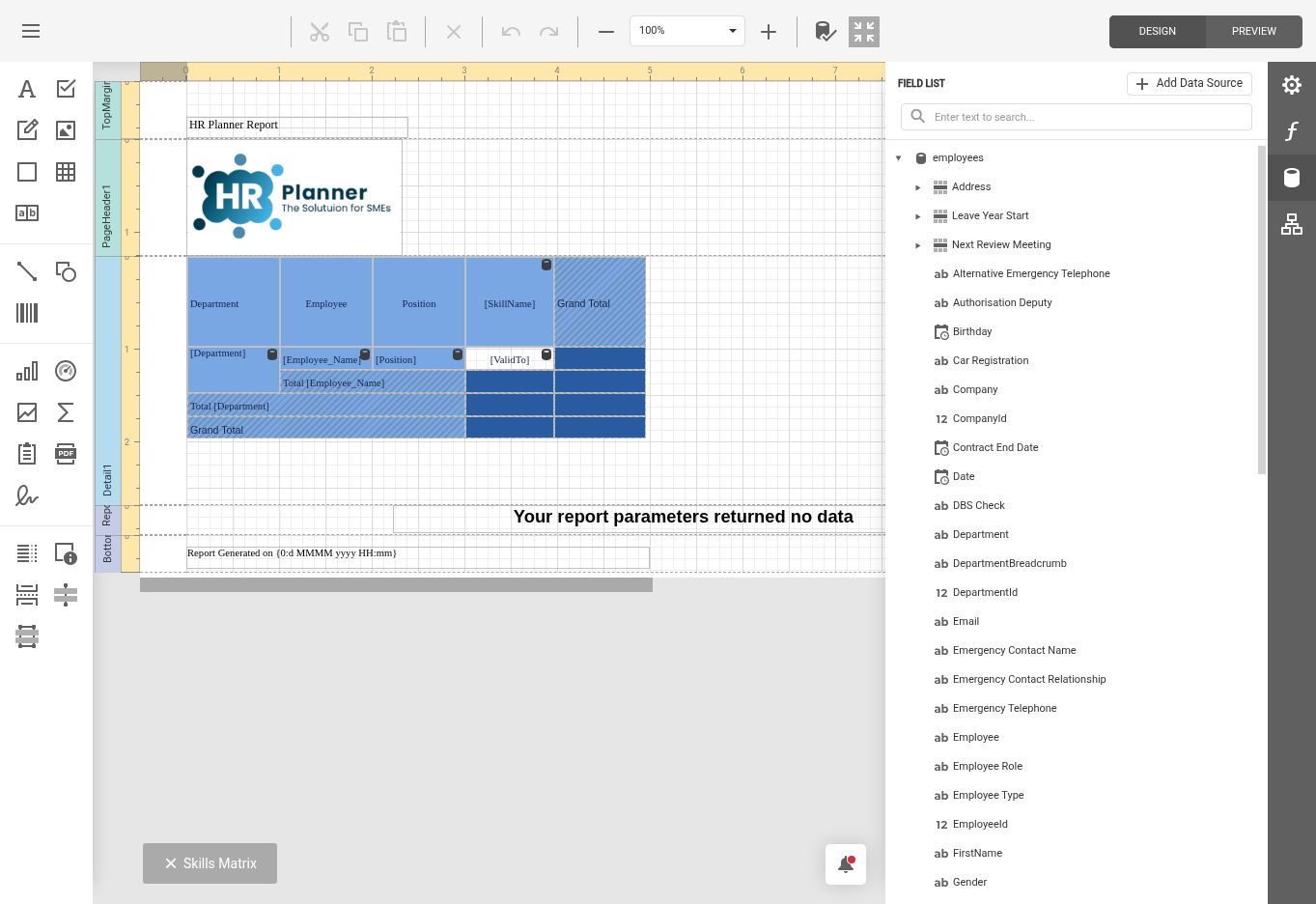
HR Planner’s Report Designer gives authorised HR Administrators a visual canvas for creating and adapting reports. Arrange report elements, choose employee data fields and use tables, charts and formatting controls to present information clearly. Start with an existing report layout and shape it around a recurring review or a specific business question.
For example, a Skills Matrix can bring Employees, Departments and Positions together with skills and certificate expiry dates. A Manager can see where qualifications are recorded and which dates need attention, without assembling the same information in a separate spreadsheet.
Make Reports Reusable
Maintain consistent layouts with report properties, data bindings and expressions, then reuse them for the next review.
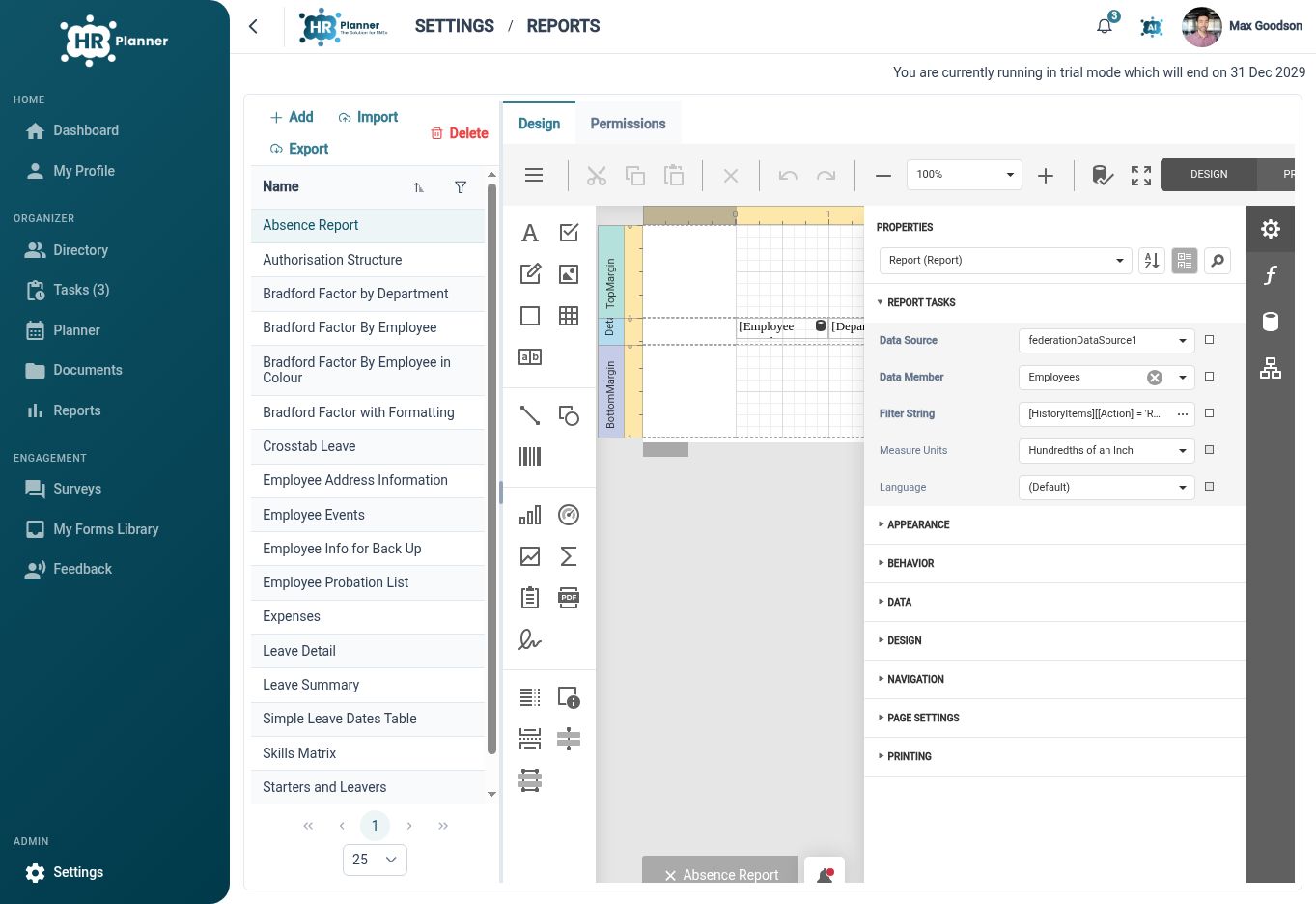
Reusable report definitions help HR keep recurring reviews consistent. The designer brings layout, data fields, expressions and report properties into one workspace. Authorised users can maintain the report structure and preview the output as they refine it.
For example, prepare a report for a regular skills review with the columns and headings your Managers use. Keep that definition ready for the next meeting and run it against the relevant report parameters, instead of rebuilding the layout each time.
Review and Share
Preview the finished report, check its scope and use the viewer’s export options to share the result.
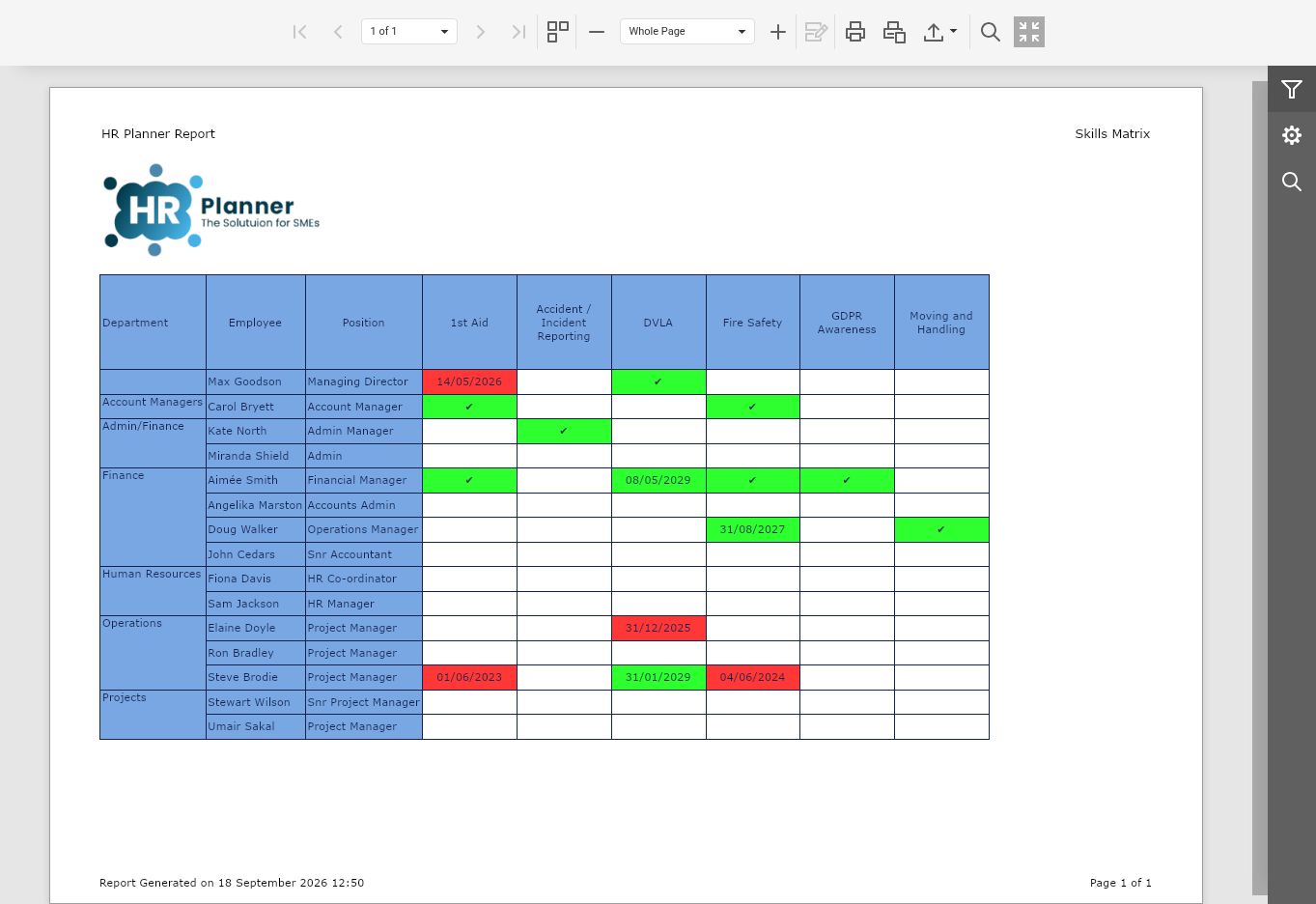
The report viewer turns a report definition into readable output. Where a report provides parameters, choose the relevant scope before generating the result. Review the finished pages and use the available print and export controls when you need a copy for a meeting or follow-up.
The Skills Matrix shown here is a finished report from HR Planner. Individual report permissions help control who can access a report within the application, while exported copies can follow your organisation’s usual sharing process.
Built for everyday HR

Visual Report Design
Arrange data fields, tables and charts around the questions your team needs to answer.
Reusable report layouts
Keep useful layouts ready for recurring HR reviews.

Targeted report access
Configure individual report permissions around the users who need that information.
Explore connected HR features
Customisable HR Dashboards
Employee Record Change History
HR Roles and Access Permissions

Ready to take our software for a spin?
Organisations just like yours are using HR Planner. Start your free trial today to see how simple it can be!