
HR for Your Practice
Support the people behind your client service. Bring employee information, leave, expenses and qualification records together, with clear routes for updates and approvals across your practice.
In a consultancy, accountancy practice or advisory firm, people administration sits alongside client deadlines and day-to-day delivery. A leave request, a missing receipt or a certificate update can all need attention from the same busy team.
HR Planner gives those tasks a connected home. Keep employee records organised, review time away with the team in view and maintain the evidence behind relevant qualifications. Employees get a clearer route to everyday HR, while Managers and HR Administrators can work with the information their roles permit.

Know your people
Bring employee details and linked HR records into one workspace, with supporting documents available to authorised users.
Employee Records organises profile information into configurable sections alongside linked HR records. HR Document Management provides a library for browsing files and viewing their details. Together, these give your practice a more consistent place to maintain people information than separate employee lists and attachments passed between colleagues.
For example, a growing advisory firm needs to review an Employee's details and a supporting HR document. An authorised HR Administrator can work from the relevant record and document library instead of asking which colleague has the latest file. Agree who maintains the information so the shared workspace stays useful as the team expands.
Plan time away
Review leave requests alongside team availability so Managers have useful context when considering overlapping dates.
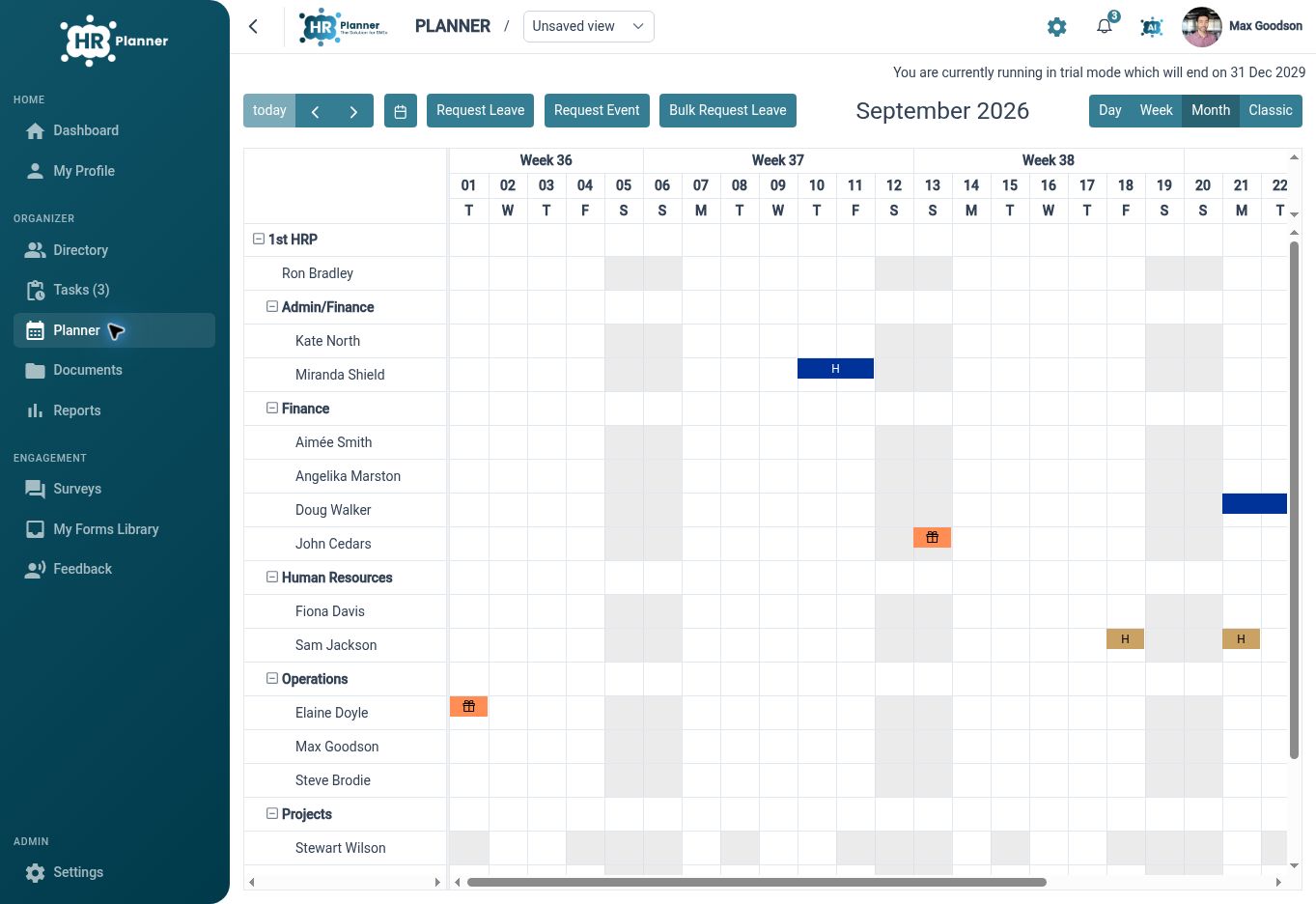
Leave Management supports requests, validation, approval, amendment and cancellation. The Staff Holiday Planner displays Employees and events with organisational grouping, giving authorised users a shared view for planning discussions. This connects the request process with the wider team picture instead of leaving the decision in an isolated email thread.
For example, an accountancy team receives two requests for the same week ahead of a busy client deadline. The Manager can review the relevant planner view and requests before discussing the dates with the Employees involved. The firm still decides how to organise client work, while HR Planner supports the leave information and review process.

Keep skills clear
Maintain employee skills, certificate evidence and expiry information so qualification records are easier to review and update.
Skills and Certificates connects a configurable skill catalogue with employee records, supporting documents and certificate workflows. Upcoming expiry information helps authorised users identify records needing attention, while the renewal interface provides a route for recording updated certificate details. Your firm can use that information to support its own review and renewal planning.
For example, a consultancy wants to keep evidence of a relevant professional qualification alongside an Employee's skill record. HR can review the submitted certificate and its recorded dates, then use expiry visibility to inform a discussion about renewal. The firm remains responsible for assessing the evidence and deciding what qualifications the work requires.
Organise claims
Give Employees a structured way to submit expenses, with item details and supporting receipts available for review.
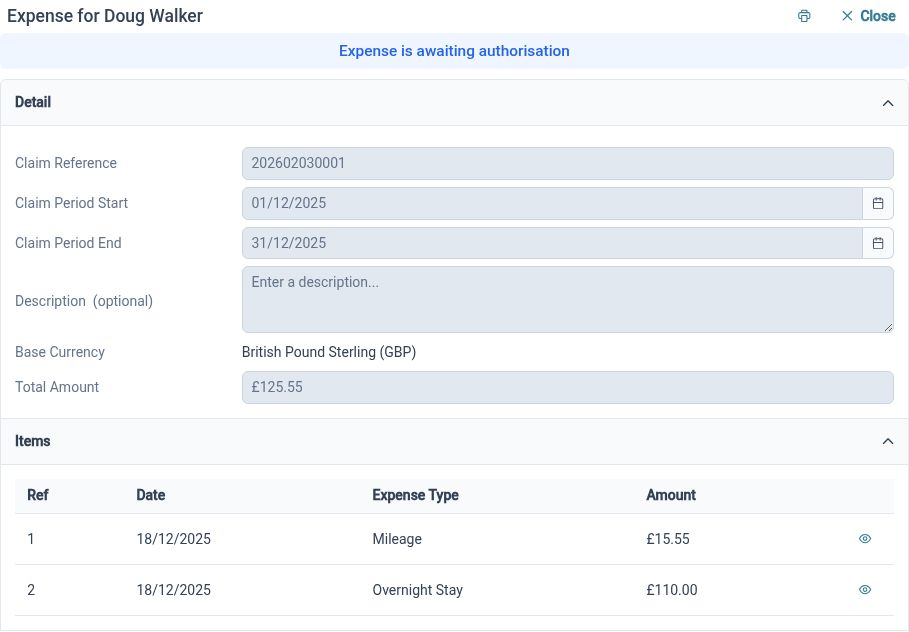
Expense Management brings claim periods, descriptions, individual items and submission status together. Supporting documents can be attached to expense items, keeping the evidence close to the cost being reviewed. That gives Employees and authorised Reviewers a clearer process than assembling a claim from disconnected receipts and messages.
For example, an Employee returns from a client meeting with travel receipts. They can prepare an itemised claim and attach the relevant evidence before submitting it through the configured process. The Reviewer can consider those details against the firm's policy, with any reimbursement handled through the organisation's payment arrangements.
Clarify reviews
Configure authorisation structures so everyday HR requests have a defined route to the people responsible for review.
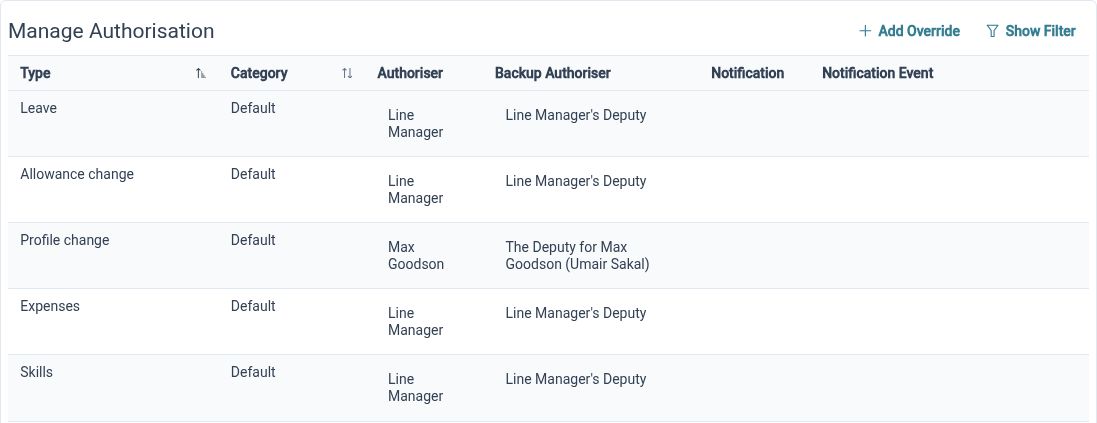
HR Approvals supports structures for processes such as leave, allowances, profile changes, expenses and skills. These requests may involve different responsibilities within a practice. Configuring the appropriate structure gives each process a clearer route, while your firm retains control of the policy and decisions behind it.
For example, a firm wants leave requests and qualification updates reviewed through the appropriate processes. HR can configure the supported authorisation structures and test them with representative Employees and Reviewers. Explaining the route helps the team understand where a request goes and who should address any questions about its review.
Share the tasks
Let Employees access their own information and use permitted update and request actions without routing every question through HR.
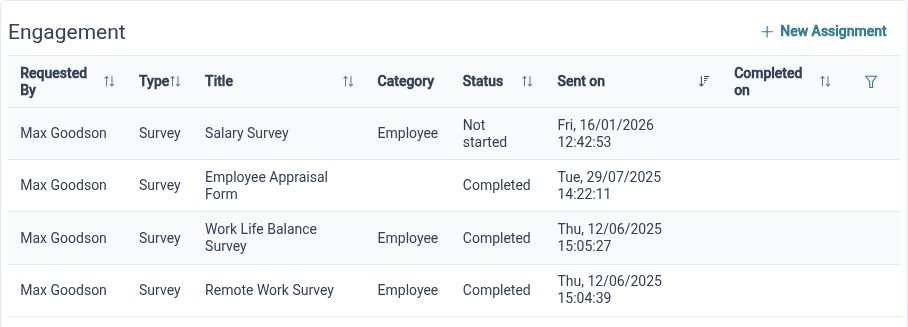
Employee Self-Service provides a personal profile route and available actions over records and requests. Read, propose and edit rights allow access to reflect the firm's approach. This gives Employees a direct starting point for routine administration while keeping review in place for changes that need another person's involvement.
For example, an Employee notices that a personal detail needs updating while preparing for a week of client visits. They can use the action available to their role rather than asking HR where the information is held. Clear guidance about permitted updates helps Employees use the process confidently, wherever their working day takes them.
Clearer HR across your firm

Employees
Find your own information, submit available requests and provide the evidence needed for expenses or certificate updates.

Managers
Review relevant requests with team availability and employee information in view, within your configured permissions.

HR Administrators
Keep records, qualification evidence and review processes organised as the firm's people and responsibilities develop.
Explore the tools for your firm
Employee Records
Skills and Certificates
Expense Management
Your questions answered
How can HR Planner help a small professional services firm?
It connects everyday HR information and processes, including employee records, leave requests, expenses and skills. A firm can start with the tasks that create regular administration and give Employees, Managers and HR Administrators clear ways to work with them.
Can we keep professional qualification evidence with employee records?
Skills and Certificates supports employee skill records, linked certificates and supporting documents, with review and renewal handling. Your firm decides which evidence to record and how to assess it. The software does not independently verify professional status or replace your qualification checks.
Can Managers review leave with their team in view?
The Staff Holiday Planner provides employee and event views with organisational grouping, alongside the leave request process. Relevant access and configuration determine the information available. Managers can use that context to support the firm's own leave and cover decisions.
Can Employees submit receipts with expense claims?
Yes. Expense claims contain individual items with supporting document attachments. Employees can submit claims through the configured process so authorised Reviewers can consider the details and evidence. Approval and subsequent reimbursement are separate parts of your organisation's process.

Ready to take our software for a spin?
Organisations just like yours are using HR Planner. Start your free trial today to see how simple it can be!