
HR for Manufacturing
Keep people information organised across production, engineering and office teams. Connect employee records, working patterns, leave and certificates in one HR system.
A manufacturing business can have very different working arrangements across production, maintenance, warehousing and administration. Keeping track of those arrangements matters when Employees request leave or Managers need a clearer view of who is away.
HR Planner brings employee information and everyday HR processes together. Record weekly and rotating patterns, configure staffing cover settings and maintain qualification evidence alongside the people it relates to.
Match patterns
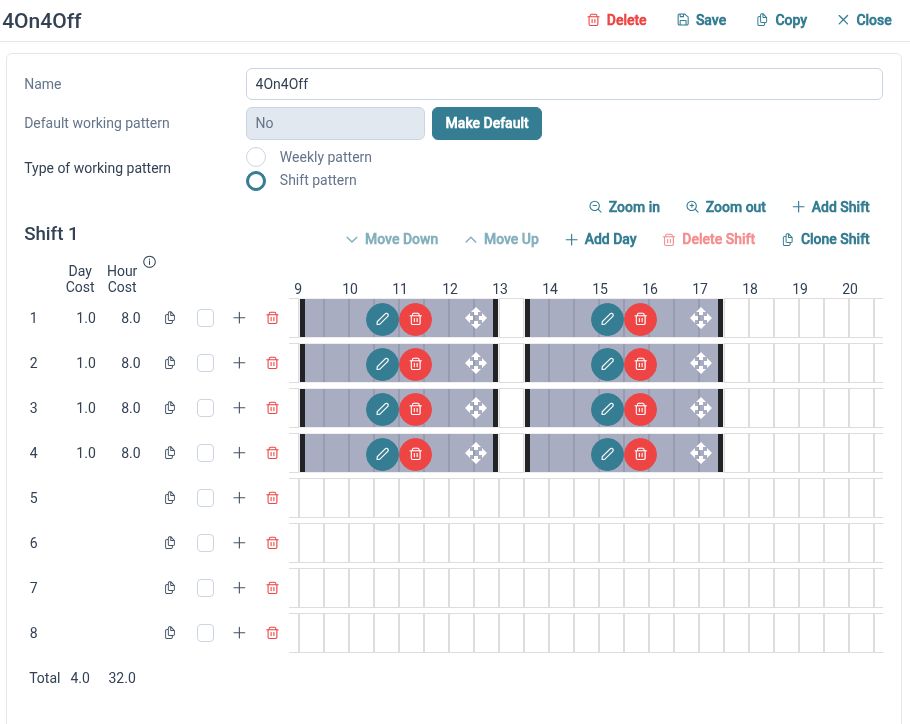
Represent weekly and repeating rotating arrangements through configured working patterns.
Working Patterns uses day sets and work periods to describe employee schedules. Those arrangements provide working-time context for leave handling when teams do not follow the same week. Review assignments and representative dates so the patterns reflect your intended schedules.
For example, an office Employee works a regular week while a production Employee follows a repeating rotation. HR can configure the appropriate patterns and check the leave handling for each arrangement. This gives the team a clearer basis for reviewing time away across different schedules.
Consider cover
Use staffing cover settings to support the way leave requests are handled.
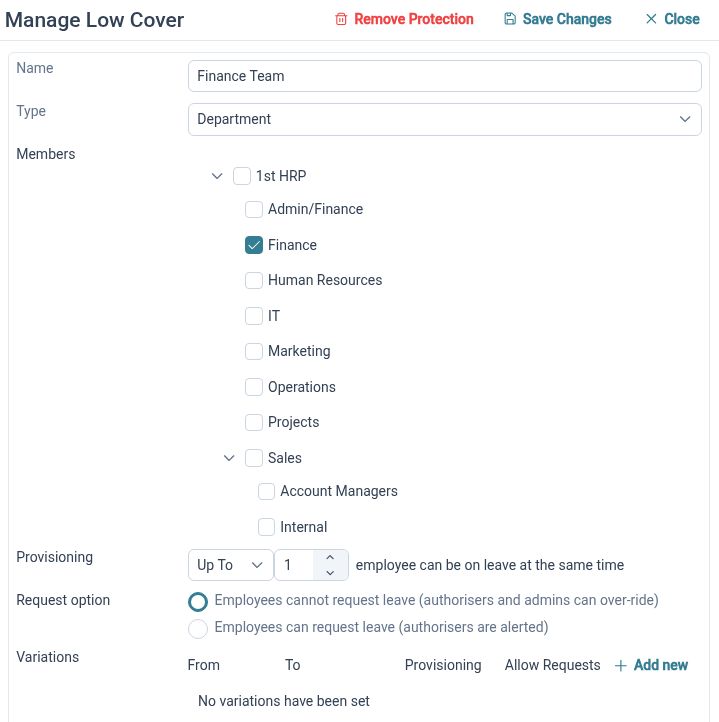
Minimum Staffing Cover provides cover groups and configurable thresholds, including at-least and up-to values. Group membership and the chosen settings bring cover considerations into request handling. Your team should check the configuration against representative leave scenarios and the way you organise people.
For example, a department wants to consider how many people may be away together. HR can configure the relevant cover group and thresholds, then review how an overlapping leave request is handled. Managers still assess the operational needs of the work and the people available.
See time away
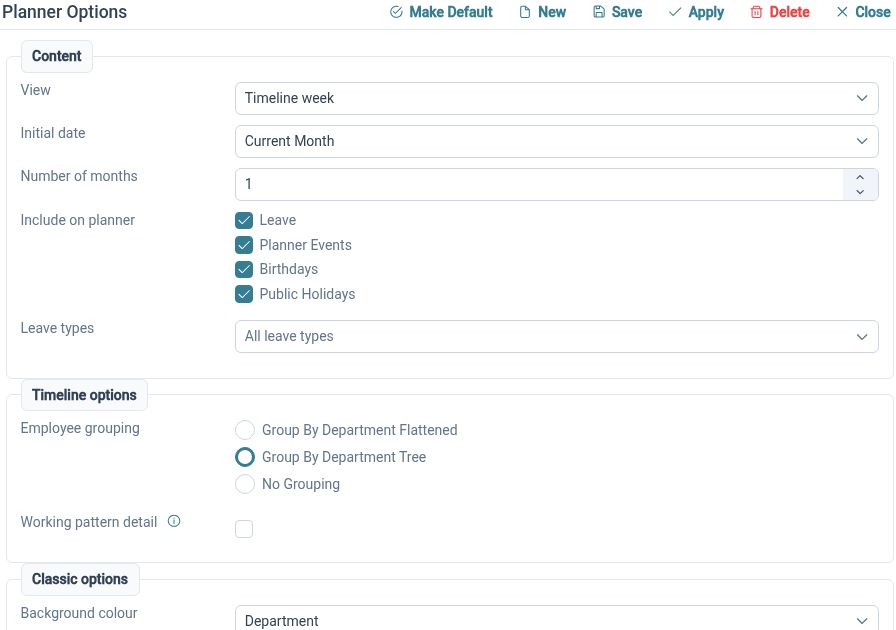
Bring employee leave into a shared planner with organisational grouping.
The Staff Holiday Planner displays employee events in calendar views and provides request actions. Managers can use the relevant view to understand overlapping time away across their team. It supplies useful HR context for conversations about availability across departments.
For example, a maintenance Manager reviews holiday requests during a period when several colleagues have already booked leave. The planner helps them see the overlap and discuss cover before making a decision. Production scheduling remains with the people responsible for that work.

Keep evidence
Maintain skills and certificate records with supporting documents.
Skills and Certificates brings a skills catalogue together with employee certificate records, evidence and renewal handling. Expiry views help authorised users review records that need attention. The organisation determines what evidence is appropriate and how its validity and relevance are checked.
For example, an Employee completes equipment-related training and supplies a certificate. The record can hold the evidence and relevant expiry details, helping HR discuss renewal when required. Decisions about authorising equipment use remain part of the business’s own checks and procedures.
Connect records
Give HR a consistent place to maintain information across different teams.

Employee Records supports configurable profile sections and linked HR information. A shared record can help reduce separate departmental lists and make updates easier to locate. Decide who maintains the information and configure access around the responsibilities of the people using it.
For example, an Employee changes departments. HR can review the employee record and the organisational details that need updating, then check related arrangements through the normal process. Managers can work from the information their permissions allow instead of requesting another spreadsheet extract.
Collect updates
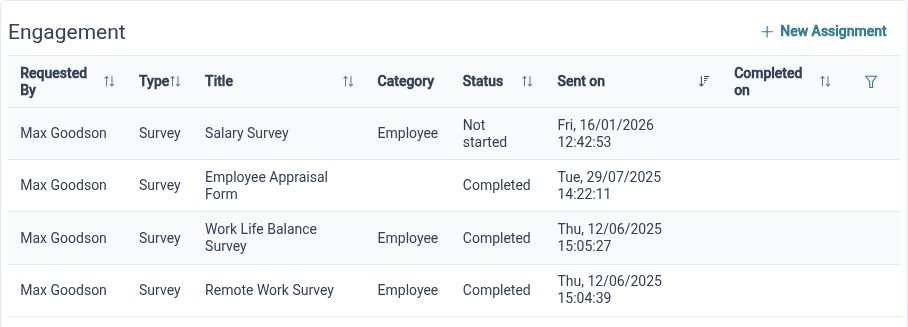
Use structured forms to gather employee information for review.
Employee Form Assignments allows forms to be assigned to Employees through available submission and approval handling. A defined form gives people a consistent set of questions, while the assignment helps organise the collection process. Choose the form and review arrangements around the information you need.
For example, HR wants a group of Employees to review a set of internal details. A form assignment can ask for the relevant information in a consistent format. The responsible Reviewer can consider submissions and follow up on anything that needs clarification through the organisation’s agreed process.
Clearer HR for your team

Employees
Find your information and use the available processes to keep everyday HR tasks moving.

Managers
Review relevant team information and requests with the access your responsibilities require.

HR Administrators
Maintain employee records, configure processes and organise the information your business needs.
Explore the tools for your team
Working Patterns
Minimum Staffing Cover
Skills and Certificates
Your questions answered
Can HR Planner support rotating working patterns?
Yes. Working Patterns supports weekly and repeating rotating arrangements through day sets and work periods. Configure the intended schedules and employee assignments, then check representative dates and leave handling.
Can we consider staffing cover when handling leave?
Minimum Staffing Cover supports cover groups and configurable thresholds for request handling. Review the settings against your team structure and typical requests. Managers remain responsible for operational decisions.
Can we store employee training certificates?
Skills and Certificates supports employee certificate records, evidence, expiry details where applicable and renewal handling. Your organisation remains responsible for checking the evidence and deciding what training or authorisation the work requires.
Does this replace production scheduling or time recording?
This page describes employee records, working patterns and HR request processes. Production scheduling, clocking-in and operational resource allocation are separate requirements to discuss alongside your wider systems.

Ready to take our software for a spin?
Organisations just like yours are using HR Planner. Start your free trial today to see how simple it can be!