
Everyday HR Operations
Keep everyday HR work moving. Connect requests, supporting evidence and approval responsibilities so Employees, Managers and HR Administrators can see what needs attention.
Everyday HR operations involve more than maintaining employee details. Expense claims need receipts and review, qualifications need supporting evidence, salary changes need context, and responsibilities need handing over when people leave. When each task lives in a separate email thread, the process can be difficult to follow.
HR Planner connects these activities through employee records, documents and configurable approvals. Explore how HR Approvals, Expense Management, Salary History, Skills and Certificates, HR Documents and Employee Offboarding support the work your team handles regularly.
Clear approvals
Route HR requests to the people responsible for reviewing them, with the details available alongside the decision.
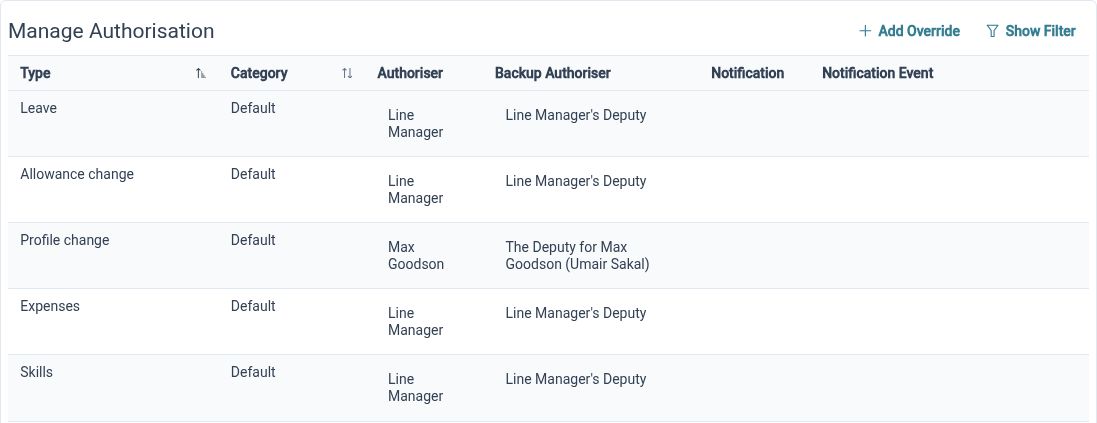
HR Approvals provide a configurable approach across processes such as leave, expenses, personal-detail changes, skills and form assignments. Organisational defaults, local settings, ordered authorisers and backup arrangements help you reflect the responsibilities in your business. The task and request views give authorised Reviewers a place to assess the work assigned to them.
For example, an expense claim may need a different Reviewer from an Employee’s personal-detail update. Configure the relevant approval arrangements and work through a sample request with each role. Checking the primary and backup responsibilities together helps your team understand who should act when a request arrives.
Organised claims
Bring expense items, receipts and claim status together so Employees can submit a clearer record of their costs.
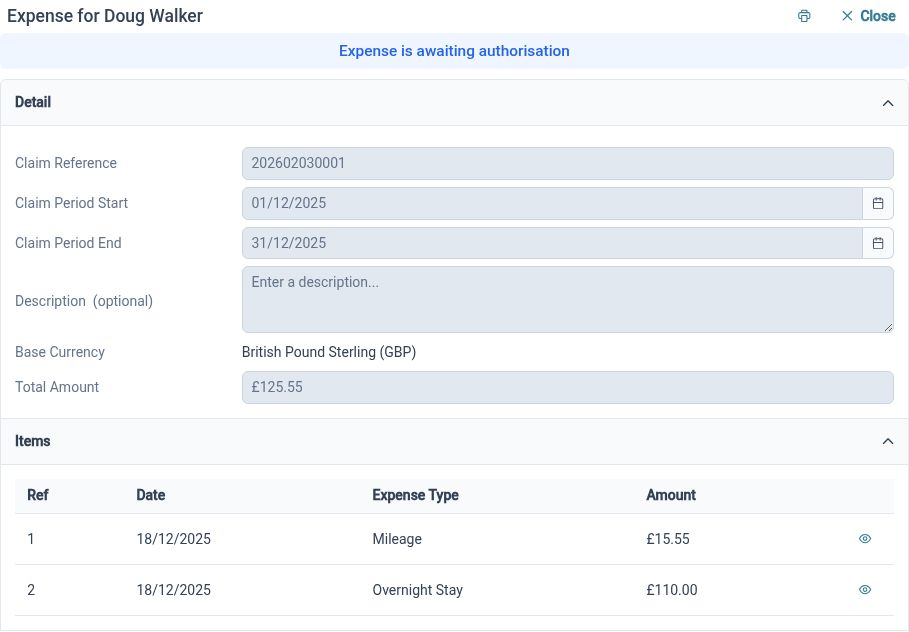
Expense Management supports draft claims with descriptions, periods and itemised costs. Receipt attachments, VAT information and currency details provide context for review, while the submission and approval status helps people follow the claim’s progress. Expense types and authorisation settings let HR Administrators organise the process around the claims the business handles.
For example, an Employee returning from a business visit can group the relevant costs into a claim and attach the supporting receipts. The assigned Reviewer can assess those details together instead of matching files across several emails. Any reimbursement is handled through your separate payment process; the claim provides the information and review context.
Salary context
Keep effective-dated salary records so authorised HR Administrators can review the arrangements behind a change.
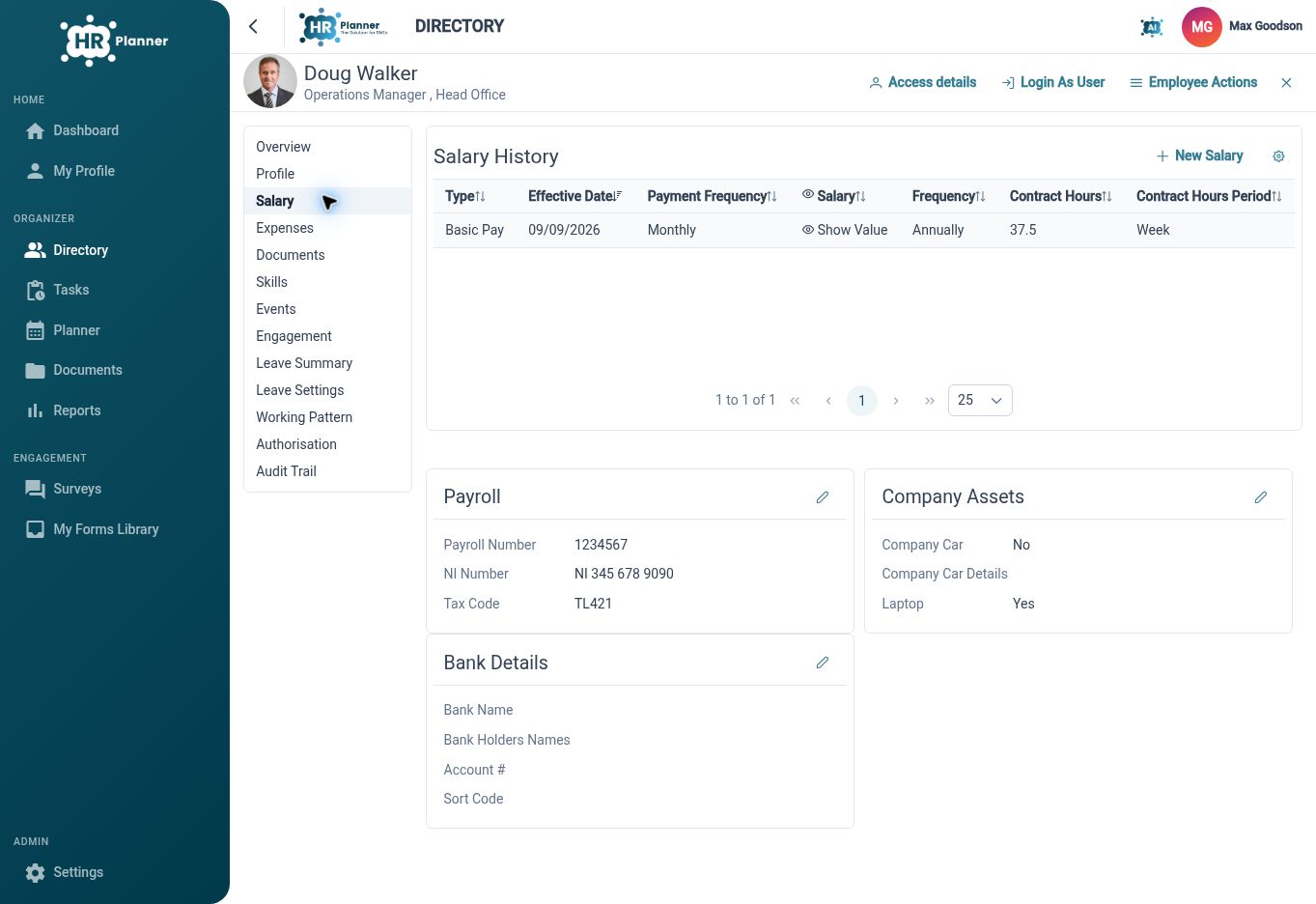
Salary History maintains more than a single current salary value. Records can include effective dates, currency, salary or payment frequency and contract hours, giving authorised users context for reviewing changes over time. Salary information sits in a separately permissioned employee area, so access should reflect the responsibilities of the people maintaining it.
For example, when an Employee changes their contracted hours, HR can record the new salary arrangement with the appropriate effective date and review it alongside the earlier entry. That creates a clearer history for future questions. Payroll calculation, payslips and tax filing remain part of your separate payroll process.

Review evidence
Keep skills, qualifications and certificate documents connected, with review and expiry visibility to support follow-up work.
Skills and Certificates bring together a configurable skills catalogue, employee skill records and supporting certificate evidence. Certificate changes can be submitted for review, while renewal records and an expiry widget provide ways to keep upcoming dates visible. This gives HR Administrators and Managers a practical basis for deciding what needs follow-up.
For example, after completing a qualification, an Employee can add the relevant certificate details and attach evidence through the available process. An authorised Reviewer can assess the submission, and the team can use expiry visibility to plan a later renewal. Agree who will monitor those dates and arrange the next steps as part of your working process.
Connected files
Keep the files behind HR work in an organised library and connect employee-related documents with the relevant record.
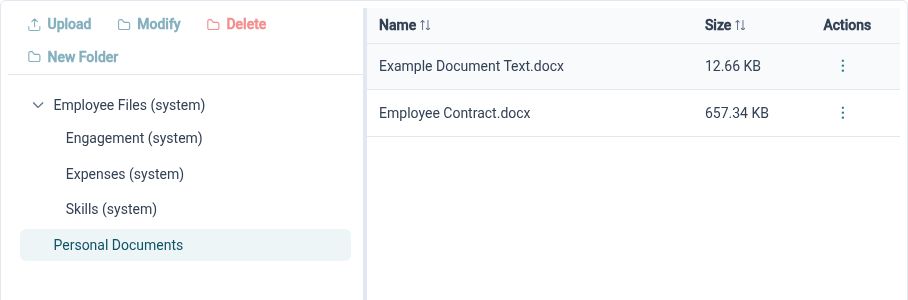
HR Document Management provides folders, document details and available viewing or download actions. The same document capabilities support employee files, expense receipts and certificate evidence, helping the team retain the connection between a record and its supporting material. Access follows the relevant document and employee permissions.
For example, a Reviewer assessing a certificate should be able to find the evidence attached to that submission rather than requesting it again by email. HR can organise other reference material in suitable library folders. Agreeing folder ownership and access during setup makes it clearer where files belong and who should be able to use them.
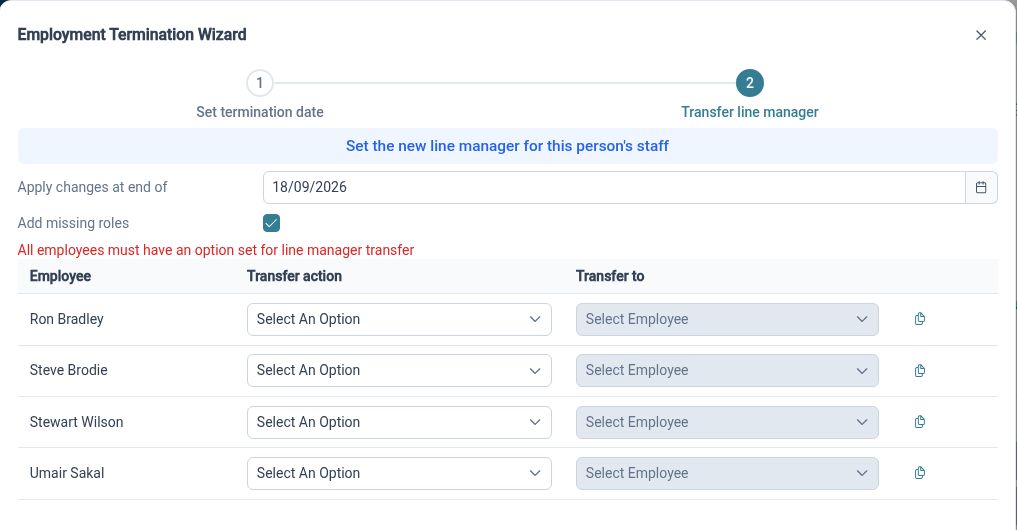
Handover duties
Review management and approval responsibilities when someone leaves, so the departure includes the roles they hold in everyday HR processes.
Employee Offboarding brings the departure date together with reporting relationships, authoriser and notification transfers, and final leave allowance review. These connected decisions matter when the departing person supervises Employees or handles requests for others. The guided process gives HR Administrators a structure for considering the changes together.
For example, a departing Manager may approve one team’s expenses while acting as a backup for another team’s leave requests. Those responsibilities may move to different colleagues. Review the intended replacements and the final leave position, then coordinate separate leaving tasks such as equipment return and external account changes through your wider process.
Work with clear ownership

Employees
Submit requests with the relevant details and evidence, and follow the status available in your workspace.

Managers
Review the work assigned to you with supporting information and a clearer view of your responsibilities.

HR Administrators
Maintain the settings, records and responsibility changes that keep recurring HR processes organised.
Explore HR Operations
HR Approvals
Expense Management
Skills and Certificates
Your questions answered
Can different requests use different approval arrangements?
Yes. HR Planner provides approval configuration across several HR processes, including expenses, skills, leave and employee changes. Review the relevant defaults, overrides and primary or backup responsibilities, then check representative requests with the accounts that will use them.
Does Expense Management pay Employees back?
No. HR Planner helps you submit, review and approve expense claims, with receipts and supporting details kept together. Once a claim is approved, your finance team arranges reimbursement through your usual payment process.
Does Salary History replace payroll software?
No. Salary History keeps a record of each employee’s salary, contracted hours and changes over time, including when those changes take effect. You’ll continue to use your payroll software to calculate pay, produce payslips and handle tax submissions.
How can we keep track of certificate renewals?
Keep certificate details and supporting documents together in each employee’s record, and use the certificate-expiration widget to see upcoming renewal dates. HR Planner can also send multiple email reminders before and/or after a certificate is due for renewal. You can configure when those reminders are sent to suit your organisation’s process.

Ready to take our software for a spin?
Organisations just like yours are using HR Planner. Start your free trial today to see how simple it can be!