
Insights & Governance
Turn everyday HR information into a clearer view of your organisation. Bring dashboards, reporting and change history together with access controls that reflect your team's responsibilities.
Good HR decisions start with information that people can find, understand and review. As your organisation grows, you also need to decide who can see employee records, who can propose changes and who can edit them. Visibility and responsibility belong in the same conversation.
HR Planner connects dashboards and reporting with record history, role permissions and single sign-on configuration. Give authorised users useful ways to explore information while defining the access needed for their work.
See the HR information that matters to you
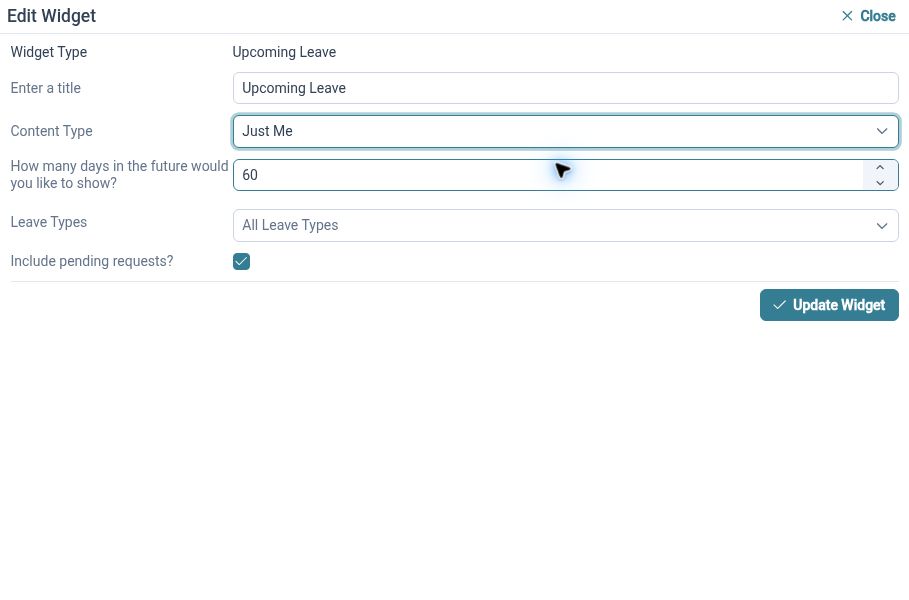
Arrange dashboard widgets around the information you need to check regularly, from leave balances to upcoming activity.
Configurable dashboards let you add, remove and arrange available widgets, with saved layouts for home and employee views. Widgets can bring together information such as leave progress, upcoming leave, birthdays and recent request activity. Reusable default layouts provide a starting point, while the available information depends on the view and your access.
For example, an HR Administrator could start the day with upcoming leave and recent requests, then open the relevant records to investigate an item. An Employee might use their own view to check leave information. Choose widgets around the questions each role needs to answer, rather than filling every available space.
Find answers in your HR data
Open the reports available to your organisation and use the report viewer to examine and export the information you need.
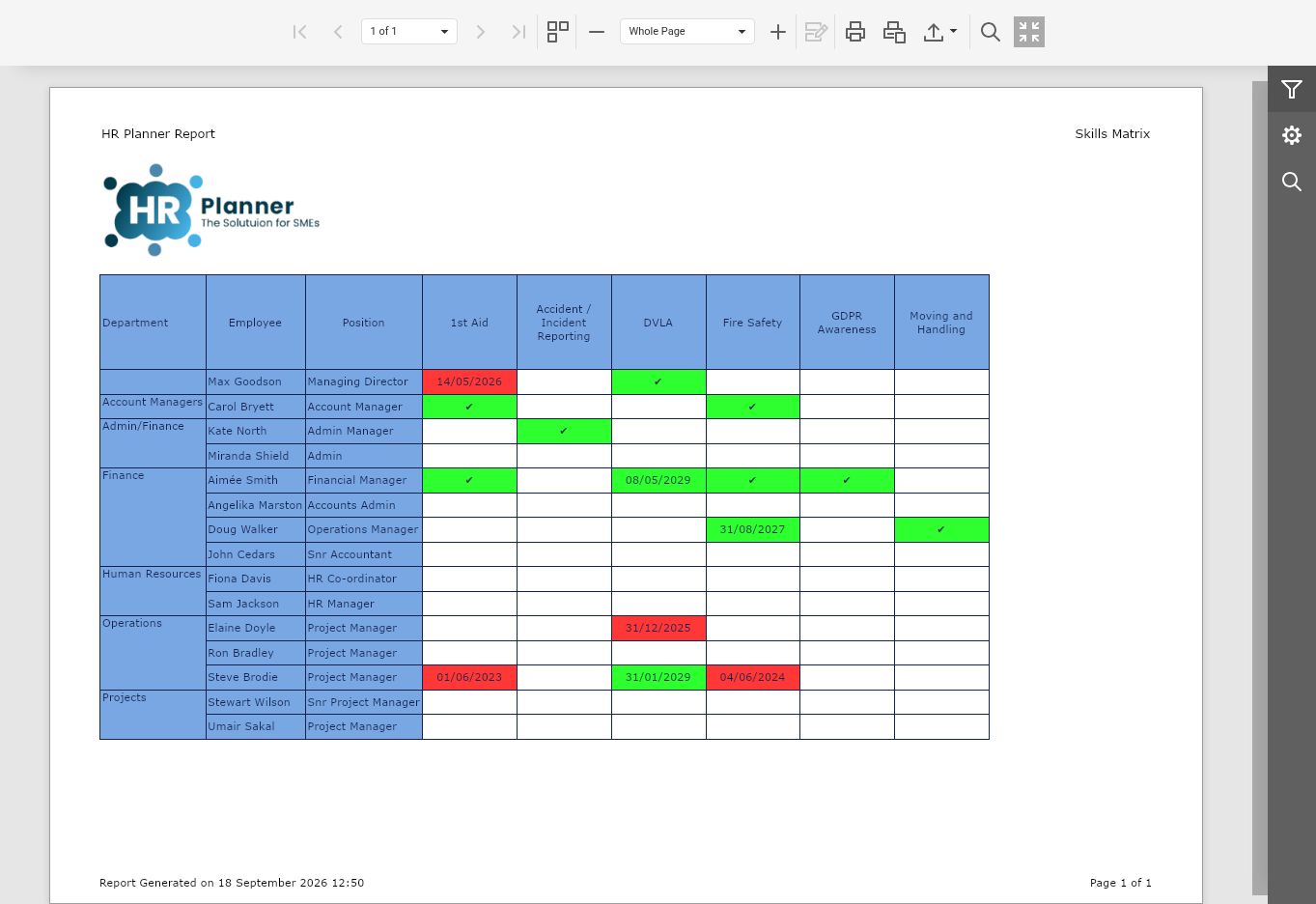
HR Reporting provides a report list and a viewer for working with available reports. The viewer includes export settings, giving authorised users another way to work with report output when their process requires it. The report catalogue is supplied by the service, so the reports available in your environment determine which questions you can explore.
For example, before a regular HR review, an HR Administrator can open a relevant available report and examine its output. Check that the information covers the intended question before using it in a discussion. If an export is needed, consider who should receive it and how it will be handled within your organisation.
Build reports around your business
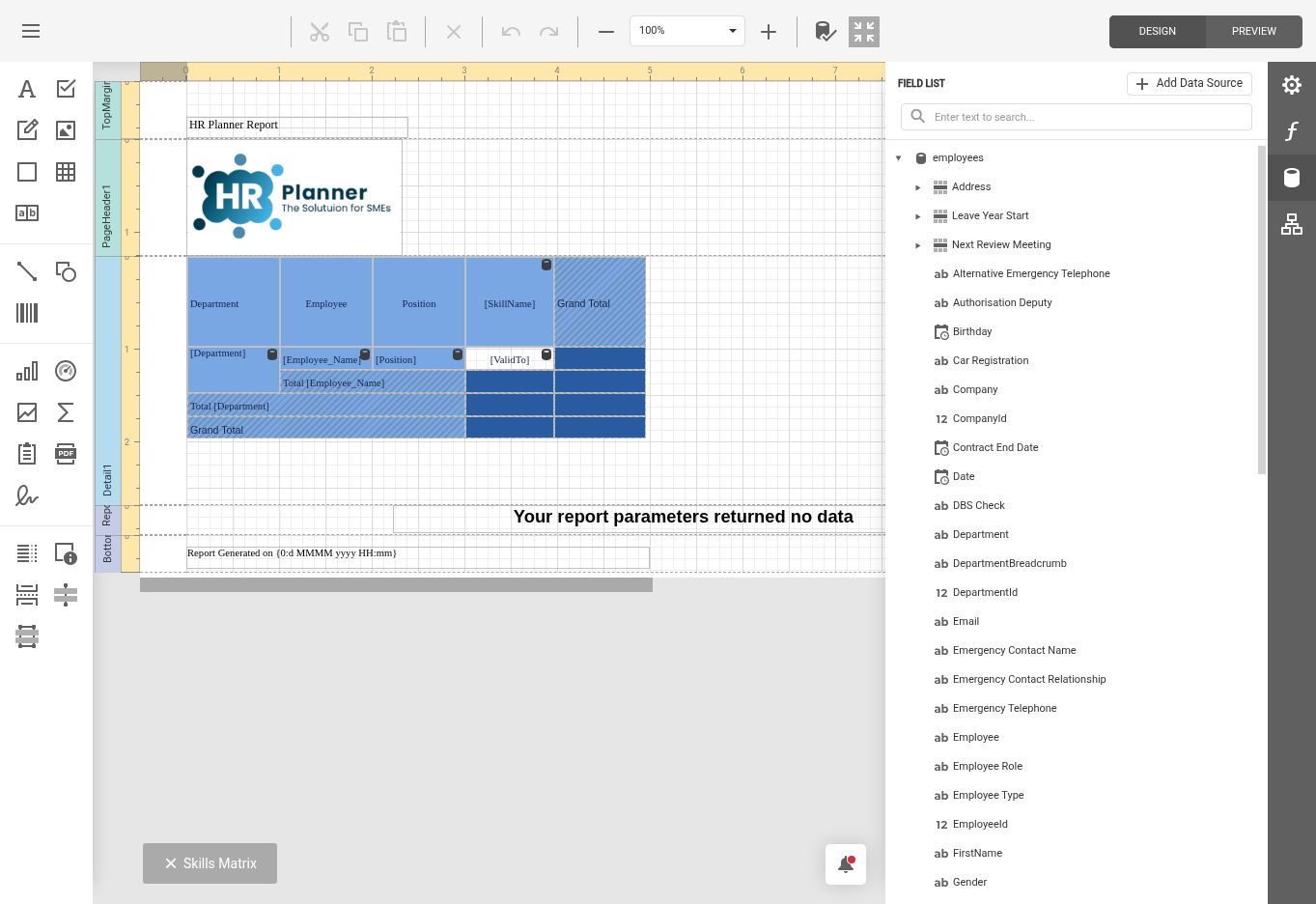
Build reports around the questions your business needs to answer. Your authorised Report Administrators can customise report definitions to support regular HR reviews.
Alongside report viewing, HR Planner includes a report designer for authorised Report Administrators. This supports work on report definitions where the designer is available and permitted. Viewing a report and designing one are different responsibilities, so agree who should maintain definitions and how changes will be reviewed before relying on their output.
For example, HR can describe the information needed for a recurring internal review, then work with an authorised Report Administrator to assess the available report definition and design options. Review the resulting output against that purpose. A clear owner and agreed questions make it easier to maintain useful reporting as your organisation changes.
Understand what changed
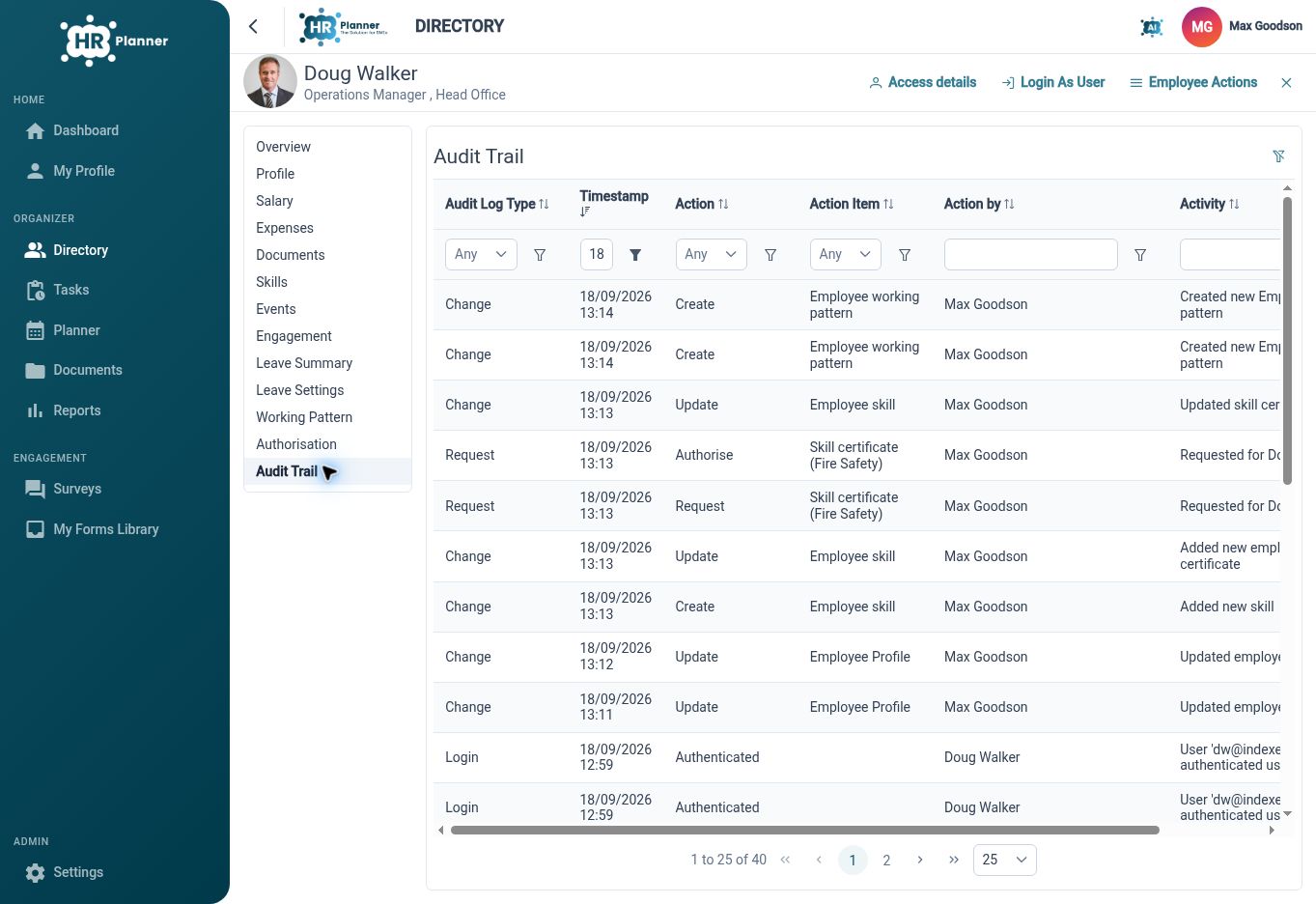
Review available employee change history to understand updates and examine the details recorded against an item.
Employee Change History provides lists and detail views for recorded changes across areas such as employee profiles, leave, salary, documents and skills. It gives authorised users a place to investigate the history available for a record, adding context to the information they see today. Use the recorded details to support review and follow-up questions.
For example, when an Employee queries a change to their record, an HR Administrator can review the relevant history and inspect the available detail. That helps establish what to investigate before discussing the issue with the people involved. Record history supports this process alongside your organisation's own policies and responsibilities.
Give people the right access
Distinguish between reading, proposing changes and editing, with employee scopes that fit each person's responsibilities.
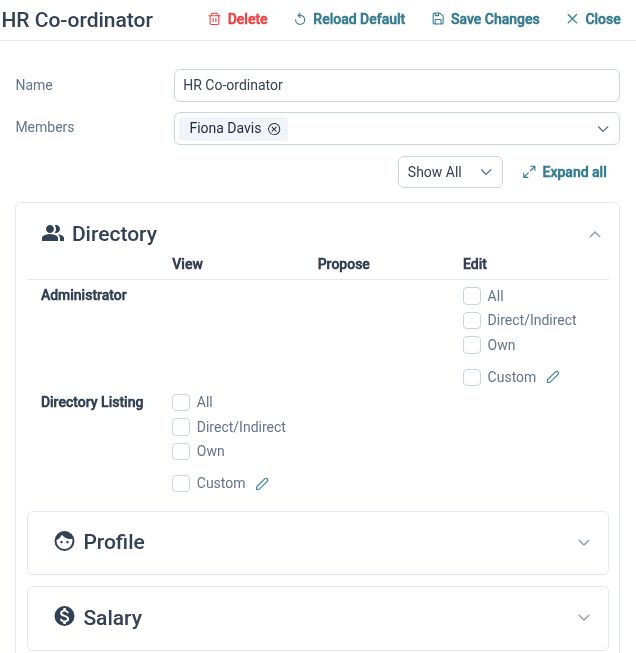
HR access permissions separate different actions and employee scopes. Read, propose and edit rights can relate to an individual's own record, their team or all Employees, depending on the configured permissions. This helps HR Administrators discuss access in practical terms: which information a person needs and what they should be able to do with it.
For example, an Employee may need access to their own information, while a Manager needs relevant team access and HR has wider responsibilities. Review the permissions needed for each role and check the experience using representative accounts. Revisit access when responsibilities change, rather than assuming that the original configuration will always remain appropriate.
One less password to remember
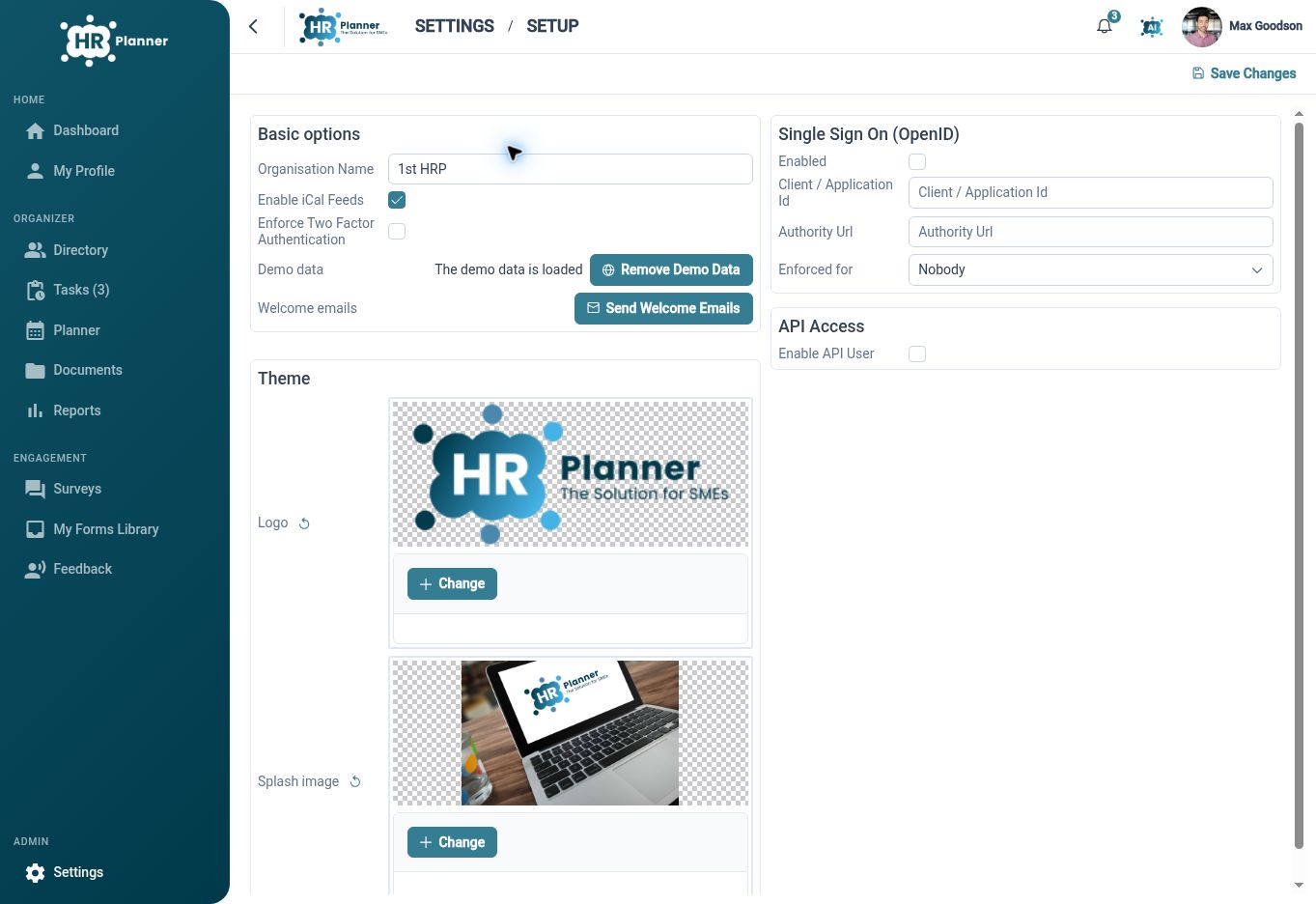
Let your team sign in to HR Planner with their existing work account through a compatible single sign-on service. Your IT Administrator sets up the connection, while HR permissions control which employee information each person can access.
Single Sign-On configuration includes identity authority, client and flow settings, along with enabled state and enforcement scope. These settings give IT Administrators a way to configure the supported OpenID Connect connection. Authentication and HR permissions have different purposes: signing in identifies a user, while the configured HR access determines what they can work with.
For example, an IT Administrator can review your identity configuration, prepare the connection and check sign-in with representative users before applying the intended enforcement settings. HR should also review those users' application permissions. Treat the sign-in setup and the access review as connected tasks with clear ownership across IT and HR.
Clarity with responsibility

HR Administrators
Use dashboards, reports and record history to investigate HR questions, while reviewing access around people's responsibilities.

Managers
Work with the team information your permissions allow and use available views to support informed conversations.
IT Administrators
Coordinate the supported single sign-on configuration with HR's decisions about application access and roles.
Explore Insights and Governance
HR Dashboards
HR Reporting
HR Access Permissions
Your questions answered
How do dashboards and reports differ?
Dashboards arrange available widgets into useful views for regular checks. Reports provide defined output through the report viewer, with export settings available there. Choose the approach that fits your question and the information available in your environment.
Can everyone design reports?
Report design is a separate capability for authorised Report Administrators where the designer is available. Agree who should maintain report definitions and review their output, rather than assuming that everyone who views reports also needs design access.
Does single sign-on determine HR access?
Single sign-on handles the supported identity connection for authentication. HR permissions determine the records and actions available within the application. Review both settings when configuring access for Employees, Managers and administrators.
What can employee change history help us do?
It gives authorised users a way to review recorded changes and their available details. This can help investigate questions about employee information and support follow-up conversations. Your organisation still defines the review process, responsibilities and policies around those records.

Ready to take our software for a spin?
Organisations just like yours are using HR Planner. Start your free trial today to see how simple it can be!