
Keep Skills Current
Keep employee qualifications and the evidence behind them within reach. Bring skill records, certificate updates and expiry visibility together so your team can review what is recorded and plan what needs attention next.
A certificate saved in an inbox is easy to overlook when an Employee changes role or a renewal date approaches. A separate spreadsheet may list the qualification, but someone still needs to find the evidence, check the details and keep the record current.
HR Planner connects employee skills with certificate records and supporting documents. Add a clear review process and visibility of upcoming expiries, and your team has a more organised starting point for conversations about qualifications and renewal planning.

Organise skills
Maintain employee skills against a configurable catalogue, with linked certificate records where relevant.
Skills and Certificates gives HR a central place to organise skill and qualification information for Employees. The configurable catalogue provides a consistent reference for the records your team maintains, while linked certificates add the detail behind a particular qualification. Agree clear names and descriptions so people understand what each record represents.
For example, a business may have several Employees holding the same type of qualification, with records previously described differently in separate files. HR can use an agreed catalogue entry and review the individual employee records against it. That makes the information easier to find and discuss without treating a record label as proof of current competence.
Keep evidence
Attach supporting documents to certificate records so authorised users can review the evidence alongside the recorded details.
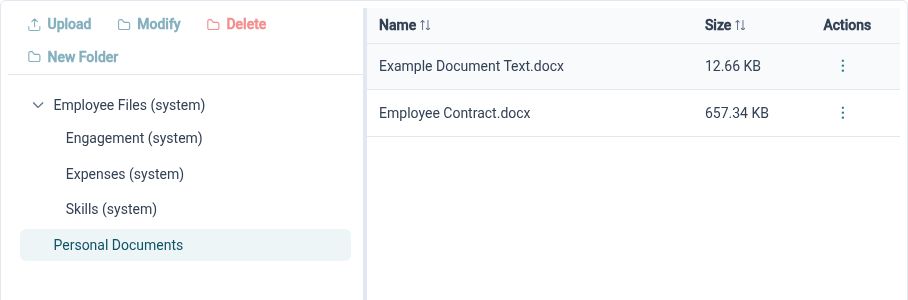
Certificate records support document attachments, and the HR document library provides browsing and viewing actions for supporting files. Keeping the record and evidence connected gives a Reviewer a practical starting point when checking an update. Your organisation decides what evidence is appropriate and who should be able to view it.
For example, an Employee receives a certificate after completing a course. The relevant document can be attached to their certificate record, giving the authorised Reviewer something to inspect alongside the submitted information. Clear file names and legible copies help the team understand what has been provided without searching through an earlier email conversation.
Review updates
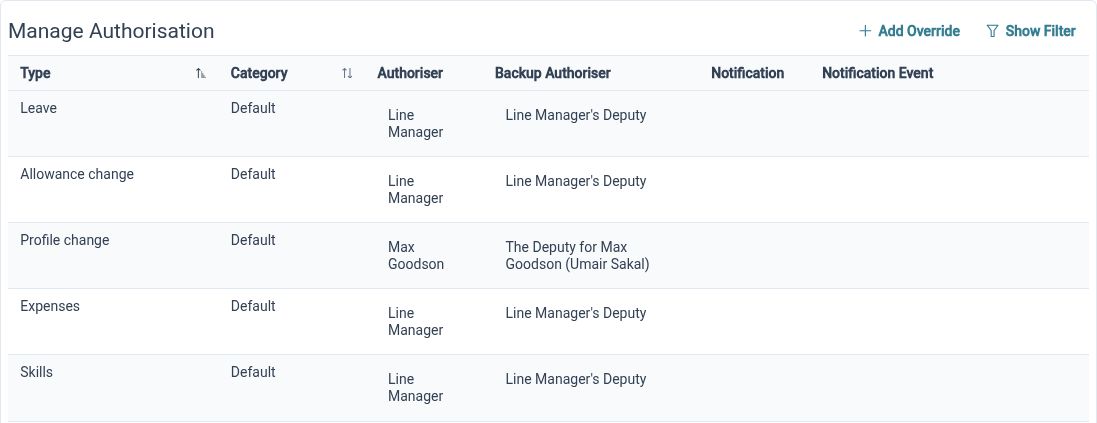
Use the certificate workflow to give submitted changes a defined route for review.
Employees and authorised users can add or update certificate information and submit changes through the relevant workflow. This separates providing information from considering it, giving your organisation a way to review the recorded details and evidence. Define the responsibilities and configured process so the people involved know what happens after a submission.
For example, an Employee submits an updated certificate with its supporting document. The person responsible for review can consider the available details through the configured process before deciding how to proceed. Agree what needs checking and how any questions will be handled, so a submission has a clear purpose beyond storing another file.
See expiry dates
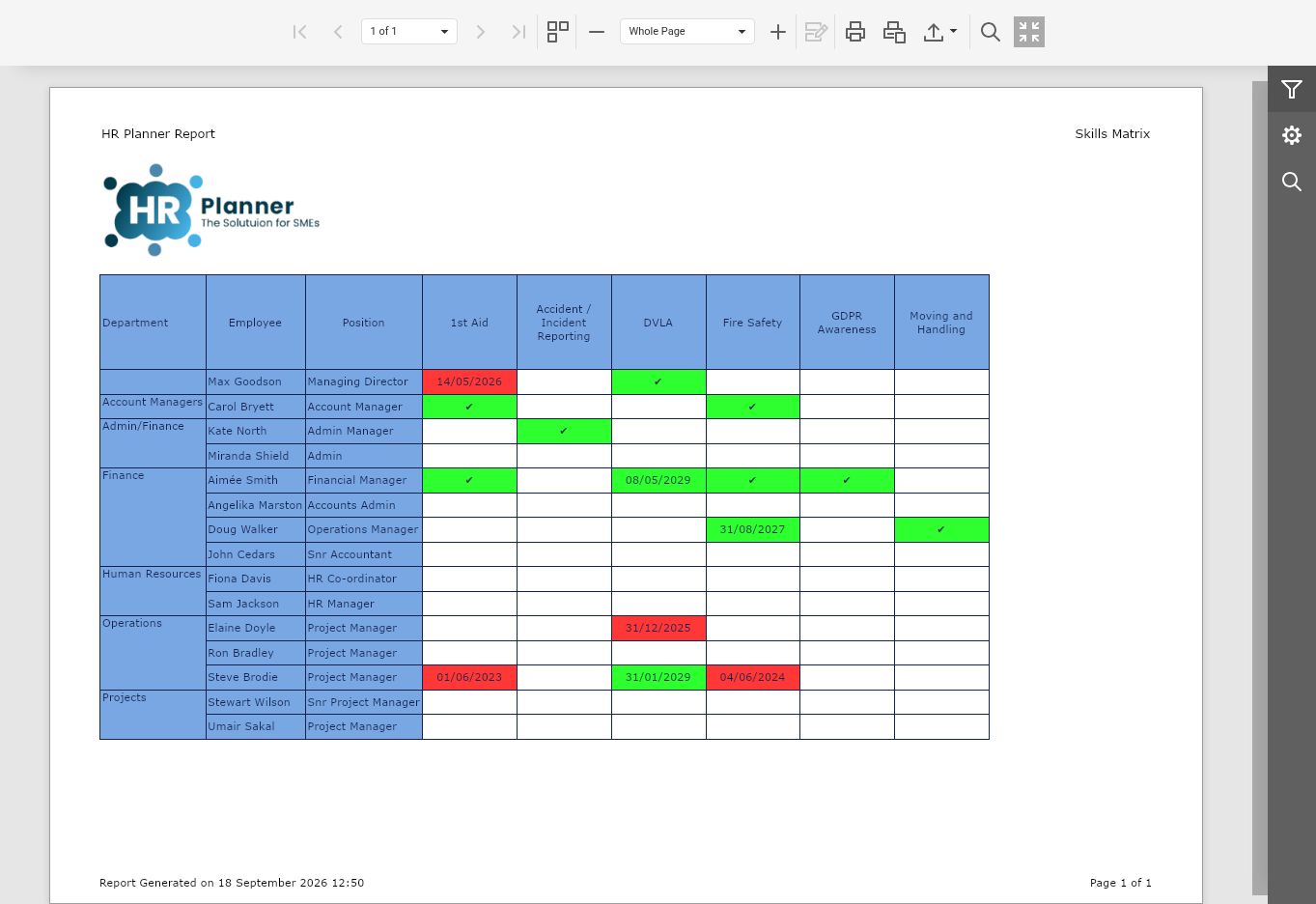
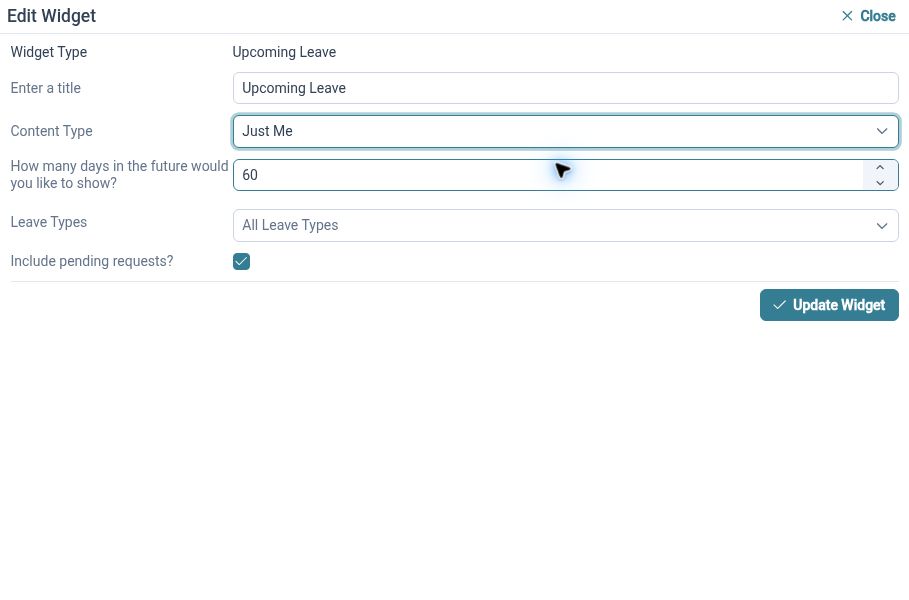
Use upcoming-expiry information and the certificate-expiration dashboard widget to identify records that need attention.
Qualification expiry monitoring brings upcoming expiry information into view, including through a configurable dashboard widget. Available filters help authorised users focus the view around their monitoring needs. This gives Managers and HR Administrators a place to check dates as part of a regular review, rather than relying on memory or an old spreadsheet extract.
For example, an HR Administrator reviewing upcoming expiries notices that an Employee's certificate is approaching its recorded end date. They can open the relevant information and start a conversation about the next step. The visibility supports planning; the team still needs to agree who contacts the Employee and makes any training or renewal arrangements.
Record renewals
Use the renewal interface within the skill and certificate workspace when an existing certificate is renewed.
Certificate renewal provides a repeatable route for recording updated qualification information against an existing employee skill certificate. It keeps the renewal activity in the same workspace as the record your team already uses. Review the new details and supporting evidence through the applicable process so the information reflects the renewal that has taken place.
For example, an Employee completes the required renewal activity and receives an updated certificate. The relevant user can follow the renewal route and record the new information rather than starting a disconnected list elsewhere. Check the dates and evidence as part of the update, then use the record for subsequent monitoring.
Set clear needs
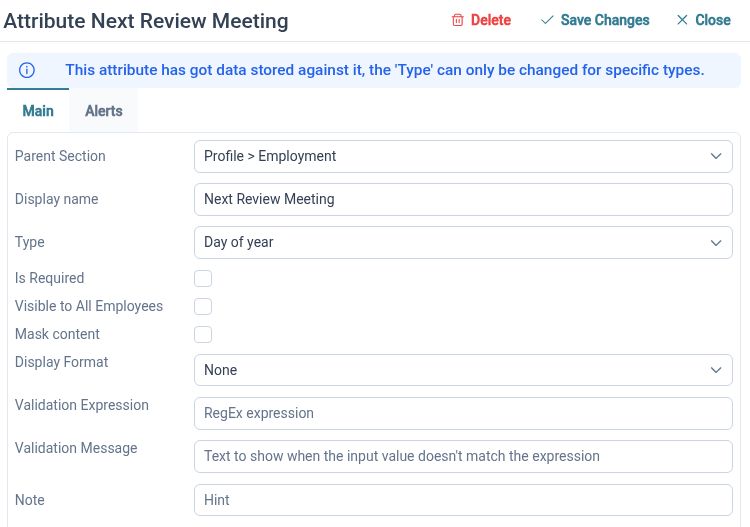
Configure whether relevant skill records need certificate evidence and expiry dates, so the expected information is clear.
Skill configuration includes requirements for certificate evidence and expiry dates. These settings help HR define the information needed for the types of qualification it maintains. Different records may call for different details, so review the relevant configuration and explain the expectations to the people submitting and reviewing updates.
For example, a qualification with a defined validity period may need both supporting evidence and an expiry date, while another skill record may be maintained differently. HR can configure the available requirements for the relevant skill and check a representative submission. Clear expectations help make the record useful when someone later reviews its evidence or renewal needs.
Clear records, shared responsibility

Employees
Provide the certificate details and supporting evidence required by your organisation through the available submission and renewal routes.

Managers
Review relevant qualification information and upcoming expiry dates to inform conversations about the next steps.

HR Administrators
Maintain the skill catalogue, evidence requirements and review process so qualification records remain organised as they change.
Explore the supporting tools
Skills and Certificates
HR Document Management
HR Dashboards
Your questions answered
Can we keep certificate documents with skill records?
Yes. Certificate records support attached documents, with the HR document library providing supporting browsing and viewing actions. Review the applicable document access so the right people can inspect the evidence needed for their work.
How can we see certificates approaching expiry?
HR Planner provides upcoming skill-expiration information and a configurable certificate-expiration dashboard widget. Use the available views and filters as part of an agreed review routine, and assign responsibility for any follow-up needed.
What happens when a certificate is renewed?
The certificate workspace includes a renewal interface for existing records. Use it to record the new information and follow the applicable review process. The actual renewal activity and any course or assessment arrangements remain your organisation's responsibility.
Does recording a certificate prove an Employee is qualified for a task?
The record brings qualification details, evidence and dates together for review. Your organisation still needs to assess the evidence and decide whether it meets the requirements of the work involved. The software does not replace that assessment or independently verify a certificate's authenticity.

Ready to take our software for a spin?
Organisations just like yours are using HR Planner. Start your free trial today to see how simple it can be!