
HR Software for UK SMEs
Bring employee information, leave planning and everyday HR requests together. Give your HR Team, Managers and Employees a clearer way to get things done.
When employee details live in spreadsheets, holiday requests arrive by email and supporting documents sit in separate folders, even a simple question can mean checking several places. HR Planner brings these everyday HR activities into a connected employee workspace.
Explore the areas below to see how records, leave, approvals and employee input fit together. Each links to a detailed feature page, with examples to help you assess how HR Planner could support your organisation.

Know your people
Keep employee details organised, reflect your company structure and let colleagues view or update the information available to them.
Employee records provide the starting point for connected HR. Organise people by company and department, add fields for the information your business needs, and keep related HR activity in the employee context. Self-service gives Employees a direct route to their own details, with separate permissions for viewing, proposing changes and editing.
For example, when someone moves to another department, HR can review their organisational details and connected responsibilities. The employee can check the personal information they are permitted to see and propose an update where review is required. That creates a clearer process than maintaining separate versions of the same details in team spreadsheets.
Employee Records Employee Self-Service Multi-Company HR Custom HR Fields
Plan time away
Connect leave requests with allowances, working patterns and team availability, so Managers can review the context behind the dates.
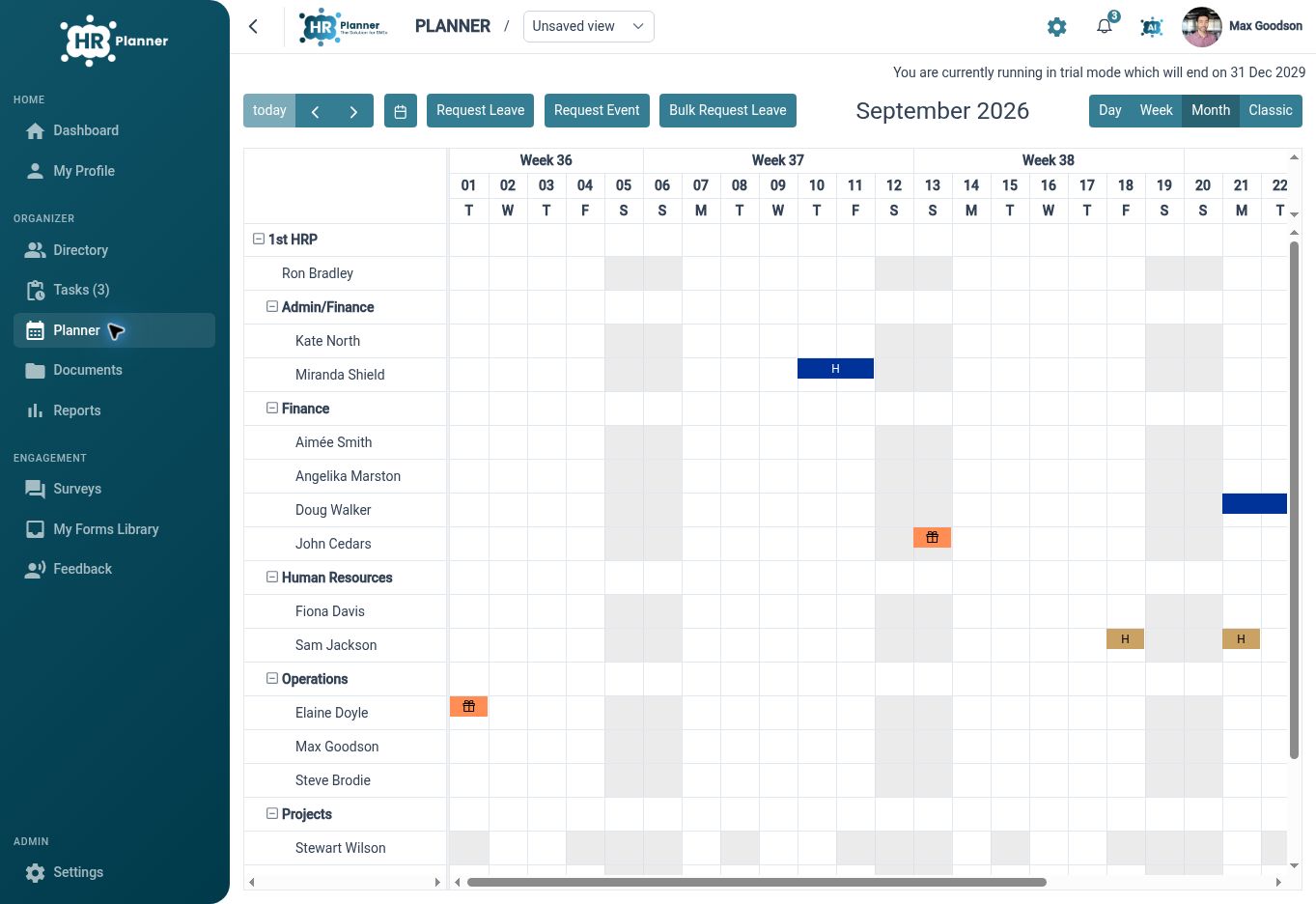
Leave management works alongside the staff planner and your organisation’s working patterns. Configure leave types and rules, keep allowance and leave-year information visible, and review availability across a team. Minimum-cover settings and seasonal variances let you account for periods when staffing needs change.
For example, a Manager reviewing a holiday request during a busy week can look at who else is away and the cover required. For a colleague who works a rotating pattern or needs part of a day off, the relevant schedule and request options provide more context than a simple date entry. The exact rules and permitted exceptions follow your configuration.
Leave Management Holiday Entitlement Staff Holiday Planner Minimum Staffing Cover Working Patterns
Clear approvals
Give HR requests clear reviewers and keep the supporting details alongside the work, from expense claims to employee departures.
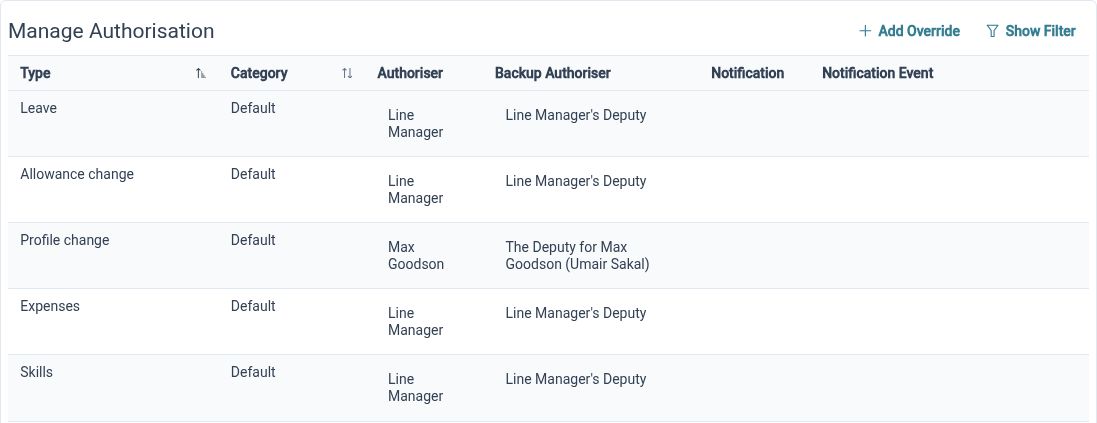
Approval settings help connect requests to the people responsible for reviewing them, including primary and backup authorisers. Expense claims can include items and receipts, skills records can hold certificate evidence, and salary history keeps changes in the employee context. These records support HR administration and review; payroll and reimbursement remain separate processes.
For example, an employee submitting a qualification can attach evidence for review rather than sending a file that becomes disconnected from their record. When a Manager leaves, the departure process brings management relationships, approval responsibilities and final leave allowance into view, helping HR work through the handover decisions together.
HR Approvals Expense Management Skills And Certificates Salary History Employee Offboarding
Listen to staff
Use forms, surveys and feedback to collect consistent information, with clear ownership and review where your process needs it.
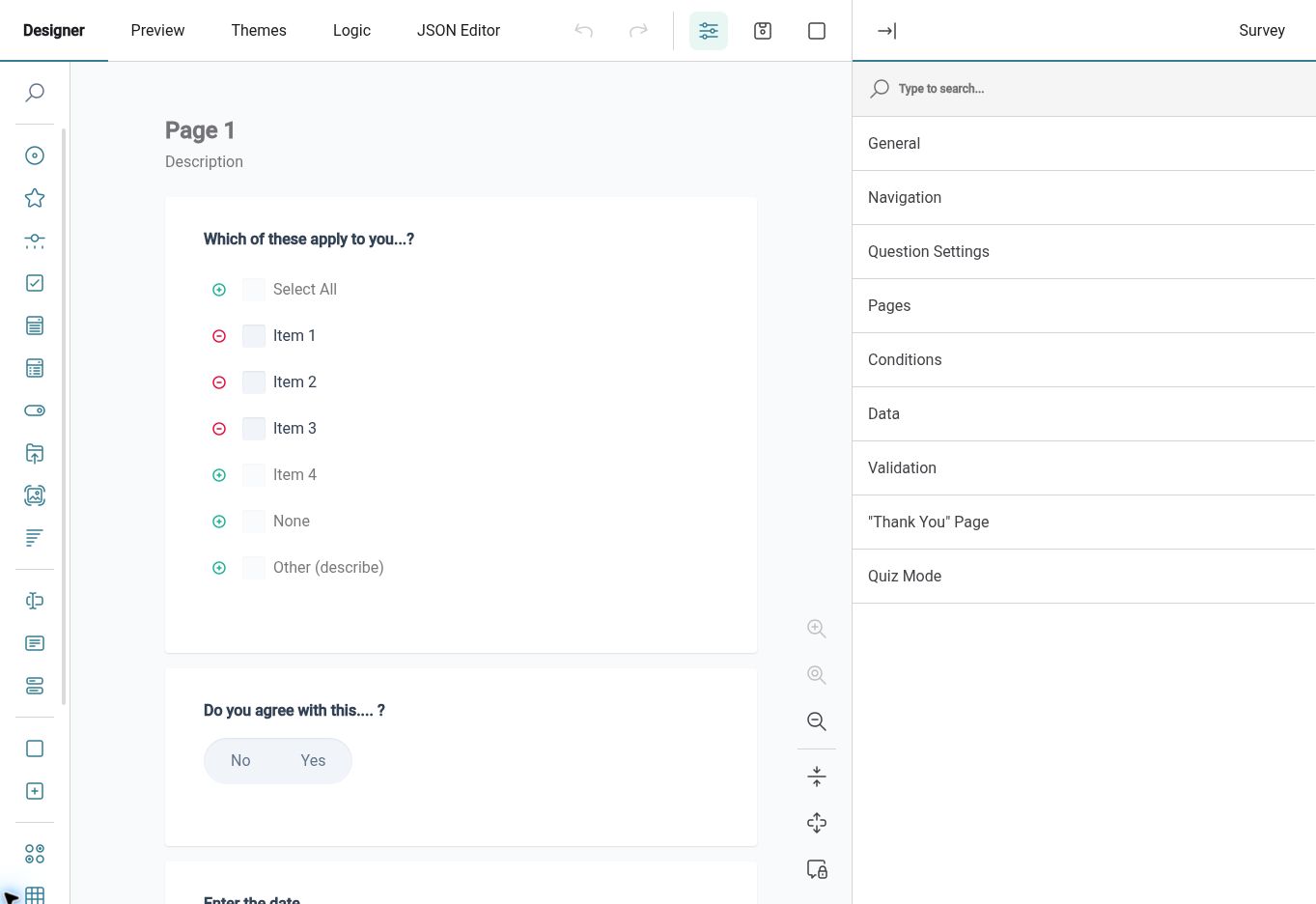
Different conversations need different approaches. Use surveys to gather responses from a chosen audience, assignments when a form needs a named employee to complete it, and feedback when Employees should be able to start the conversation. The form designer provides the questions and structure, while the chosen process determines how responses are collected and reviewed.
For example, after changing an internal process, you could ask a department for feedback through a targeted survey and review the responses together. A separate employee assignment could collect information needed for a particular HR task. Keeping those purposes distinct helps people understand what they are being asked to do and who will handle the response.
HR Form Builder Employee Surveys Form Assignments Employee Feedback
See what matters
Bring useful HR information into dashboards, explore it through reports and review the changes behind an employee record.
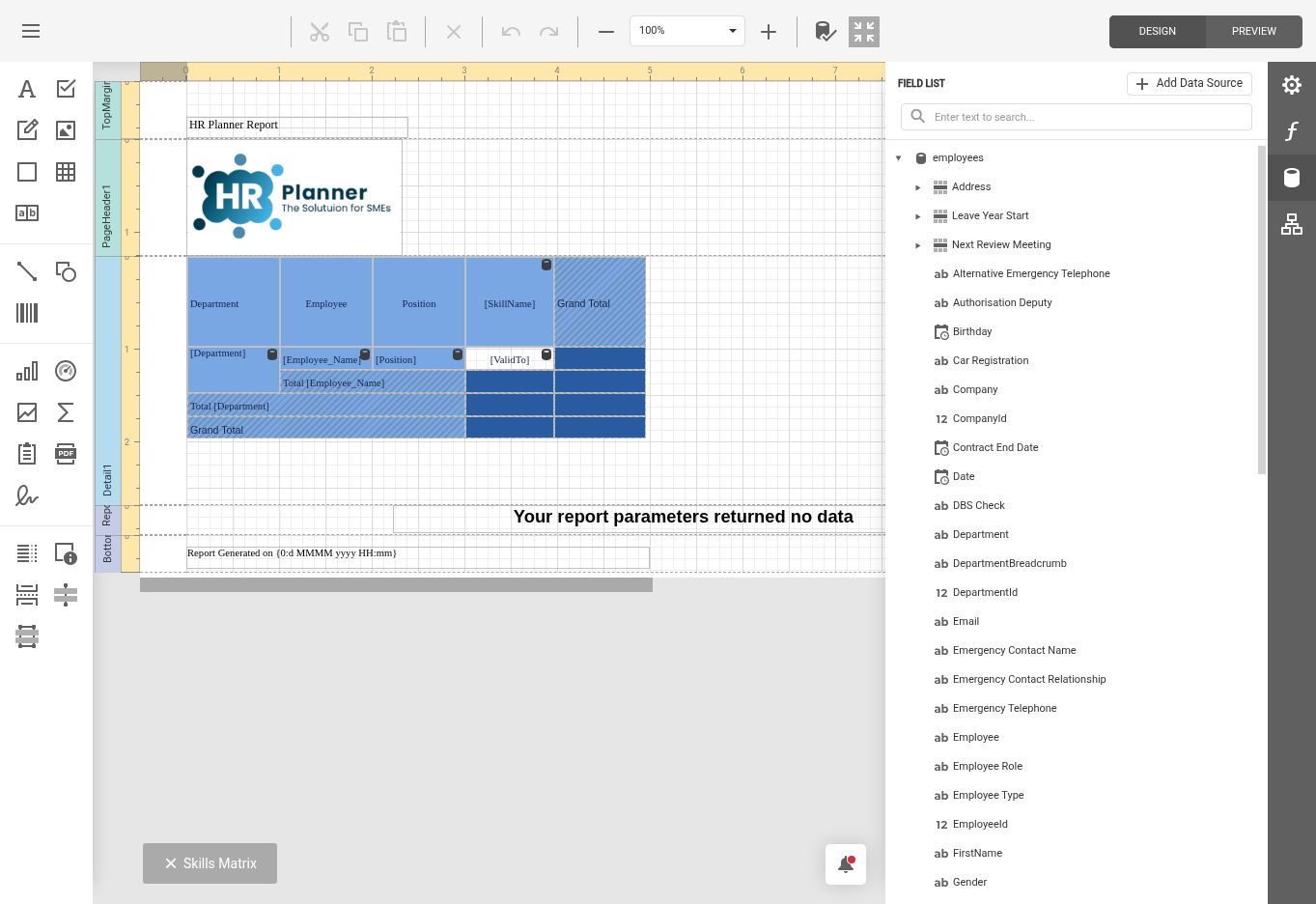
Customisable dashboards let users arrange available widgets around the information they need, such as upcoming leave, tasks and employee summaries. Reports provide a separate route to more detailed questions, with report design, export and access settings. Employee change history adds context when you need to understand how a record reached its current state.
For example, a Manager may start with upcoming leave and outstanding tasks, while HR uses a broader dashboard to organise follow-up work. If a record looks different from an earlier review, change history can help establish what changed. The information visible in dashboards and reports depends on the relevant access settings and available report definitions.
Set clear access
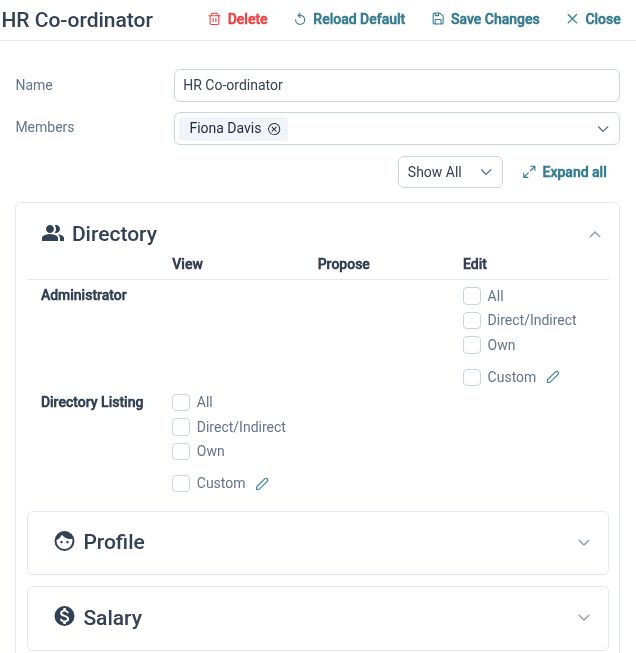
Match HR access to people’s responsibilities and organise the documents they need within the appropriate employee or library context.
Employees, Managers and HR Administrators do not need identical access. HR Planner supports rights that distinguish personal, team and wider employee information, alongside different actions such as viewing, proposing and editing. Document access and OpenID Connect single sign-on add further configuration options for your organisation’s processes and identity setup.
For example, an employee may be able to propose a change to their own details while a Manager reviews information for their team. HR can manage a wider set of records and supporting documents. During setup, review the actual roles and actions your people need, then check the experience using representative accounts before inviting everyone to use the system.
Built around your team

For HR Teams
Bring employee information and recurring administration together, with configurable records and a clear route for reviewing requests.

For Managers
Review team availability, handle the requests assigned to you and find the employee information your role allows.

For Employees
Check your own information, request time away and complete the forms or tasks available in your workspace.
Bring your data with you
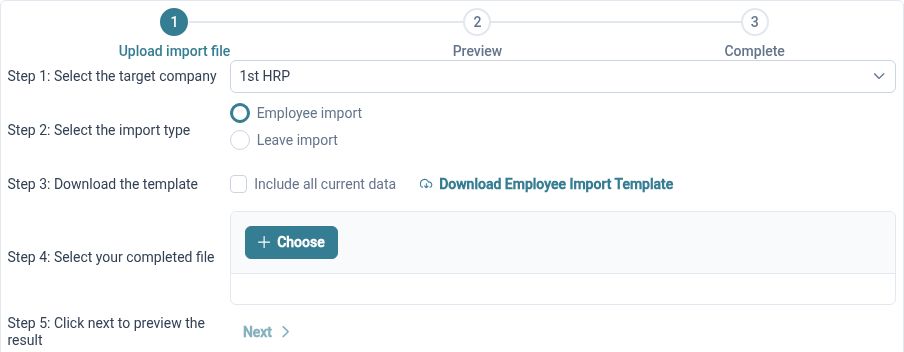
Import from Excel
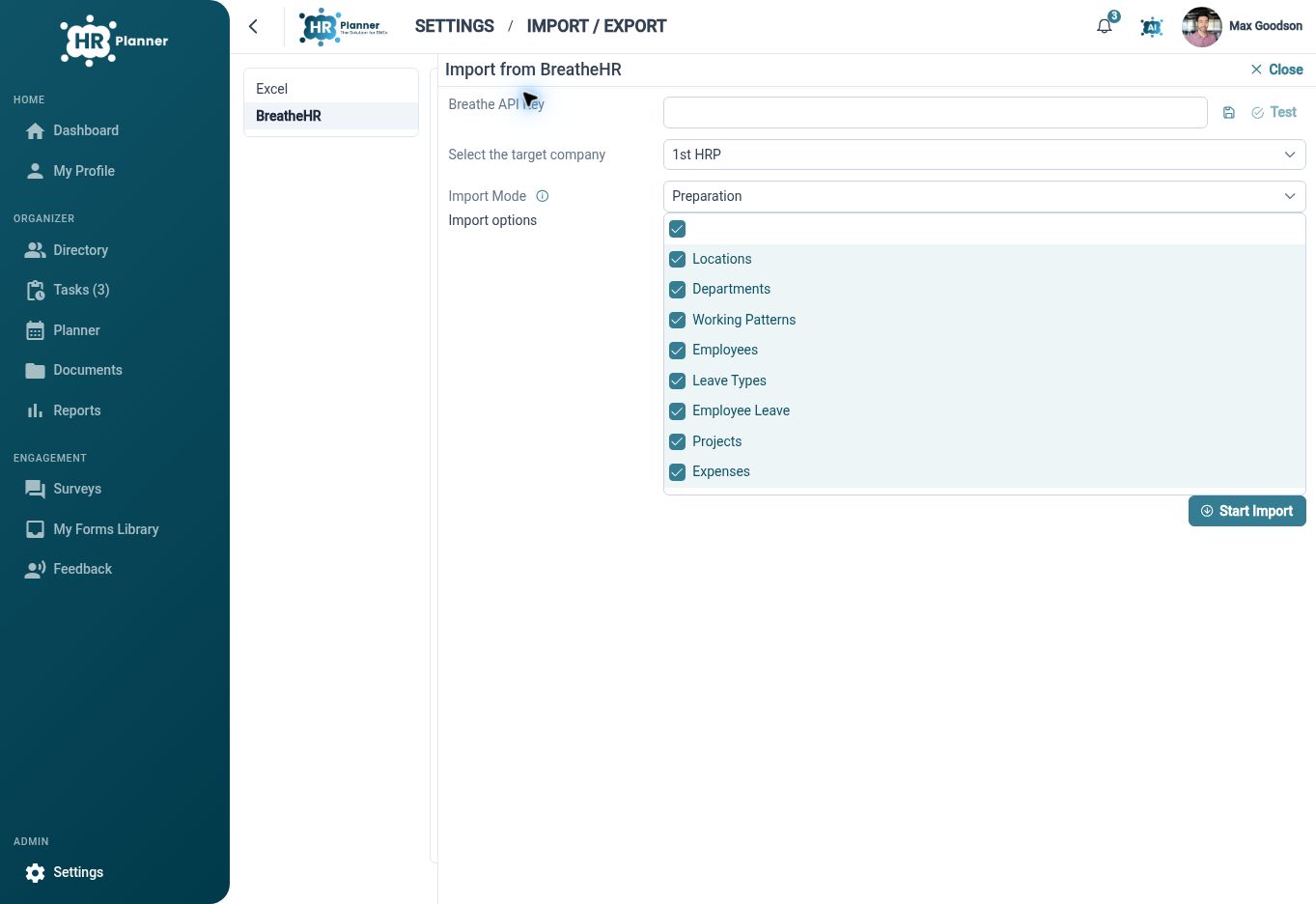
Move from Breathe HR
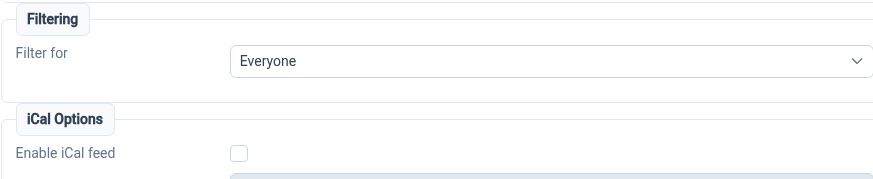
Connect your calendar
Your questions answered
What does HR Planner bring together?
HR Planner connects employee records and self-service with leave management, staff planning, approvals, expenses, skills, documents, forms, surveys and reporting. The feature pages explain each area in more detail, so you can assess the workflows most relevant to your team.
Can it reflect the way our business works?
You can configure companies and departments, custom record fields, working patterns, leave settings and approval responsibilities. Start with the processes your team already follows, then review the settings and employee experience together. Available actions depend on your configuration and access rights.
Can Employees update their own details?
Employee self-service supports access to personal information and permitted HR actions. Viewing, proposing a change and editing are separate rights, so an employee can have a route to request an update without being given unrestricted editing access.
How should we prepare to move systems?
Identify the records and history you need, remove outdated or duplicate information and agree the organisational structure. Review the Excel import or Breathe migration route, check the data included in scope and reconcile the results before relying on the new records for everyday work.

Ready to take our software for a spin?
Organisations just like yours are using HR Planner. Start your free trial today to see how simple it can be!